4
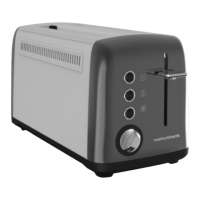
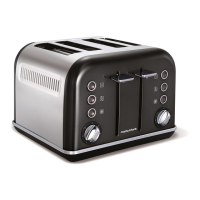
Getting the best from your new toaster...
Safety first
Do not touch metal top or sides of the appliance during or after
use as they get very hot.
Empty crumb tray(s) regularly
To clean away any crumbs that accumulate after use.
In order to achieve uniform browning
Wait a minimum of 30 seconds between each toasting, so that the
control can automatically reset.
Electrical requirements
Check that the voltage on the rating plate of your appliance
corresponds with your house electricity supply which must be
A.C. (Alternating Current).
If the socket outlets in your home are not suitable for the plug
supplied with this appliance, the plug should be removed and the
appropriate one fitted.
WARNING : The plug removed from the mains lead, if severed,
must be destroyed, as a plug with a bared flexible cord is
hazardous if engaged into a live socket outlet.
Should the fuse in the 13 amp plug require changing, a 13 amp
BS1362 fuse must be fitted.
WARNING: This appliance must be earthed.
Before first use
• Before using the toaster for the first time operate the toaster
without bread.
• As with all new electric heating elements, your toaster emits a
‘new’ smell when it is first switched on. This is quite normal and
not a cause for concern.
Features
⁄
Bread Slots
¤
Bread Carriage Lever
‹
Frozen Button
›
Re-heat Button
fi
Cancel Button
fl
Browning Control
‡
Cable Storage (underneath)
·
Crumb Tray
Using your toaster
1
Place the sliced bread into the Bread Slots (1).
2
Adjust the Browning Control (6) to the desired setting.
3
Depress the Bread Carriage Lever (2). The toaster will begin
toasting the bread.
4
When completed, the Bread Carriage Lever will automatically rise
and lift the toast from the toaster.
Additional features
Frozen Button
To toast frozen bread, do not adjust the Browning Control (6)
from your normal setting. Place the frozen bread in the Bread
Slots (1), depress the Bread Carriage Lever (2) and press the
Frozen Button (3). The button will illuminate and the toaster will
operate for a longer period defrosting and toasting the bread.
Re-heat Button
If your toast has popped up and gone cold, the toaster offers a
re-heat facility. To use, depress the Bread Carriage Lever (2),
and press the Re-heat Button (4) immediately. The button will
illuminate and the toaster will operate for a short period
reheating the bread.
Cancel Button
If you wish to interrupt the toasting process, press the Cancel
Button (5).
Removing the Crumb Tray
5
WARNING: Crumbs will accumulate in the Crumb Tray (8) and
could catch fire if not emptied regularly.
1. When the appliance has cooled down completely, tap the sides of
the case lightly to dislodge any crumbs lodged in the appliance
chamber and remove the Crumb Tray.
2. Empty the Crumb Tray and replace it.
Never operate the appliance without the Crumb Tray fitted.
Hints and tips
• In order to achieve uniform browning, we recommend you wait a
minimum of 30 seconds between each toasting, so that the
control can be automatically reset.
• If toasting one slice only, you may need to adjust the Browning
Control (6) to a slightly lower setting. You will also notice a slight
variation in toast colour on one side of a single slice.
• When toasting 2 slices it is recommended they are of equal size
and freshness.
• Stale bread toasts more rapidly than fresh bread. Therefore, the
Browning Control should be set at a lower setting than usual.
• All sorts of bread can be used as well as teacakes, small rolls etc.
Slices should not however be so thick as to cause burning or
jamming within the Bread Slots (1).
• If the bread in your toaster becomes jammed disconnect your
toaster at the socket, allow it to cool, then remove the bread.
• Allow the toaster to cool fully before putting away.
o
TT44209MAUS Rev1.qxp_9225 47507 MEE pump - Jon 17/12/2014 10:01 Page 4



 To Next Page
 Loading...