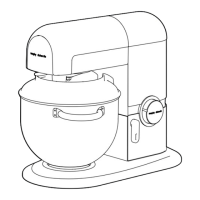
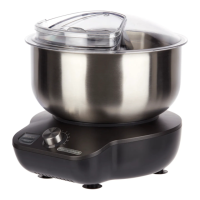
Press the Attachment Release Button (11) to
remove the attachments from the Stand Mixer.
Clean and fold for Storage.
W
hen your mixing is complete, turn the Mixer
off. Press the Head Unit Release Button
(12)
and lift the Head Unit. The Head Unit will lock
in the upright position.
• Your Total Control Folding Stand Mixer has two
automatic programmes, these enable you to
create perfect beaten egg whites (for meringues)
and cake batter (for sponge cake) at the touch of
a button.
• To use either programme follow the steps below.
Automatic Programmes
On the cake setting, the Stand Mixer will
pause partway through the programme and
the button will flash. Scrape the sides of the
bowl down with a spatula. The mixer will not
pause on the egg white mixing programme.
Press the desired automatic programme
button (5) (Cake) or (6) (Egg White), the
Button will illuminate when selected. Press
the Start / Pause Button (7).
Follow steps 1-5 of ‘Using Your Stand Mixer’.
Attach the Whisks (14) for the Egg White
Programme or Beaters (15) for Cake
Programme.
Your Stand Mixer will start automatically. When
a programme is running, the Speed Control (3)
is disabled and will not adjust the speed.
400405 Rev 3.qxp_Layout 1 25/01/2019 11:56 Page 7



 To Next Page