EasyManua.ls Logo

Morrison YT5461-01 - User Manual

Morrison YT5461-01
12 pages
Print Icon
To Next Page IconTo Next Page
Loading...
www.morrisonoutdoor.com
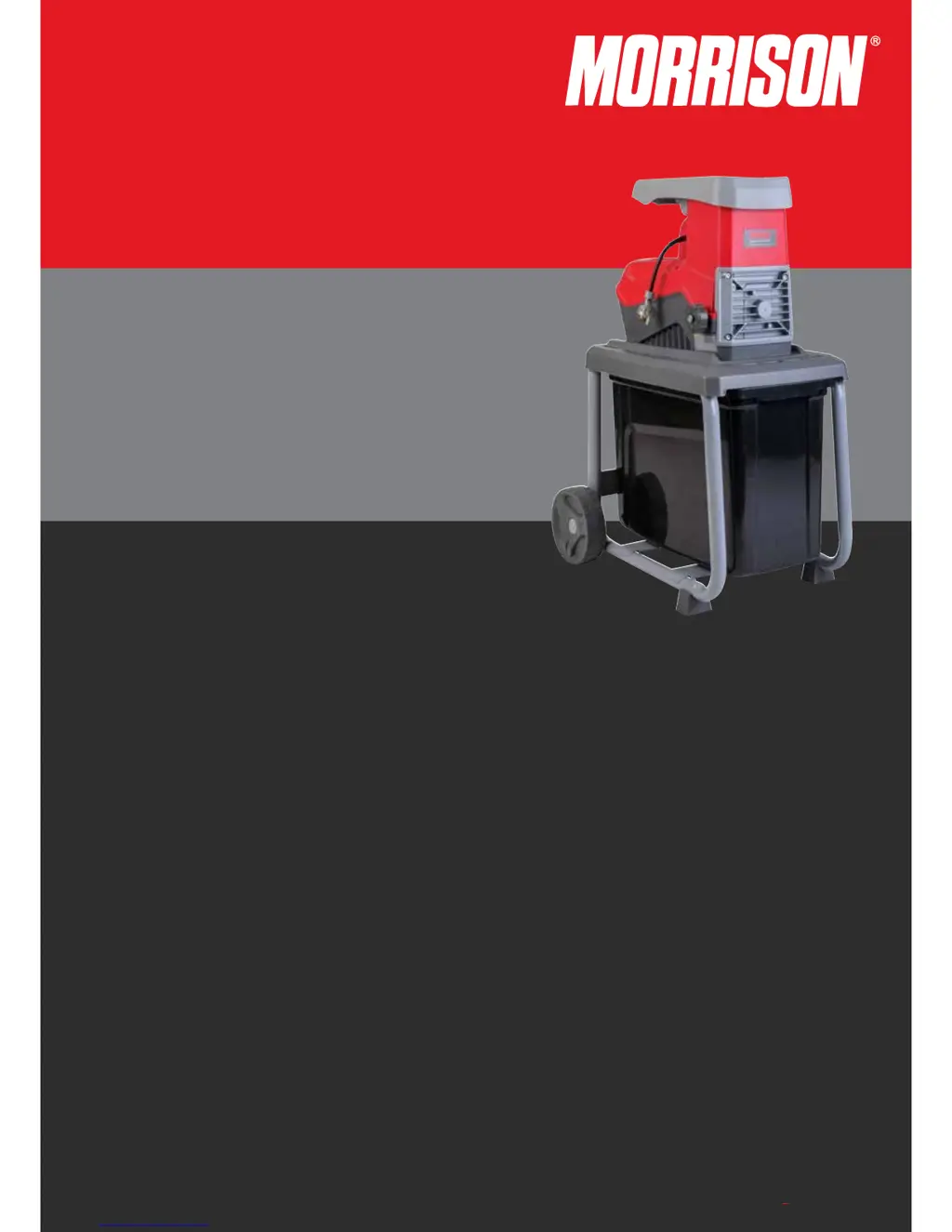
Electric Quiet Shredder
2400W
Owner’s Manual
Part N
o
: 571728.E.0
Revised July 2016
Important
Please read this Owner’s Manual and the Express Warranty before using this product. The Warranty does not cover
damage due to misuse or failure to follow the operating and assembly instructions.
Keep these instructions in a safe place for future use.

Questions and Answers

  • M
    Michael ThompsonAug 2, 2025
    Why won't my Morrison Paper Shredder start?
    • E
      Emma TaylorAug 2, 2025
      The motor may not start due to several reasons. First, check the mains supply to ensure there is power. The safety cut-out device of the retaining basket might be unlocked, so check and lock it. Also, the overload protection might be activated; in this case, wait until the machine cools down and press the green button.
  • J
    Jeff MillerAug 8, 2025
    What to do if my Morrison Paper Shredder is not drawing in material?
    • N
      nicholasfoxAug 8, 2025
      If shredding material isn't being drawn into the shredder, the reverse rotation might be on. Turn off the device and switch over the direction of rotation selector switch. Also, the shredding material may be caught in the filling hopper. In that case, switch off the device, switch the forward/reverse switch into reverse direction, switch on the device to release the material to be shredded, remove any foreign matter, switch the device off again, and turn back the direction of forward rotation. If the shredding material is too soft or wet, push it down with a branch.
  • R
    Rebecca ClarkAug 14, 2025
    What to do if Morrison YT5461-01 motor sounds but does not start?
    • J
      James GutierrezAug 14, 2025
      If the motor sounds but doesn't start, the cutting roller might be blocked. Turn off the device, switch the forward/reverse switch into reverse direction, switch on the machine until the jam has been cleared, switch the machine off again, and turn back the direction of forward rotation.
  • H
    Heather BarronAug 20, 2025
    Why does my Morrison YT5461-01 Paper Shredder start but then get blocked by even slight load?
    • T
      Timothy WhitakerAug 20, 2025
      If your device starts but is blocked by even a slight load, it could be that the extension cable is too long or its cross-section is too thin, or the socket is too far from the mains supply, or the cross-section of the mains cable is too thin. Check that the extension cable is at least 1.5 mm2 and a maximum of 25 m long. If using a longer cable, the minimum cross-section should be 2.5 mm.
  • T
    Tracey YorkAug 26, 2025
    How to fix Morrison Paper Shredder that is not cutting cleanly?
    • N
      Nicholas LeeAug 26, 2025
      If the shredding material is not being cut cleanly, the fixed counter blade may not be adequately adjusted. Adjust the counter blade to resolve this.

Summary

Important Information and Usage Warnings

Manual and Warranty Review

Read the manual and warranty before use to avoid damage from misuse.

Instruction Storage

Keep operating instructions in a safe place for future reference.

Understanding Symbols and Proper Use

Machine Symbols

Illustrates safety and operational symbols found on the shredder.

Manual Symbols

Explains the meaning of symbols used within this manual.

Proper Use Guidelines

Defines eligible users and general operating rules for the shredder.

Safety Instructions

General Safety Precautions

Provides critical safety precautions for safe shredder operation.

Machine Components and Assembly

List of Parts

Identifies all components of the electric shredder.

Assembly Instructions

Step-by-step guide for assembling the shredder unit.

Functional Description and Operation

Functional Description

Overview of the shredder's main parts and their purpose.

Power Switch Operation

Instructions for using the machine's power on/off buttons.

Material Processing

Guidelines on what materials can and cannot be shredded.

Operation Details and Features

Restart and Overload Protection

How the machine handles power failures and motor overloads.

Forward;Reverse and Jam Clearing

Using the reverse function to clear jammed materials.

Basket Lock and Blade Cover

Details on the retaining basket lock and blade cover safety.

Maintenance and Adjustments

Maintenance Procedures

Routine care, lubrication, and cleaning advice.

Adjusting Blade Clearance

Procedure for optimizing cutting performance.

Reverse Switch Operation

Specific guidance on using the reverse function.

Technical Data

Machine Specifications

Key specifications and electrical ratings of the shredder.

Troubleshooting

Troubleshooting Guide

Lists common problems and their solutions.

Morrison YT5461-01 Specifications

General IconGeneral
BrandMorrison
ModelYT5461-01
CategoryPaper Shredder
LanguageEnglish