PRO-67-B V.2.S
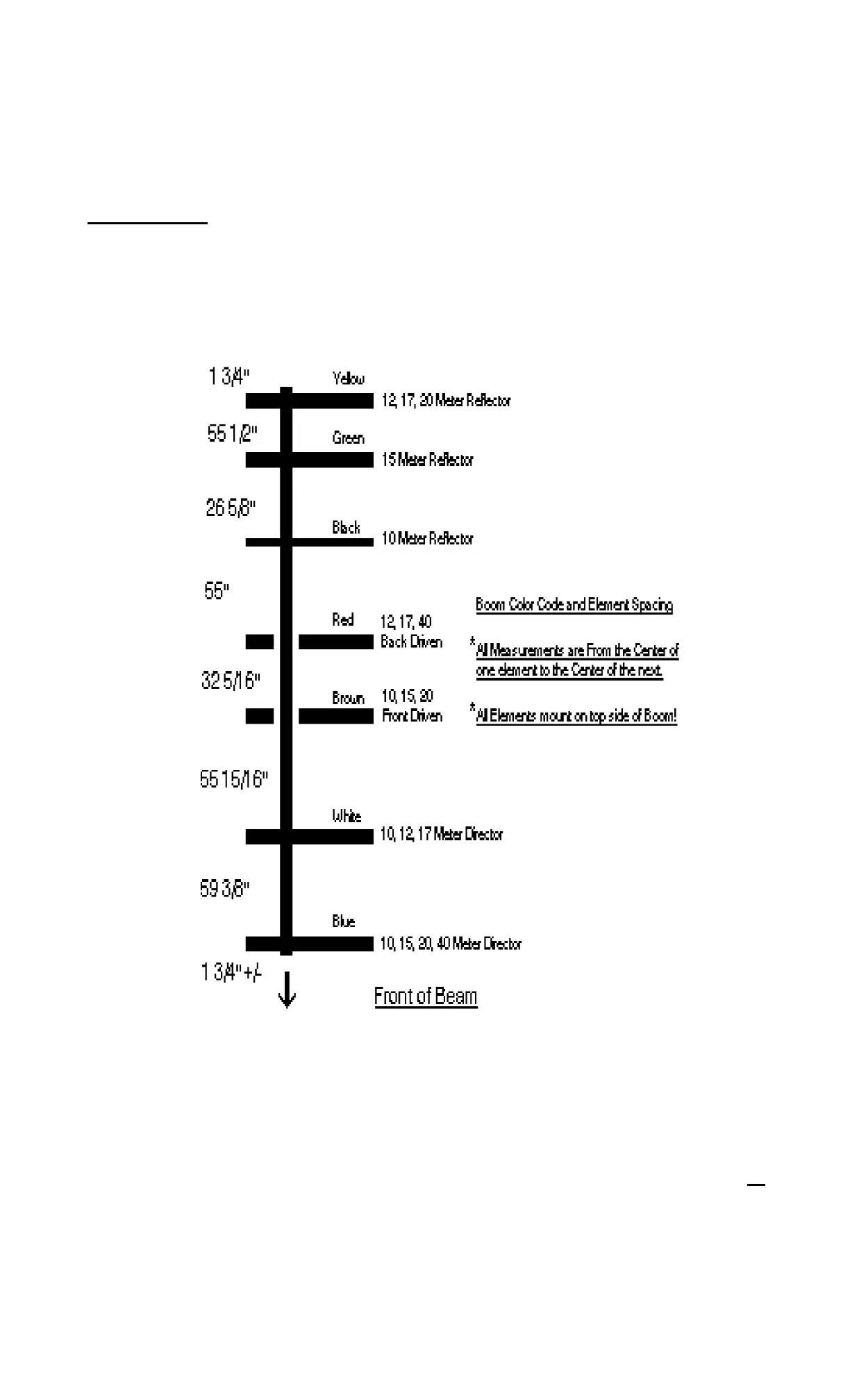
PLACING FDE/BDE ON BOOM
< > Locate the BROWN color code for the FDE on boom. Place assembled FDE over color code and insert #48 clamping block
(Part 24) on boom between FDE and boom. Place U-Bolt (Part 23) around boom, through clamping block and element support.
(Part 1).
< > Secure U-bolt with lock washers and nuts. (Parts 25, 26).
< > Tighten down element to boom, but don’t completely tighten until all elements are aligned and are parallel to each other on
boom.
< > Place BDE on boom in the same manner as FDE.
12



 To Next Page