4,, Installing
the
:filter
Users
may install
filters as required. To install a
filter: Loosen
the
holding
screws on the lamp
housing and remove
the lamp housing from the main unit.
Find
the
filter installation
location
(at
the
front of the
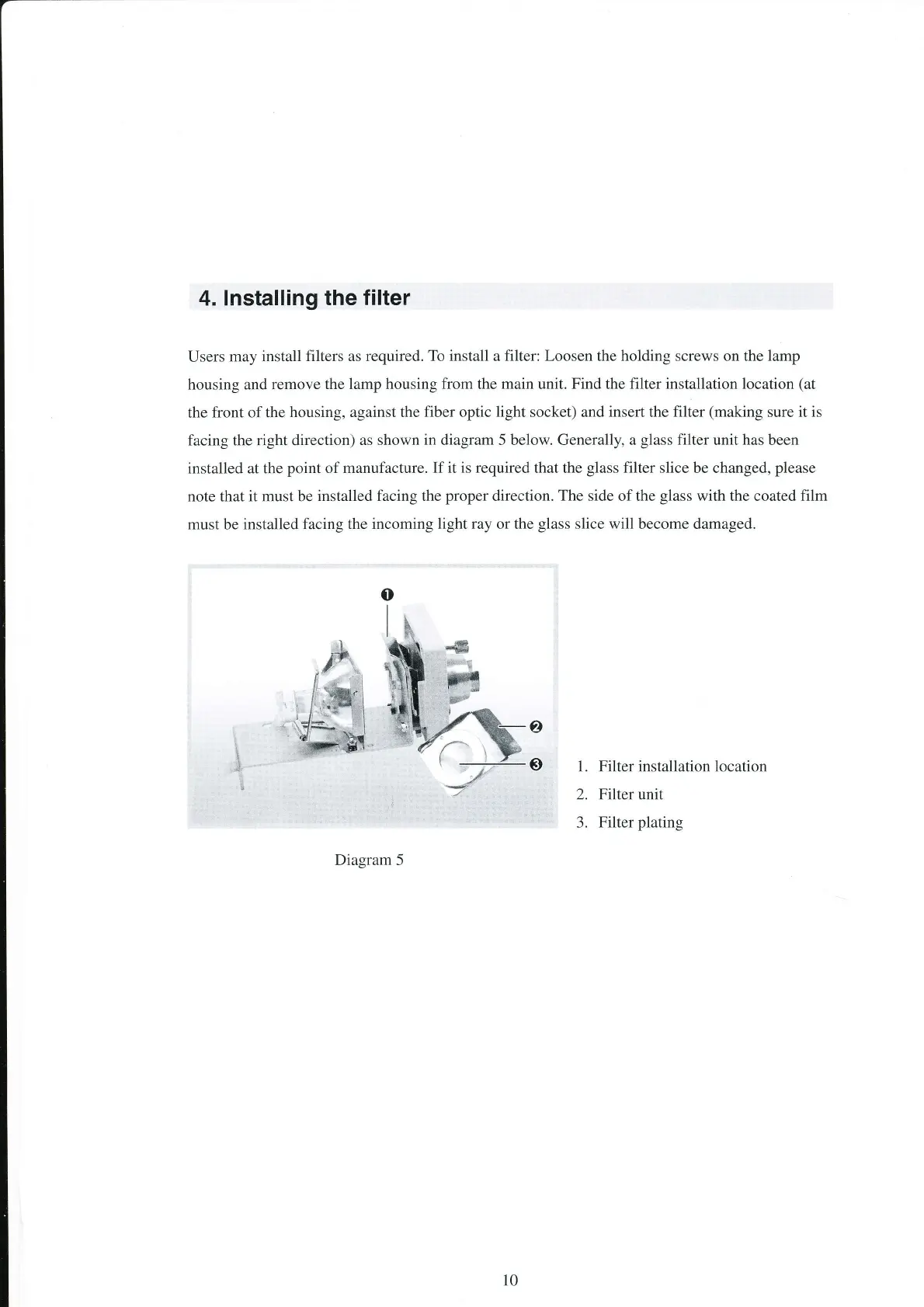
housing, against the fiber optic light socket) and
insert
the
filter
(making
sure it is
facing the right direction)
as shown in diagram 5 below. Generally, a
glass
filter
unit
has
been
installed
at the
point
of
manufacture. If it is required that the
glass
filter slice be changed,
please
note
that it must be
installed facing the
proper
direction. The side of the
glass
with the coated film
must be
installed facing the
incoming light ray or the
glass
slice will become damaged.
1. Filter installation location
2. Filter unit
3.
Filter
plating
Diagram 5
10


 To Next Page