EasyManua.ls Logo

Motic MLC-150C - Usage

Motic MLC-150C
16 pages
Print Icon
To Next Page IconTo Next Page
To Previous Page IconTo Previous Page
Loading...
3.
Usage
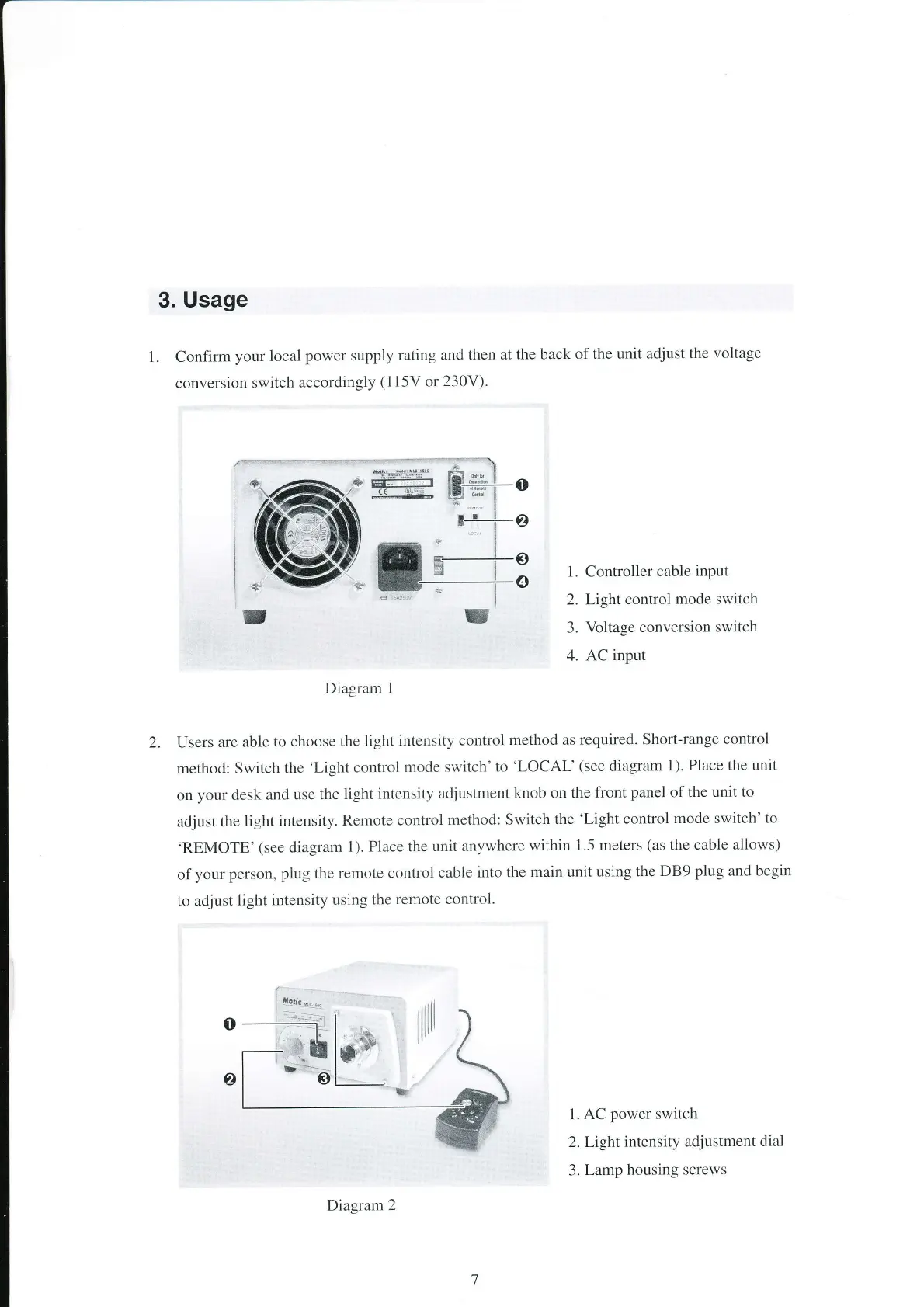
1. Confirrn
your local
power
supply
rating and
then at
the back
of the unit
adjust the
voltage
conversion
switch
accordingly
(115V
or
230V).
1. Controller
cable
input
2. Light
control
mode switch
3.
Voltage
conversion
switch
4. AC input
Diagram
1
2. Users
are able
to choose
the
tight
intensity control
method as
required. Shorl-range
control
method:
Switch
the
'Light control
mode switch'to
'LOCAL'
(see
diagram
1).
Place the
unit
on
your
desk
and
use the
light intensity
adjustment
knob on
the front
panel
of the
unit to
adjust
the
light
intensity.
Remote
control
method: Switch
the
'Light control
mode switch'
to
'REMOTE'
(see
diagram
1).
Place the
unit anywhere
within
1.5 meters
(as
the
cable allows)
of
your person,
plug the remote
control
cable
into the
main unit using
the
DB9
plug
and
begin
to adjust
light
intensity
using
the
remote control.
1.
AC
power
switch
2.Light
intensity
adjustment
dial
3.
Lamp housing
screws