i:||ee
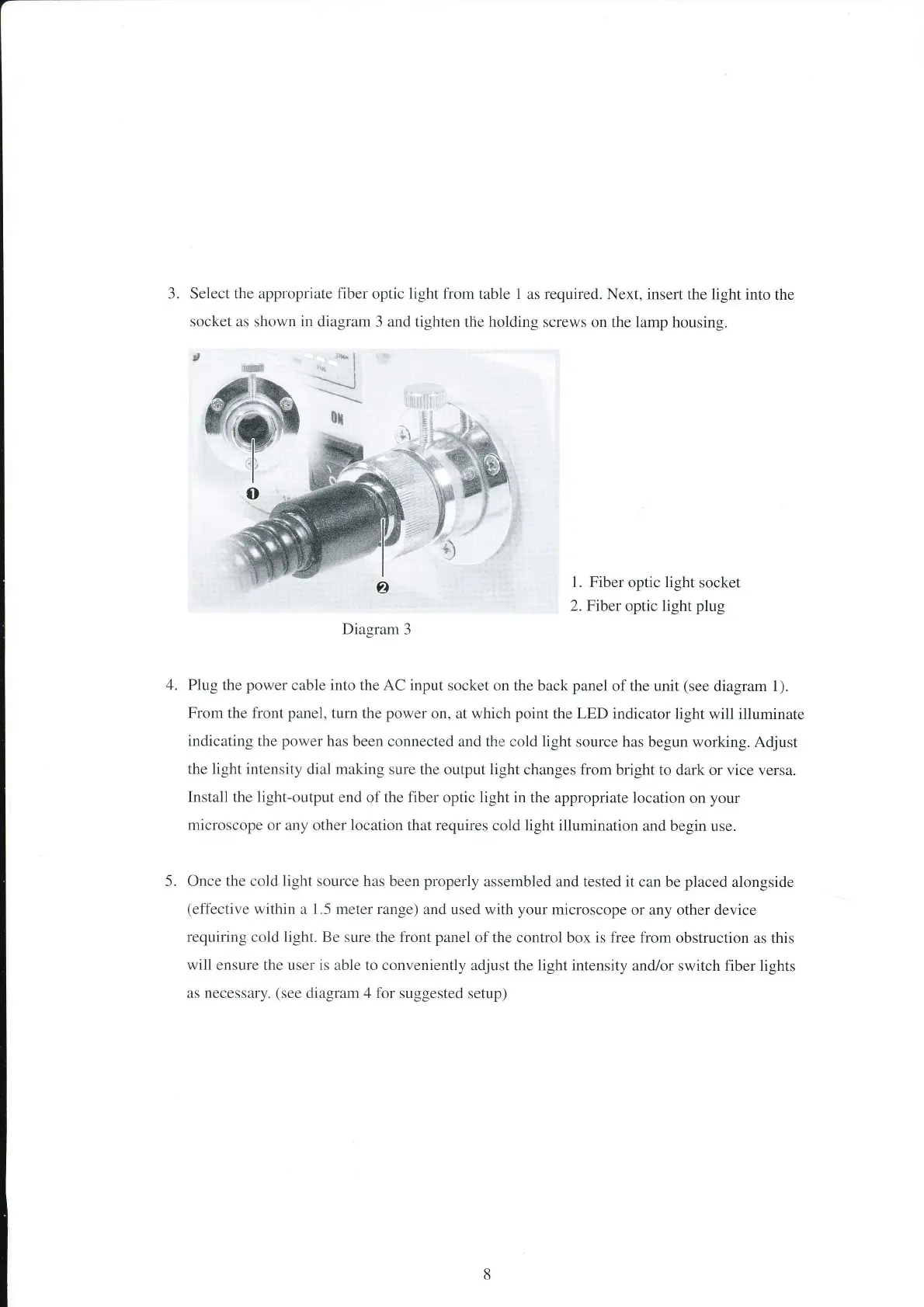
3. Select the appropriate fiber optic light from
table 1 as required.
Next, insert the light
into the
socket as shown
in
diagram 3 and tighten
the holding screws
on the lamp housing.
',t*
'*
|
-:
x{
1. Fiber
optic
light
socket
2. Fiber
optic light
plug
Diagram
3
Plug the
power
cable into the AC input
socket on the
back
panel
of the unit
(see
diagram 1).
From the front
panel,
turn the
power
on, at which
point
the LED indicator light
will illuminate
indicating the
power
has
been connected and the
cold
light
source has
begun working. Adjust
the light intensity
dial
making
sure the outpllt light
changes from bright
to dark or vice
versa.
Install the light-output
end
of
the fiber optic light in
the appropriate location
on
your
microscope
or any other location that requires
cold light illumination
and begin use.
Once the cold
light
source has been
properly
assembled and tested it
can be
placed
alongside
(effective
within a 1.5 meter range)
and used with
your
microscope
or any other device
requiring
cold light. Be sure the front
panel
of the control box is free from
obstruction
as this
will ensure the user is able to conveniently
adjust the light intensity
and/or switch fiber lights
as
necessary.
(see
diagram 4 for suggested
setup)
ôx
4.
5.


 To Next Page