EasyManua.ls Logo

Motocaddy M3 PRO - User Manual

Motocaddy M3 PRO
32 pages
Print Icon
To Next Page IconTo Next Page
Loading...
EN
M-Series Electric Trolley
Instruction Manual
Distance Measurement Device (DMD) features are legal to use when local USGA and R&A
rule 14-3 is in effect. Always check local and competition rules prior to commencing play
REGISTERONLINE
www.motocaddy.com/warranty
Visit www.motocaddy.com/instructions for other Motocaddy instructions including translations
Question and Answer IconNeed help?

Do you have a question about the Motocaddy M3 PRO and is the answer not in the manual?

Summary

Locating Serial Number and DHC Information

Locating Your Serial Number

Find the trolley's unique serial number for warranty registration and future reference.

Safety and Trolley Care

Safe Use of Your Trolley

Outlines essential safety precautions for operating the golf trolley correctly.

Lithium Battery Charging and Care

Charging Your Lithium Battery

Step-by-step instructions for safely charging the lithium battery.

Front Wheel Alignment Adjustment

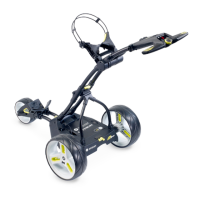
M1 Trolley Equipment Overview

M1 Trolley Operation and Power

Using the M1 Trolley Controls

Guide to operating the M1 trolley, including speed settings and start/stop functions.

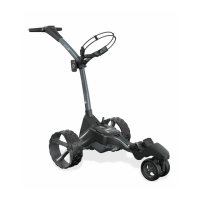
M3 PRO Trolley Equipment Overview

M3 PRO Control Panel and Functions

M3 PRO Advanced Control Panel

Overview of the M3 PRO's digital control panel features and displays.

M3 PRO Speed Control and USB Port

M3 PRO Speed Control

Instructions for starting, stopping, and adjusting speed on the M3 PRO trolley.

M3 PRO Adjustable Distance Control

Using M3 PRO ADC Feature

Instructions for setting and using the Adjustable Distance Control (ADC) feature.

M3 PRO Distance Readouts

M3 PRO Competition Mode

M3 PRO Security Pin Code Setup

Setting the M3 PRO Security Pin

Procedure to enable and set a four-digit security pin code for the trolley.

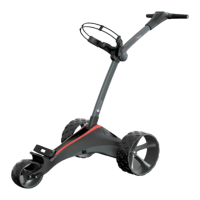
M5 CONNECT Trolley Equipment Overview

M5 CONNECT Handle and Operation

M5 CONNECT Handle Controls

Overview of the M5 CONNECT's smart display and handle interface.

Operating the M5 CONNECT Trolley

Guide to starting, stopping, and adjusting speed on the M5 CONNECT trolley.

M5 CONNECT Adjustable Distance Control

Using M5 CONNECT ADC Feature

Instructions for setting and using the basic Adjustable Distance Control (ADC) feature.

M5 CONNECT Smart Features

Installing Motocaddy App and Pairing

Steps for installing the app and pairing your smartphone with the M5 CONNECT.

DHC Downhill Control and Parking Brake

Introduction to Downhill Control (DHC)

Explanation of the DHC feature for maintaining controlled speed downhill.

Using the DHC Parking Brake

Instructions for activating and releasing the electronic parking brake on DHC models.

Motocaddy M3 PRO Specifications

General IconGeneral
EASILOCK™ CompatibilityYes
BatteryLithium
DisplayLCD
FeaturesEASILOCK™, USB Charging Port
MaterialAluminium
Warranty24 months

Related product manuals