MOTORGUIDE WIRELESS
8M4000137 For Questions, Contact Consumer Affairs at #1-920-929-5040 21
© 2005, MotorGuide www.motorguide.com
MAINTENANCE
Foot-Pedal Battery Replacement
Use only a 3V lithium type CR2032
replacement battery. These
batteries are not rechargeable.
Follow these instructions to change
the battery:
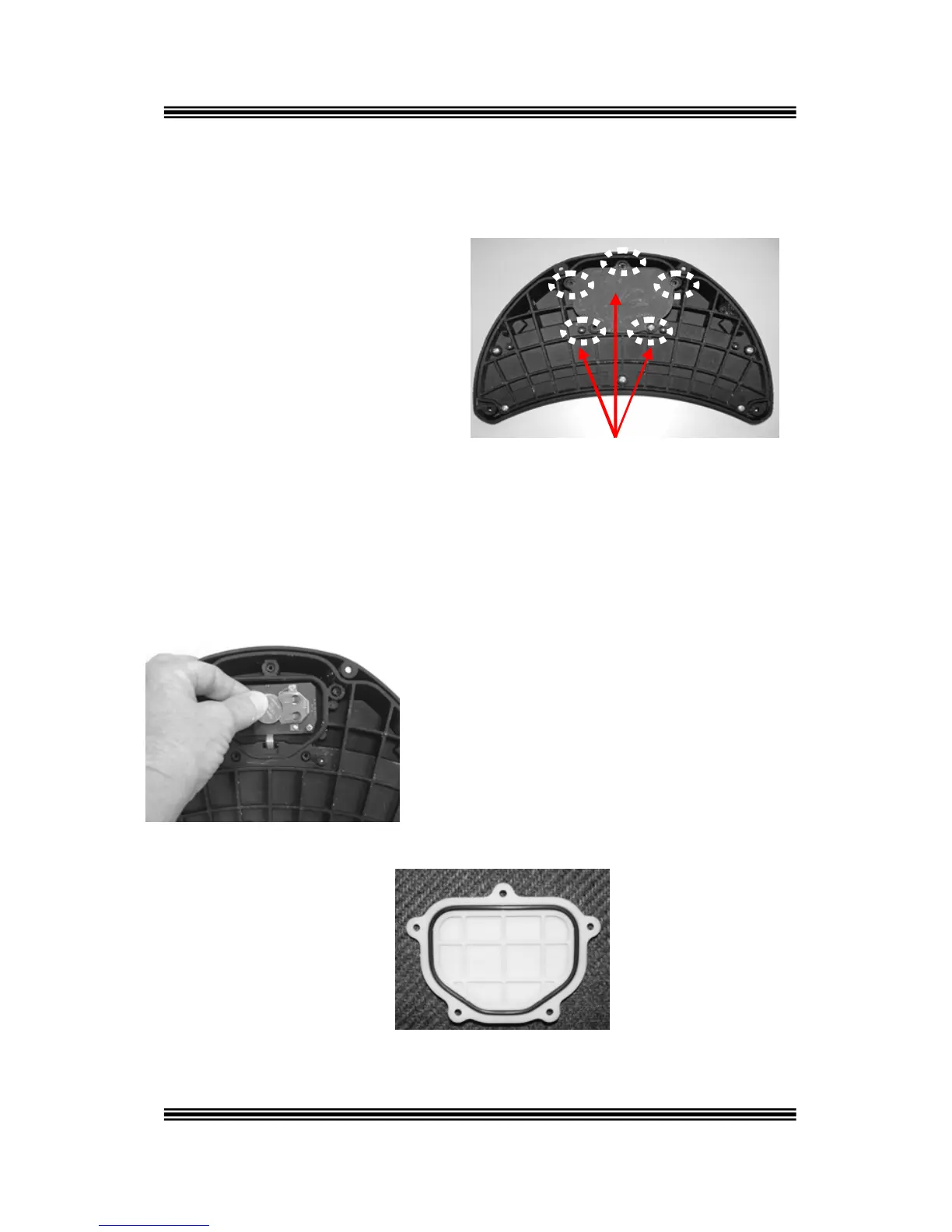
1. Remove the five screws
on the battery cover plate
located on the underside
of the foot-pedal.
Location of Screws Securing Battery
Cover Plate to Foot-Pedal
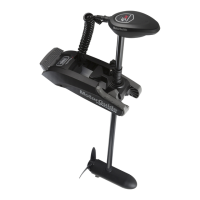
2. Remove the battery cover plate.
3. Using a pencil, push the battery out of its holder.
4. With the “+” symbol facing up, slide
the new battery in the holder.
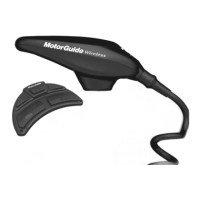
5. Ensure the O- ring is in
place on the inside
cover. Replace the cover
plate and five screws.



 To Next Page