EasyManua.ls Logo

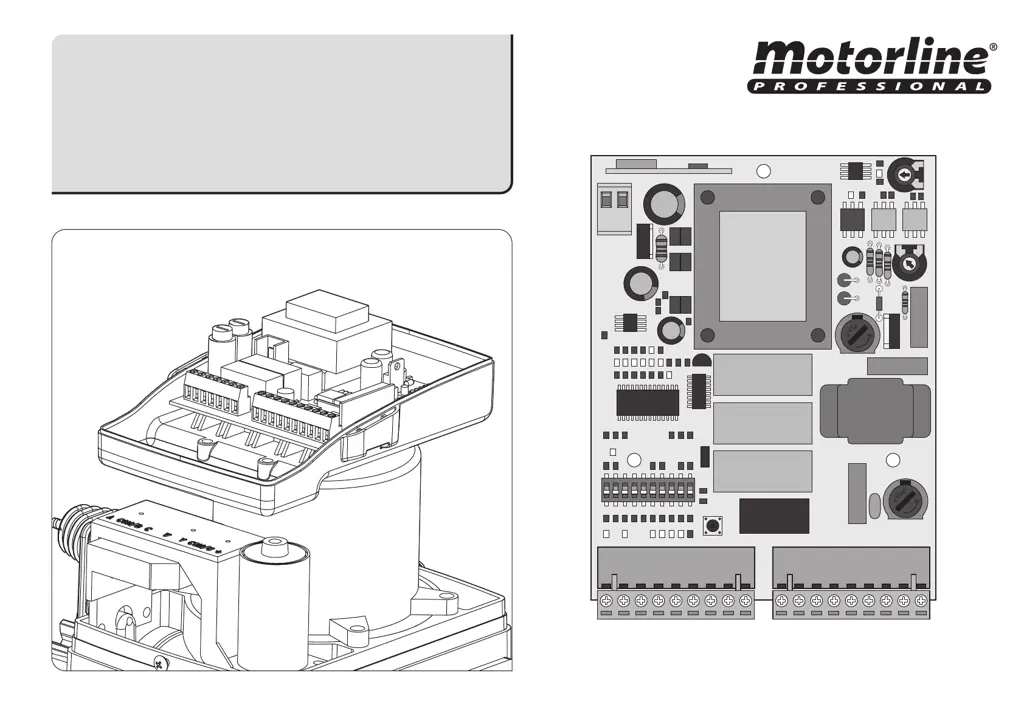
Motorline professional MC102 - User Manual

Motorline professional MC102
8 pages
Print Icon
To Next Page IconTo Next Page
Loading...
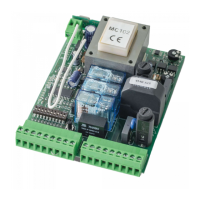
CONTROL BOARD
MC102
USER / INSTALLER MANUAL
v1.0
REV. 10/2013
1
ON
2 3 4 5 6 7 8 9 10

Questions and Answers

  • G
    Gabriel GoodmanAug 3, 2025
    What to do if Motorline professional Control Unit gate opened but didn’t close again?
    • R
      Ralph PopeAug 3, 2025
      If your Motorline professional Control Unit gate opens but doesn't close, first check for any obstructions blocking the photocells. Also, verify that none of the gate's control devices, such as the key selector, push button, or video intercom, are stuck and sending a continuous signal to the control unit.
  • J
    johnsonjerryAug 16, 2025
    How to troubleshoot Motorline professional MC102 Control Unit motor that doesn’t move but makes noise?
    • R
      Richard FitzpatrickAug 17, 2025
      If the Motorline professional Control Unit motor makes noise but doesn't move, unlock the motor and manually move the gate to check for any mechanical issues.

Summary

SAFETY INSTRUCTIONS

STANDARDS TO FOLLOW

Guidelines and rules to ensure safe operation and installation of the control board.

THE CONTROL BOARD

TECHNICAL SPECIFICATIONS

Details electrical and operational parameters of the MC102 control board.

PROGRAMMING PRE-RECOMMENDATIONS

Important points to consider before configuring the control board functions.

DIPPERS

DIPPERS FUNCTIONS BOARD

Explains the function of each dip switch on the control board for configuration.

CONFIGURATION

INSTALLATION PROCESS

Step-by-step guide for the initial setup and installation of the control board.

Total Opening and transmitter programming

How to program remote control transmitters for gate operation.

Erase all the transmitters from the control board

Procedure to remove all previously programmed remote controls.

Programming the Working Time and Engines Pause

Setting the operational duration and pause intervals for the gate motor.

Programming the Pedestrian Work Time

Configuring the specific opening time for pedestrian access.

Force and Sensitivity Regulation (anti-crushing)

Adjusting motor power and safety sensitivity to prevent crushing.

Iluminated Lightbulb in Pause Time (10 and 11 terminals)

Activating and configuring the lightbulb output for pause time indication.

COMPONENT TEST

CAPACITOR SCHEME

Diagram showing capacitor connection for testing motor functionality.

TROUBLESHOOTING

FINAL CONSUMERS INSTRUCTIONS

Basic troubleshooting steps for end-users to identify common issues.

SPECIALIZED TECHNICIANS INSTRUCTIONS

Advanced diagnostic and repair procedures for qualified technicians.

WIRING DIAGRAM

CONTROL BOARD COMPONENT CONNECTION

Visual guide illustrating the connection of various components to the control board.

Motorline professional MC102 Specifications

General IconGeneral
Power Supply230V AC
Motor Power600W
Protection ClassIP40
Radio Frequency433.92 MHz
Memory Capacity250 users
Input Voltage230V AC
Output Current5A
Dimensions160 x 110 x 55 mm
Weight370g

Related product manuals