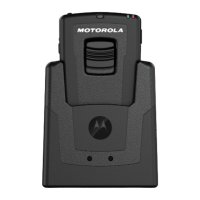
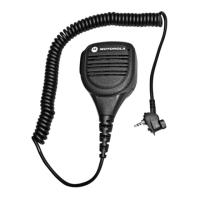
WM500 WIRELESS REMOTE SPEAKER MICROPHONE
CHARGING THE BATTERY
GETTING STARTED
Before you start, fully charge the RSM. To charge, connect
the USB charging cable to the RSM and plug it to the USB
power source.
TABLE 3: CHARGING INDICATOR BEHAVIOR
POWER INDICATOR DESCRIPTION
Blinking red
1
Battery is low
Solid red Battery is charging
Solid green Battery is fully charged
Blinking green More than 90% charged
Rapid blinking red Charging error
When RSM is not charging, read the following table to
understand the indication.
TABLE 4: BATTERY INDICATION
POWER INDICATION DESCRIPTION
Rapid blinking red Battery is critically low
Blinking red Battery level is low
Off
2
Battery is medium or high
2.
Press the Power button to get the status.
1.
Charge the RSM immediately to prevent flat-battery condition.


 To Next Page
 Loading...