Note:
If the radio fails to power-up after
repeating a few times, record the
ERROR XX/YY code and contact your
dealer.
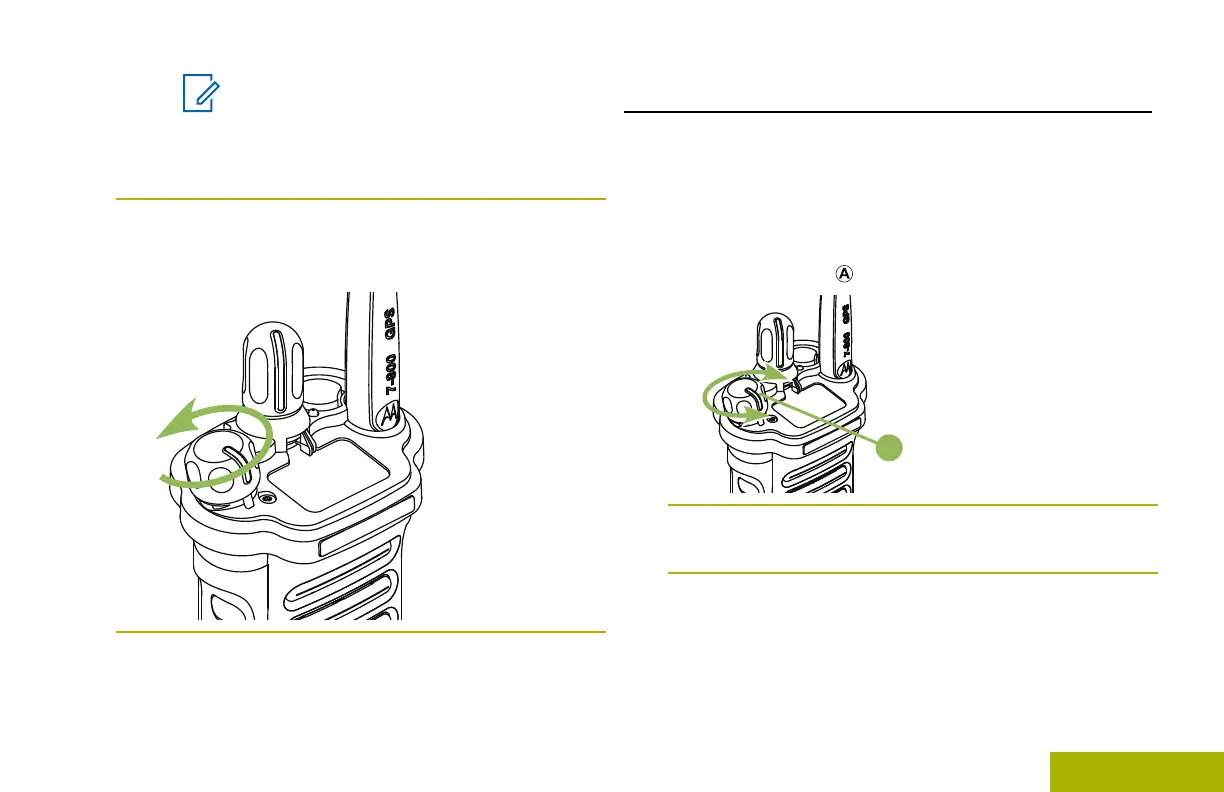
2 To turn off the radio, rotate the On/Off/Volume
Control Knob counterclockwise until you hear a
click.
Adjusting the Volume
Ensure the radio is power on and the main speaker is
pointed towards you for increased loudness and
intelligibility, especially in areas with loud background
noises.
1 To increase the volume, rotate the On/Off/Volume
Control Knob clockwise.
2
To decrease the volume, rotate this knob
counterclockwise.
Preparing Your Radio for Use
23
English

 To Next Page
 Loading...