26
Installation Verification
After completing the installation of the vehicular adapter, check all electrical
wiring for tight connections. Also, check all mechanical parts and wiring for tight
and secure mounting. Check for proper operation of the console, microphone,
speaker, and radio as described in the User Guide, Motorola Solutions
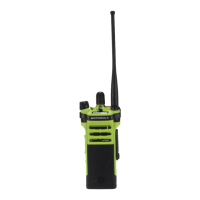
publication MN000350A01-AA. Before placing the radio in the APX VA, check
to see that the universal connector cover has been removed from the radio’s
universal connector. Check existing equipment (sirens, lights, and other radio
equipment) for proper operation.
Note: If alternator or other vehicular noise is present in the received signal or
in the transmission, refer to “Reducing Noise Interference in Mobile
Two-Way Radios,” Motorola Solutions publication 68P81109E33. This
publication may be ordered separately from Motorola Solutions
Accessories and Aftermarket Division (1-800422-4210).
Maintenance
For maintenance and service information, please refer to publication
68P81088C78, available from Motorola Solutions Accessories and
Aftermarket Division (1-800-422-4210).
Table 2: J1 Connector Definition
Pin No. Pin Name Signal Definition
1 Ground Ground return, power
6 D- USB D- signal (USB white wire)
7 D+ USB D+ signal (USB green wire)
12 Vbus USB Vbus power (USB red wire)
14 Ground Ground return, audio
15 Emergency Emergency switch input
16 PTT PTT input
17
a
aWhen connecting the Visor Microphone (RMN5054) to the APX VA, do not connect any
wire of the Visor Microphone to pin 17 of Connector J1 on the APX VA. The instructions
to do this in the IMPRES Visor Microphone User Guide do not apply to the APX VA product.
Two other wires should be connected to pins 1 and 23 as instructed.
Surveillance Surveillance mode input
20 Spkr+ Speaker+
23 Visor Mic Visor microphone input
26 Spkr- Speaker-
MN000350A01.book Page 26 Tuesday, March 29, 2016 2:14 PM



 To Next Page
 Loading...