EasyManua.ls Logo

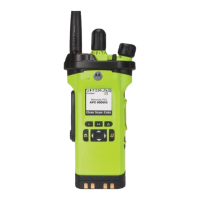
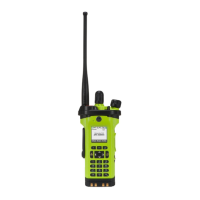
Motorola APX 2000 - User Manual

Motorola APX 2000
206 pages
Print Icon
To Next Page IconTo Next Page
Loading...
APX 2000
APX™ TWO-WAY RADIOS
APX 2000
MODEL 3
USER GUIDE
APX2000_M3_FrontCover.fm Page 1 Tuesday, October 14, 2014 12:28 AM

Table of Contents

Other manuals for Motorola APX 2000

Questions and Answers

  • M
    Michael WilliamsAug 19, 2025
    What to do if Motorola APX 2000 Two-Way Radio has a general hardware failure?
    • S
      Sierra RamosAug 19, 2025
      If your Motorola Two-Way Radio experiences a general hardware failure, try turning the radio off and then on again.
  • J
    Jennifer ThompsonAug 21, 2025
    What to do if Motorola Two-Way Radio shows DSP RAM fatal error?
    • P
      Pamela WalkerAug 21, 2025
      If your Motorola Two-Way Radio displays a DSP RAM fatal error, try turning the radio off, and then on again.
  • K
    Kimberly BrownAug 23, 2025
    What to do if Motorola APX 2000 has secure hardware error?
    • G
      garciapatriciaAug 25, 2025
      If your Motorola Two-Way Radio indicates a secure hardware error, attempt to resolve the issue by turning the radio off and then on again.
  • M
    Michelle MillerAug 26, 2025
    How to fix secure hardware fatal error on Motorola APX 2000?
    • C
      Christopher CrawfordAug 26, 2025
      To address a secure hardware fatal error on your Motorola Two-Way Radio, try turning the radio off, and then on again.
  • H
    Heather TaylorAug 28, 2025
    How to fix FLASH ROM codeplug checksum fatal error on Motorola APX 2000 Two-Way Radio?
    • C
      curtis34Aug 28, 2025
      If your Motorola Two-Way Radio displays a FLASH ROM codeplug checksum fatal error, reprogram the codeplug.
  • H
    hatfieldashleyAug 29, 2025
    How to fix FLASH ROM codeplug checksum non-fatal error on Motorola APX 2000?
    • S
      scott91Aug 30, 2025
      To resolve a FLASH ROM codeplug checksum non-fatal error on your Motorola Two-Way Radio, reprogram the codeplug.
  • H
    hstewartSep 1, 2025
    What to do if keypad board is not connected properly to Motorola APX 2000 Two-Way Radio?
    • J
      Jason RomeroSep 1, 2025
      If the keypad board is not connected properly to your Motorola Two-Way Radio, ensure the keypad board is fixed in place.
  • N
    Nathaniel MoodySep 3, 2025
    What to do for external accessory non-fatal error on Motorola Two-Way Radio?
    • B
      bswansonSep 3, 2025
      If your Motorola Two-Way Radio displays an external accessory non-fatal error: * Verify the external accessory is connected. * Ensure the external accessory powers up. * Turn the radio off, then on.
  • J
    Jordan SimpsonSep 5, 2025
    What to do if I get an External Accessory Non-Fatal Error on Motorola APX 2000 Two-Way Radio?
    • B
      Bill JacksonSep 5, 2025
      If you are getting an External Accessory Non-Fatal Error on your Motorola Two-Way Radio: * Verify the external accessory is connected properly and powers up. * Turn the radio off, and then on again.
  • A
    Anna DuffySep 7, 2025
    What to do if I see a General Hardware Failure Fatal Error on Motorola APX 2000?
    • A
      amandagarciaSep 7, 2025
      If you experience a General Hardware Failure Fatal Error with your Motorola Two-Way Radio, try turning the radio off, and then on again.

Summary

Important Safety Information

RF Energy Exposure and Product Safety Guide

Contains instructions for safe usage and RF energy awareness for portable two-way radios.

Occupational Use Restriction

States the radio is restricted to occupational use only.

Getting Started

How to Use This Guide

Provides basic operation instructions for the APX Portables.

Notations Used in This Manual

Explains warning, caution, and note notations used in the manual.

Additional Performance Enhancements

Features designed to enhance security, quality, and efficiency of the radios.

What Your Dealer;System Administrator Can Tell You

Guidance on consulting dealer/admin for radio settings and accessories.

Preparing Your Radio for Use

Charging the Battery

Instructions for charging the radio's battery to ensure optimum capacity.

Attaching the Battery

Steps for correctly attaching the battery to the radio frame.

Attaching the Antenna

Procedure for securely attaching the antenna to the radio.

Removing and Attaching the Accessory Connector Cover

Guide to removing and attaching the accessory connector cover.

Attaching the Belt Clip

Instructions on how to attach the belt clip to the radio.

Turning On the Radio

Steps to power on the radio using the MFK or control knob.

Adjusting the Volume

How to increase or decrease the radio's volume using the control knob.

Identifying Radio Controls

Radio Parts and Controls Overview

Identifies and describes the physical parts and controls of the radio.

Programmable Features Overview

Explains features that can be programmed and assigned to radio controls.

Keypad Operation

Details on using the keypad for character input in various modes.

Push-To-Talk (PTT) Button Functionality

Explains the basic purposes and operation of the PTT button.

Identifying Status Indicators

Status Icons Explained

Describes LCD icons that indicate radio operating conditions.

LED Indicator

Explains the meaning of the LED colors and patterns.

Top Lightbar Indicator

Explains the meaning of the Top Lightbar colors and patterns.

Alert Tones Explained

Lists audible alert tones and the conditions under which they occur.

General Radio Operation

Selecting Zones and Channels

Procedures for selecting radio zones and channels using various methods.

Making and Receiving Calls

Guides for performing talkgroup, private, and telephone calls.

Monitor Feature

How to use the monitor feature to check channel clarity before transmitting.

Advanced Features

Advanced Call Features

Covers selective, talkgroup, and status calls.

Dynamic Zone Programming (DZP)

Feature for storing frequent channels in Dynamic Zones for easier navigation.

Contacts Management

Procedures for managing contact entries, call lists, and editing details.

Scan Lists Management

How to view, edit, and change scan list status and priorities.

Emergency Operation Modes

Explains different emergency modes like Alarm, Call, and Silent Alarm.

Man Down Feature

Safety feature that detects radio tilt or lack of motion to trigger alerts.

Automatic Registration Service (ARS)

Provides automated data application registration for the radio.

User Login Feature

Allows associating a username with the radio for data applications.

Text Messaging Service (TMS)

Features for sending, receiving, and managing text messages.

Secure Operations

Details on secure radio operation, encryption, and key management.

GPS Operation

How the radio uses GPS for location determination and features.

Bluetooth Features

Covers connecting, pairing, and managing Bluetooth devices.

Trunking System Controls

Management of trunking system operations like Failsoft.

Motorola APX 2000 Specifications

General IconGeneral
IP RatingIP67
Operating Temperature-30°C to +60°C
GPSOptional
BluetoothNo
Frequency Range700/800 MHz
Power Output1-5 W (VHF), 1-3 W (700/800 MHz)
ChannelsUp to 1, 000
Battery LifeUp to 10 hours (digital)
Digital ProtocolAPCO P25
FrequencyVHF: 136-174 MHz, UHF: 380-470 MHz, 700/800 MHz: 764-870 MHz
Power1-3W (700/800 MHz), 1-5W (VHF)

Related product manuals