EasyManua.ls Logo

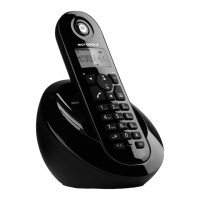
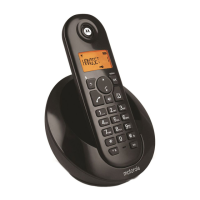
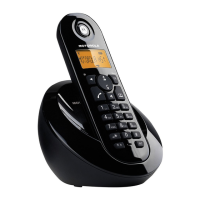
Motorola C602 - User Manual

Motorola C602
44 pages
Print Icon
To Next Page IconTo Next Page
Loading...
For: C601, C602, C603 and C604
Warning:
Charge the handset for 16 hours before use.
Motorola C6
Digital Cordless Telephone

Table of Contents

Other manuals for Motorola C602

Question and Answer IconNeed help?

Do you have a question about the Motorola C602 and is the answer not in the manual?

Summary

Need Help and Support

Customer Service Contact Information

Contact details for troubleshooting and assistance.

Referencing the Help Section

Guidance on locating further assistance within the manual.

Important Safety and Environmental Notes

General Safety Precautions

Essential safety guidelines for product usage and environmental responsibility.

Product Package Contents

Checklist of items included in the product packaging.

1. Getting Started

Location and Signal Strength

Optimal placement for base and handset range considerations.

Initial Setup and Power Adaptor

Steps for initial setup, including identifying power adaptors.

Connecting the Base and Handset

Base Unit Connection and Power Up

Instructions for connecting the telephone line and power to the base.

Handset Installation and Initial Charging

Guide to inserting batteries and charging the handset.

Multi-pack Handset Setup

Charger Connection for Multi-packs

Connecting the charger for additional handsets in multi-pack purchases.

Battery Warnings and Indicators

Information on battery usage, low battery alerts, and charging.

Battery Performance and Time Settings

Battery Care and Performance

Tips for battery longevity and expected performance.

Manual Date and Time Configuration

Steps for setting the date and time manually.

2. Getting to Know Your Phone

Handset Layout and Controls

Overview of the handset's physical layout and button functions.

Base Unit and Menu Navigation

Base Unit Overview Diagram

A visual guide to the base unit's components.

Navigating the Phone Menus

Instructions for accessing and operating the phone's menu system.

3. Using the Phone

Basic Call Handling

Procedures for making, receiving, and ending calls.

Volume Adjustment and Secrecy

How to control earpiece volume and use the mute function.

Advanced Phone Features

Intercom and Call Transferring

Using intercom for internal calls and transferring external calls.

Hands-Free Speakerphone Operation

Instructions for using the speakerphone for calls.

Call Management and Redial

Hands-Free Call Answering

Answering calls using the hands-free speakerphone.

Redial List Management

Viewing, copying, and deleting entries from the redial list.

Redial List and Keypad Security

Deleting Redial Entries

Procedures for deleting individual or all redial list entries.

Keypad Lock and Handset Paging

How to lock the keypad and page for a missing handset.

4. Phonebook Operations

Storing and Managing Contacts

Steps for adding, viewing, and editing phonebook entries.

Phonebook Editing and Deletion

Editing Existing Contacts

Instructions for modifying names, numbers, and melodies in the phonebook.

Deleting Phonebook Entries

How to remove specific contacts or all entries from the phonebook.

5. Handset Settings Customization

Ringer Settings and Auto Answer

Adjusting ringer volume/melody and configuring auto answer.

Handset Naming and Language

Assigning names to handsets and selecting the display language.

Additional Handset Settings

Warning Beeps and Key Beep

Customizing low battery, out-of-range, and keypad beep alerts.

Advanced Handset Menu Options

Menu-Based Keypad Lock Function

Using the menu to enable or disable the keypad lock.

6. Base Unit Settings

Base Ringer and Dial Mode

Setting base ringer volume, melody, and dial mode.

Changing Base PIN Code

Procedure for changing the base unit's PIN code for security.

Base Settings Management

Default Settings and Recall Mode

Restoring default settings and configuring recall time.

Emergency PIN Reset and Eco Mode

Methods for emergency PIN recovery and activating Eco mode.

Default Configuration Values

Overview of Default Settings

A summary table of all default factory settings.

7. Clock and Alarm Setup

Setting the Date and Time

Manual configuration of the date and time for the clock.

Configuring and Switching Off Alarms

How to set an alarm and silence it when it rings.

8. Caller ID and Calls List Features

Understanding Caller ID

Information on how Caller ID displays incoming call details.

Managing the Incoming Calls List

Overview of the calls list, including viewing and alerts for new calls.

Calls List Interaction

Dialing and Modifying Calls List Entries

Procedures for dialing and editing numbers from the calls list.

Copying to Phonebook and Deleting Entries

Saving calls list numbers to the phonebook and removing entries.

Clearing the Calls List

Deleting All Calls List Entries

Instructions for removing all received calls from the list.

9. Using Additional Handsets

Registering a New Handset to the Base

Step-by-step guide for registering an additional handset.

Managing Multiple Handsets

Registering Third-Party Handsets

Guidelines for pairing handsets from different manufacturers.

Selecting Base and De-registering Handsets

How to switch between bases and remove handset registrations.

10. Help and Troubleshooting Guide

Resolving Common Phone Issues

Troubleshooting steps for dial tone, display, icon, and Caller ID problems.

PIN Reset and Handset Registration Problems

Solutions for forgotten PINs and failed handset registration.

Advanced Troubleshooting Tips

Ringing Issues and Interference Solutions

Addressing problems with ringing and external interference.

11. General Information and Safety

Important Safety Precautions

Critical safety guidelines for fire, shock, and injury prevention.

Emergency Unplugging Procedures

Situations requiring immediate disconnection of the phone from power.

Installation, Battery, and Cleaning Guidance

Product Installation and Cleaning

Advice on proper installation and maintenance cleaning methods.

Battery Safety and Disposal

Essential warnings and instructions for battery handling and environmental disposal.

Environmental, Disposal, and Warranty

Environmental Impact and Disposal

Information concerning the product's environmental footprint and disposal methods.

Consumer Product Warranty Details

Information regarding the product's warranty coverage and terms.

Warranty Limitations and Exclusions

Warranty Limitations and Liability

Details on implied warranties and limitations of liability.

Specific Warranty Exclusions

Conditions and damages explicitly not covered by the warranty.

Additional Product Information

Service, Modification, and Compatibility Exclusions

Exclusions for unauthorized service, modifications, and third-party products.

Warranty Service and Technical Specifications

How to obtain service and key technical data.

Connectivity and Recall Function

Switchboard Connection Notes

Information regarding connecting the phone to switchboards.

Using the Recall Function

Guidance on utilizing the recall feature with telephone switches.

EU Declaration of Conformity

Product Compliance Standards and Directives

Listing of standards and directives the product conforms to.

Summary

Need Help and Support

Customer Service Contact Information

Contact details for troubleshooting and assistance.

Referencing the Help Section

Guidance on locating further assistance within the manual.

Important Safety and Environmental Notes

General Safety Precautions

Essential safety guidelines for product usage and environmental responsibility.

Product Package Contents

Checklist of items included in the product packaging.

1. Getting Started

Location and Signal Strength

Optimal placement for base and handset range considerations.

Initial Setup and Power Adaptor

Steps for initial setup, including identifying power adaptors.

Connecting the Base and Handset

Base Unit Connection and Power Up

Instructions for connecting the telephone line and power to the base.

Handset Installation and Initial Charging

Guide to inserting batteries and charging the handset.

Multi-pack Handset Setup

Charger Connection for Multi-packs

Connecting the charger for additional handsets in multi-pack purchases.

Battery Warnings and Indicators

Information on battery usage, low battery alerts, and charging.

Battery Performance and Time Settings

Battery Care and Performance

Tips for battery longevity and expected performance.

Manual Date and Time Configuration

Steps for setting the date and time manually.

2. Getting to Know Your Phone

Handset Layout and Controls

Overview of the handset's physical layout and button functions.

Base Unit and Menu Navigation

Base Unit Overview Diagram

A visual guide to the base unit's components.

Navigating the Phone Menus

Instructions for accessing and operating the phone's menu system.

3. Using the Phone

Basic Call Handling

Procedures for making, receiving, and ending calls.

Volume Adjustment and Secrecy

How to control earpiece volume and use the mute function.

Advanced Phone Features

Intercom and Call Transferring

Using intercom for internal calls and transferring external calls.

Hands-Free Speakerphone Operation

Instructions for using the speakerphone for calls.

Call Management and Redial

Hands-Free Call Answering

Answering calls using the hands-free speakerphone.

Redial List Management

Viewing, copying, and deleting entries from the redial list.

Redial List and Keypad Security

Deleting Redial Entries

Procedures for deleting individual or all redial list entries.

Keypad Lock and Handset Paging

How to lock the keypad and page for a missing handset.

4. Phonebook Operations

Storing and Managing Contacts

Steps for adding, viewing, and editing phonebook entries.

Phonebook Editing and Deletion

Editing Existing Contacts

Instructions for modifying names, numbers, and melodies in the phonebook.

Deleting Phonebook Entries

How to remove specific contacts or all entries from the phonebook.

5. Handset Settings Customization

Ringer Settings and Auto Answer

Adjusting ringer volume/melody and configuring auto answer.

Handset Naming and Language

Assigning names to handsets and selecting the display language.

Additional Handset Settings

Warning Beeps and Key Beep

Customizing low battery, out-of-range, and keypad beep alerts.

Advanced Handset Menu Options

Menu-Based Keypad Lock Function

Using the menu to enable or disable the keypad lock.

6. Base Unit Settings

Base Ringer and Dial Mode

Setting base ringer volume, melody, and dial mode.

Changing Base PIN Code

Procedure for changing the base unit's PIN code for security.

Base Settings Management

Default Settings and Recall Mode

Restoring default settings and configuring recall time.

Emergency PIN Reset and Eco Mode

Methods for emergency PIN recovery and activating Eco mode.

Default Configuration Values

Overview of Default Settings

A summary table of all default factory settings.

7. Clock and Alarm Setup

Setting the Date and Time

Manual configuration of the date and time for the clock.

Configuring and Switching Off Alarms

How to set an alarm and silence it when it rings.

8. Caller ID and Calls List Features

Understanding Caller ID

Information on how Caller ID displays incoming call details.

Managing the Incoming Calls List

Overview of the calls list, including viewing and alerts for new calls.

Calls List Interaction

Dialing and Modifying Calls List Entries

Procedures for dialing and editing numbers from the calls list.

Copying to Phonebook and Deleting Entries

Saving calls list numbers to the phonebook and removing entries.

Clearing the Calls List

Deleting All Calls List Entries

Instructions for removing all received calls from the list.

9. Using Additional Handsets

Registering a New Handset to the Base

Step-by-step guide for registering an additional handset.

Managing Multiple Handsets

Registering Third-Party Handsets

Guidelines for pairing handsets from different manufacturers.

Selecting Base and De-registering Handsets

How to switch between bases and remove handset registrations.

10. Help and Troubleshooting Guide

Resolving Common Phone Issues

Troubleshooting steps for dial tone, display, icon, and Caller ID problems.

PIN Reset and Handset Registration Problems

Solutions for forgotten PINs and failed handset registration.

Advanced Troubleshooting Tips

Ringing Issues and Interference Solutions

Addressing problems with ringing and external interference.

11. General Information and Safety

Important Safety Precautions

Critical safety guidelines for fire, shock, and injury prevention.

Emergency Unplugging Procedures

Situations requiring immediate disconnection of the phone from power.

Installation, Battery, and Cleaning Guidance

Product Installation and Cleaning

Advice on proper installation and maintenance cleaning methods.

Battery Safety and Disposal

Essential warnings and instructions for battery handling and environmental disposal.

Environmental, Disposal, and Warranty

Environmental Impact and Disposal

Information concerning the product's environmental footprint and disposal methods.

Consumer Product Warranty Details

Information regarding the product's warranty coverage and terms.

Warranty Limitations and Exclusions

Warranty Limitations and Liability

Details on implied warranties and limitations of liability.

Specific Warranty Exclusions

Conditions and damages explicitly not covered by the warranty.

Additional Product Information

Service, Modification, and Compatibility Exclusions

Exclusions for unauthorized service, modifications, and third-party products.

Warranty Service and Technical Specifications

How to obtain service and key technical data.

Connectivity and Recall Function

Switchboard Connection Notes

Information regarding connecting the phone to switchboards.

Using the Recall Function

Guidance on utilizing the recall feature with telephone switches.

EU Declaration of Conformity

Product Compliance Standards and Directives

Listing of standards and directives the product conforms to.

Motorola C602 Specifications

General IconGeneral
TypeDECT telephone
IntercomYes
Ringer typePolyphonic
Answering machineNo
Number of melodies10
Maximum indoor range50 m
Maximum outdoor range300 m
Mounting typeDesk
Product colorWhite
DialingTone/Pulse
Dialer locationHandset
Phonebook capacity50 entries
Call log entries40
Volume controlDigital
Backlight colorAmber
Display number of lines1 lines
Display number of colorsMonochrome
Battery typeAAA
Standby time250 h
Battery technologyNickel-Metal Hydride (NiMH)
Number of batteries supported2

Related product manuals