EasyManua.ls Logo

Motorola DOCKCONTROLLER DC-200 User Manual

Motorola DOCKCONTROLLER DC-200
16 pages
To Next Page IconTo Next Page
Page #1 background imageLoading...
Page #1 background image
QUICKSTART GUIDE | DOCKCONTROLLER DC-200 1
DOCKCONTROLLER
DC-200
QUICKSTART GUIDE
Question and Answer IconNeed help?

Do you have a question about the Motorola DOCKCONTROLLER DC-200 and is the answer not in the manual?

Motorola DOCKCONTROLLER DC-200 Specifications

General IconGeneral
BrandMotorola
ModelDOCKCONTROLLER DC-200
CategoryControl Systems
LanguageEnglish

Summary

Introduction to the DockController DC-200

DC-200 Physical Overview

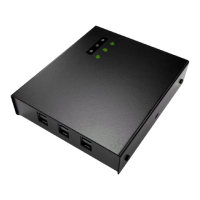
Front and Back Views

Details the ports and buttons on the front and back of the DC-200 unit.

Top and Bottom Views

Describes the LEDs on the top panel and mounting slots on the bottom.

Connecting Your DockController DC-200

Operating Modes Explained

DockController LED Status Indicators

Drilling Template for Mounting

LED Behavior Across States

Configure DC-200 via USB Mass Storage

Configuring Touch Assign with RFID

RFID Reader RF-220 Troubleshooting

Upgrading DC-200 Firmware

Regulatory Information