QUICKSTART GUIDE | DOCKCONTROLLER DC-200 6
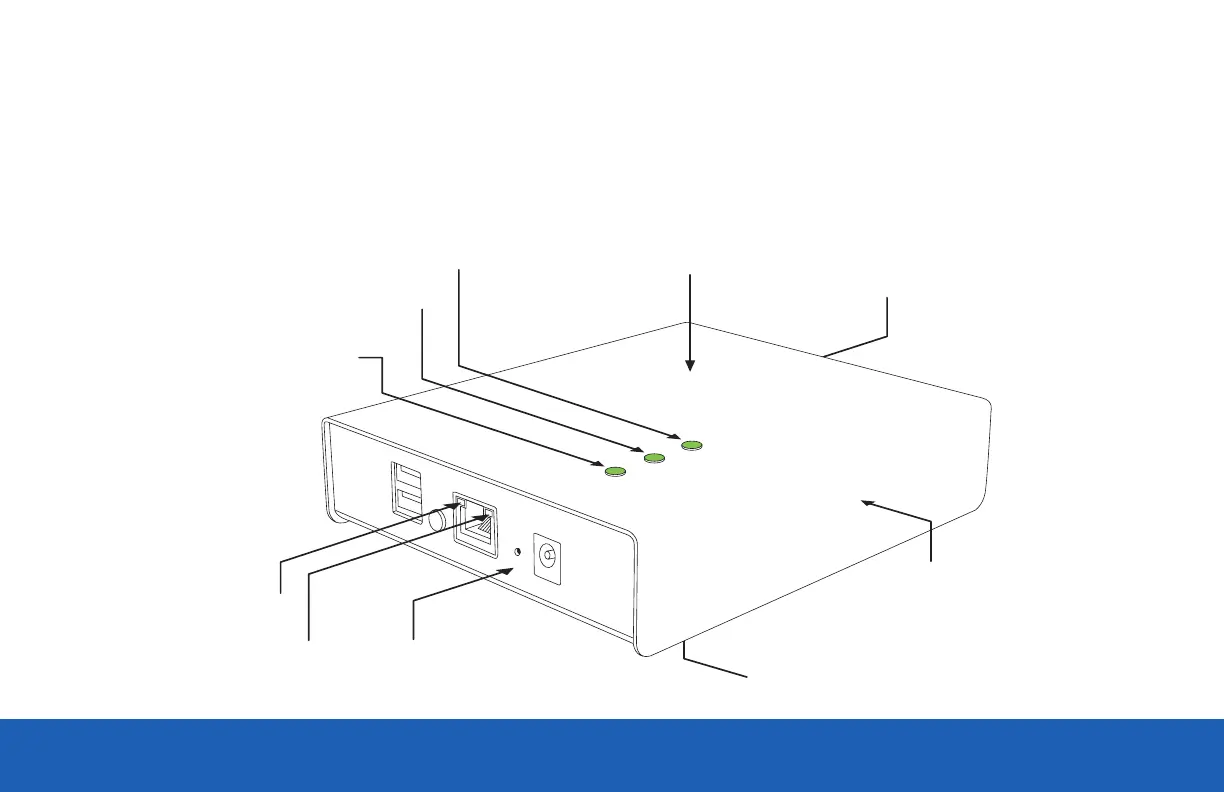
Once successfully connected, the Power LED on top of the DC-200 will turn on, followed by an Ethernet Link Indicator light and then the
Ethernet Activity Indicator.
Subsequently the A LED will turn on. If the DC-200 is in Open Mode the B LED will blink slowly. If the DC-200 has been configured & successfully
connected to VideoManager the B LED will light solidly.
Bottom
Power LED
A LED
B LED
Back
Side
Front
Top
Link LED
Activity LED


 To Next Page