Need help?
Do you have a question about the Motorola E2 and is the answer not in the manual?
Lists product features including Caller ID, phonebook, and answering machine.
Provides contact information for customer support and guidance within the manual.
Explains the guide's purpose and where to find setup instructions.
Lists all items included in the product package.
Details the product's commitment to environmental standards.
Recommendations for base unit placement to ensure optimal signal reception and performance.
Information on the operational range of the handset and signal strength.
Instructions for connecting the base station and charging the handset.
Step-by-step guide to connecting the telephone line and power adaptor.
Instructions for inserting batteries and initial charging of the handset.
Process for setting up additional handsets and chargers in multi-pack purchases.
Explains the battery low warning icon and its meaning.
Information on talk time, standby time, and battery care.
Step-by-step instructions for setting the phone's date and time.
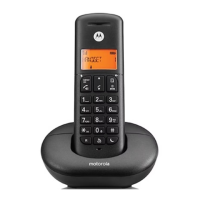
Identifies and describes the main parts of the handset.
Explains the function of each button on the handset keypad.
Details the meaning of various icons shown on the handset display.
Identifies and explains the functions of the base unit's buttons.
Guides users through accessing and using the phone's menu system.
Provides a map of all available menu options and their hierarchy.
Instructions for powering the handset on and off.
Steps for initiating and answering phone calls.
How to control earpiece volume and mute the microphone during calls.
How to make internal calls and transfer external calls between handsets.
Guide to setting up and managing conference calls with multiple participants.
Instructions for using the speakerphone for calls.
How to view and redial numbers from the call history.
Procedures for deleting entries from the redial list.
How to prevent accidental button presses by locking the keypad.
How to locate a misplaced handset by making it ring.
Steps for adding new contacts to the phonebook.
Guidance on entering names and using special characters.
How to find, call, and modify existing phonebook entries.
Procedures for removing single or all entries from the phonebook.
How to block calls based on their type.
Setting up, viewing, editing, and deleting blocked numbers.
Instructions for deleting all entries from the call block list.
Requirements and benefits of using the Caller ID service.
How to access and view the history of received calls.
How to redial numbers directly from the call list.
Copying numbers to phonebook, deleting entries, or clearing the list.
Procedure for configuring the phone's current date and time.
How to set alarms and stop them from ringing.
Adjusting ringer volume, melody, and key beep settings.
Adjusting base ringer volume and melody.
Setting handset names, auto answer, and language preference.
How to activate and deactivate the Do Not Disturb feature.
Configuring power saving modes for reduced transmission and energy use.
Setting up automatic number detection and replacement.
Adjusting recall time, dialling mode, and changing the PIN.
Initial steps for registering new handsets to the base unit.
Procedures for adding and removing handsets from the base.
How to reset the base unit to its factory default settings.
Lists the default values for various phone settings.
How to operate the answering machine and play messages.
Managing messages, recording memos, and selecting outgoing messages.
Setting up OGMs, ring delay, and remote access procedures.
Controlling remote access features and changing the remote PIN.
Solutions for issues like no dial tone, blank display, or unresponsive keypad.
Troubleshooting tips for Caller ID and handset registration problems.
Addressing issues with ringing, noise interference, and message recording.
Important warnings regarding emergency calls and general safety.
Guidelines for safe operation, cleaning, and handling of the product.
Instructions and warnings related to product installation.
Precautions and guidelines for handling and disposing of batteries.
Information on environmental impact and product disposal methods.
Information about the product warranty and coverage.
Details on what aspects of the product are covered by the warranty.
Lists conditions and situations not covered by the product warranty.
Details on REN, RF power, and adherence to RE Directive.
Information regarding connecting the phone to a switchboard.


 To Next Page
 General