EasyManua.ls Logo

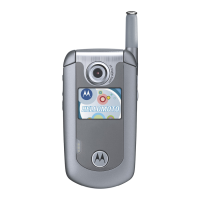
Motorola E815 - User Manual

Motorola E815
136 pages
Print Icon
To Next Page IconTo Next Page
Loading...
motorola.com
E815
CDMA

Table of Contents

Other manuals for Motorola E815

Questions and Answers

  • L
    Leah RiveraAug 16, 2025
    Why my Motorola Cell Phone will not turn on?
    • C
      Carrie VillanuevaAug 17, 2025
      If your Motorola Cell Phone will not turn on or stay on, it might be due to a discharged or defective battery. Measure the battery voltage across a 50 ohm load. If it's less than 3.25 Vdc, recharge it with the appropriate charger. If it won't recharge, replace the battery. Also, check the battery connectors for misalignment or damage; realign or replace the battery if needed. In other cases, the transceiver board or keyboard assembly might be defective and need replacement.
  • W
    william35Aug 19, 2025
    What to do if my Motorola E815 Cell Phone has poor reception?
    • S
      Scott GalvanAug 19, 2025
      If your Motorola Cell Phone exhibits poor reception, erratic operation, frequent call drops, or weak/distorted audio, the antenna assembly might be defective. Check if the antenna pin is properly connected to the transceiver board. If it is, try substituting a known good antenna. A defective transceiver board may also be the cause, requiring replacement.
  • C
    Charles PerryAug 22, 2025
    What to do if Motorola E815 alert volume is too low?
    • T
      Theodore BaldwinAug 22, 2025
      If the incoming call alert transducer audio on your Motorola Cell Phone is distorted or too low in volume, it may be due to a faulty transceiver board assembly. Replacing the transceiver board may resolve this issue.
  • M
    Michael Page IIIAug 26, 2025
    How to fix erratic display on Motorola Cell Phone?
    • M
      Mr. Nicholas Andrews DDSAug 26, 2025
      If the display on your Motorola Cell Phone is erratic, partial, or completely blank, the connections to or from the transceiver board may be defective. Inspect the flex and flex connector for damage and ensure they are fully connected. Also, the flip assembly or transceiver board assembly itself could be defective, requiring temporary replacement with a known good assembly or replacement of the transceiver board.
  • M
    Mrs. Misty LeblancAug 28, 2025
    Why is the microphone on my Motorola E815 so quiet?
    • R
      raynicholsonAug 29, 2025
      If your Motorola Cell Phone transmit audio is weak, and people are complaining about difficulty hearing you, the microphone connections to the transceiver board assembly might be defective. Check these connections. It's also possible the microphone itself is defective; try substituting it with a known good microphone. Alternatively, the transceiver board assembly could be defective and require replacement.
  • H
    hallsandraAug 31, 2025
    Why is the earpiece speaker on my Motorola E815 so quiet?
    • S
      Sean HerringSep 1, 2025
      If the receive audio from the earpiece speaker on your Motorola Cell Phone is weak or distorted, check the connections to and from the transceiver board assembly, especially the flex and flex connector from the flip assembly. The flip assembly itself could be defective, so try temporarily replacing it. Also, ensure the antenna is correctly installed or try substituting it with a known good antenna. If those steps don't work, the transceiver board assembly may be defective and require replacement.
  • A
    Ann BowmanSep 3, 2025
    What to do if Motorola E815 doesn't sense flip open/close?
    • S
      smithlauraSep 3, 2025
      If your Motorola Cell Phone doesn't sense when the flip is opened or closed, preventing you from answering calls or making outgoing calls, the flip assembly may be defective. Try temporarily replacing it with a known good assembly. If that doesn't resolve the issue, the transceiver board assembly might be defective and require replacement.
  • J
    James CohenSep 6, 2025
    Why is the vibrator not working on my Motorola E815 Cell Phone?
    • Z
      zwrightSep 6, 2025
      If the vibrator feature on your Motorola Cell Phone is not functioning, it is possible that the transceiver board assembly is defective and needs to be replaced.
  • C
    Carlos JacksonSep 9, 2025
    Why is the internal charger not working on my Motorola E815 Cell Phone?
    • E
      Elizabeth PhillipsSep 10, 2025
      If the internal charger on your Motorola Cell Phone is not working, it may be due to a faulty charger circuit on the transceiver board assembly. You can test batteries in the desktop charger and check the LED display for charging indications. In some cases, the transceiver board assembly may need to be replaced.
  • H
    Hannah GrahamSep 12, 2025
    Why is there no audio when using headset with my Motorola Cell Phone?
    • Y
      ystantonSep 12, 2025
      If you experience no or weak audio when using a headset with your Motorola Cell Phone, first ensure the headset plug is fully seated in the jack socket. If the problem persists, the jack socket on the transceiver board assembly may be faulty, requiring replacement of the transceiver board assembly.

Summary

Motorola E815 CDMA User Manual

Getting Started with Your Phone

Installing and Charging the Battery

Step-by-step instructions for installing and charging the phone's battery.

Basic Phone Operations

Turning Your Phone On

Instructions for powering on the phone and initial unlock process.

Making and Answering Calls

Procedures for initiating and receiving phone calls.

Memory Card Management

Installing and Removing Memory Cards

Detailed steps for inserting and extracting memory cards from the phone.

Highlight Features of the Motorola E815

Camera Functions: Taking and Sending Photos

Instructions on using the camera to capture and send photos.

Learning to Use Your Phone

Text Entry Methods and Usage

Covers various text entry methods like Tap, iTAP, Numeric, and Symbol.

Phone Features and Customization

Contacts Management

Creating, editing, and organizing contact entries.

Troubleshooting and Safety Information

Troubleshooting Support

Contact information and resources for resolving issues.

Motorola E815 Specifications

General IconGeneral
Network TechnologyCDMA / EVDO
StatusDiscontinued
Display TypeTFT, 256K colors
Display Resolution176 x 220 pixels
Memory Card SlotNo
Camera1.3 MP
Alert TypesVibration; Downloadable polyphonic, MP3 ringtones
LoudspeakerYes
3.5mm jackNo
WLANNo
GPSNo
RadioNo
BrowserWAP 2.0/xHTML
GamesYes + downloadable
JavaYes, MIDP 2.0
Stand-byUp to 200 h
Operating SystemProprietary
Display Size2.2 inches
Bluetoothv1.2
USBYes
MessagingSMS, MMS
BatteryRemovable Li-Ion battery
NetworkCDMA 800 / 1900

Related product manuals