7
English
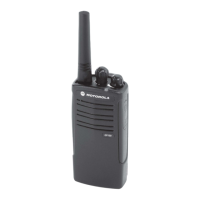
RADIO OVERVIEW
Button Short Press Long Press Press and Hold Page Button
Emergency*
Initiates an Emer-
gency Alert.
Cancels your radio’s
Emergency status.
— 29
Monitor/Perma-
nent Monitor
— Continually monitors the
selected channel.
Monitors the selected
channel for any activity.
33
Volume Set — — Sounds a tone for
adjusting the radio’s vol-
ume level.
27
Battery Gauge — — Checks the battery’s
charge status.
22
Scan/Nuisance
Channel Delete
Toggles Scan on and
off.
Deletes a nuisance
channel while scanning.
— 33
Tx Power Toggles your radio’s transmit power level
between High and Low power.
†
—31
Repeater/
Talkaround
Toggle between using a repeater or transmitting
directly to another radio.
†
— 30
Squelch Toggles your radio’s squelch level between tight/
normal squelch.
†
—30
*
If Emergency function is required, it can ONLY be programmed to the Top Button.
†
Depending on how your radio has been programmed by your dealer, these functions are activated EITHER through
short press OR long press, but not both.
02_Radio Overview.fm Page 7 Friday, July 22, 2005 11:12 AM



 To Next Page
 Loading...