6
English
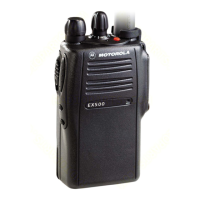
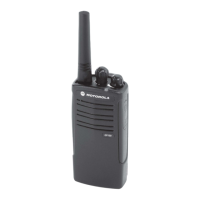
RADIO OVERVIEW
On/Off/Volume Knob
Turns the radio on or off, and adjusts the
radio’s volume.
Channel Selector Knob
Switches the radio to different channels.
Push-to-Talk (PTT) Button
Press and hold down this button to talk,
release it to listen.
Microphone
Speak clearly into the microphone when
sending a message.
LED Indicator
Gives battery status, power-up status, radio
call information and scan status.
Programmable Buttons
Several of the radio’s buttons can be
programmed as short-cut buttons for many of
the radio’s features. Programmable buttons
include:
• Top button,
• two side buttons
Each button can access up to two features,
depending on the type of button press:
• short press - quickly pressing and
releasing the programmable buttons,
or
• long press - pressing and holding the
programmable buttons for at least
1 1/2 seconds, or
• hold down - pressing and holding
down the programmable buttons while
checking status or making adjust-
ments.
The table on page 17 summarizes the
programmable features available.
02_Radio Overview.fm Page 6 Friday, July 22, 2005 11:12 AM



 To Next Page
 Loading...