EasyManua.ls Logo

Motorola HT820 - User Manual

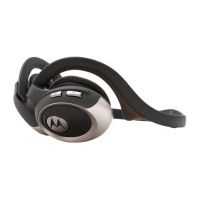
Motorola HT820
81 pages
Print Icon
To Next Page IconTo Next Page
Loading...

Other manuals for Motorola HT820

Question and Answer IconNeed help?

Do you have a question about the Motorola HT820 and is the answer not in the manual?

Summary

Welcome

Introduction to Motorola HT820

Brief overview and welcome message for the HT820 headset.

Export Law Assurances

Safety and General Information

Electromagnetic Interference and Compatibility

Explains headset susceptibility to EMI and compliance.

Usage Restrictions and Guidelines

Guidelines for use in facilities, aircraft, and with medical devices.

Regulatory Compliance Notices

Industry Canada and FCC compliance information.

Introduction

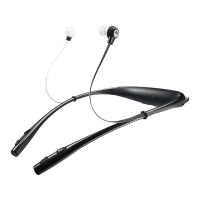
Headset Features Overview

Description of music control buttons on the right side of the headset.

Using Your Headset

Charging and Powering

Instructions for charging the headset battery and initial use.

Pairing Your Headset

Steps to pair the headset with phones and additional devices.

Wearing and Volume Control

Information on how to wear the headset and adjust volume levels.

Call Management

Detailed functions for making, receiving, and managing phone calls.

Music Playback Control

Functions for controlling music playback, including track skipping and pausing.

Headset Status Indicators

Explains the meaning of headset indicator lights during various states.

Audio Tones and Alerts

Explains the meaning of various audio tones and alerts from the headset.

Connecting External Audio Devices

How to connect the headset to music devices using the stereo audio cable.

Range Information

Other Motorola Bluetooth Stereo Products

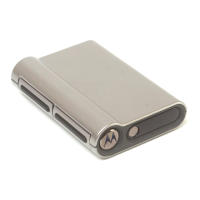
DC800 Bluetooth Transceiver

Description of the DC800 transceiver and its wireless music system features.

Motorola USB PC Adapter PC850

Details specifications and capabilities of the PC850 adapter for PC connectivity.

Summary

Welcome

Introduction to Motorola HT820

Brief overview and welcome message for the HT820 headset.

Export Law Assurances

Safety and General Information

Electromagnetic Interference and Compatibility

Explains headset susceptibility to EMI and compliance.

Usage Restrictions and Guidelines

Guidelines for use in facilities, aircraft, and with medical devices.

Regulatory Compliance Notices

Industry Canada and FCC compliance information.

Introduction

Headset Features Overview

Description of music control buttons on the right side of the headset.

Using Your Headset

Charging and Powering

Instructions for charging the headset battery and initial use.

Pairing Your Headset

Steps to pair the headset with phones and additional devices.

Wearing and Volume Control

Information on how to wear the headset and adjust volume levels.

Call Management

Detailed functions for making, receiving, and managing phone calls.

Music Playback Control

Functions for controlling music playback, including track skipping and pausing.

Headset Status Indicators

Explains the meaning of headset indicator lights during various states.

Audio Tones and Alerts

Explains the meaning of various audio tones and alerts from the headset.

Connecting External Audio Devices

How to connect the headset to music devices using the stereo audio cable.

Range Information

Other Motorola Bluetooth Stereo Products

DC800 Bluetooth Transceiver

Description of the DC800 transceiver and its wireless music system features.

Motorola USB PC Adapter PC850

Details specifications and capabilities of the PC850 adapter for PC connectivity.
Motorola HT820 Specifications

General IconGeneral
BrandMotorola
ModelHT820
CategoryHeadphone
LanguageEnglish

Related product manuals