Getting started
8
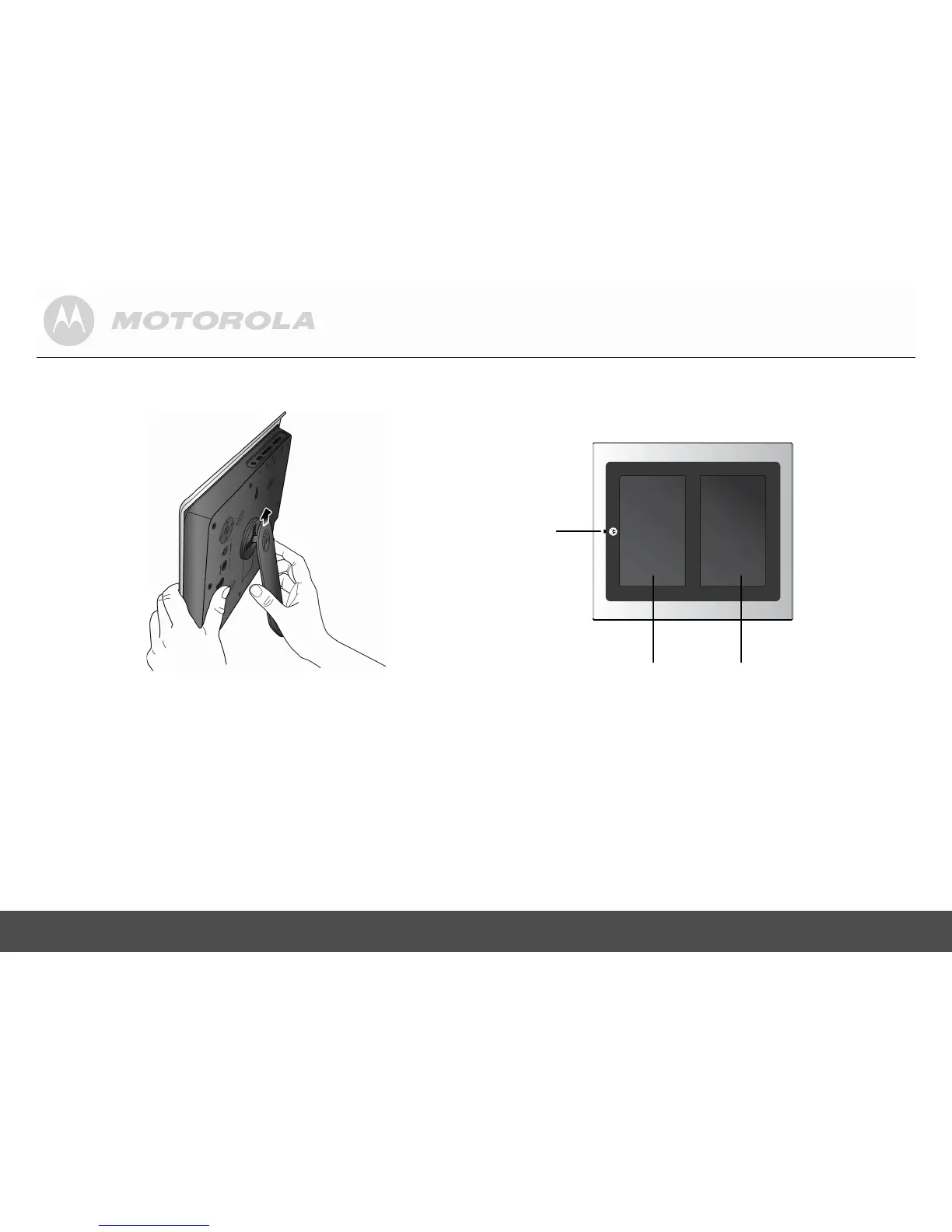
3. Insert the stand into the stand locking slot as illustrated,
until the stand is secured to the photo frame.
WARNING
Do not rotate the stand during the installation. Otherwise,
the photo frame will be damaged.
4. Once the installation is complete, place the photo
frame on a stable surface to avoid any possible
movement.
Remote
control
sensor
SCREEN 1
SCREEN 2


 To Next Page