monitor away at least 1.5m (5ft) from these types of products, or turn them off if they appear
to be causing interference.
• If the signal is weak, try moving the Parent and/or Baby Unit to different positions in the
rooms.
Battery pack in the parent unit is running low quickly
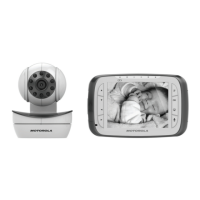
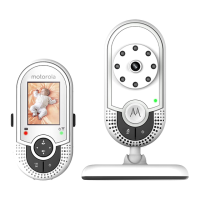
Related Products Motorola MBP48, MBP48-2
• The LCD brightness may be set too high. Try to decrease the brightness level.
• The volume level of the parent unit may be set too high, which consumes power. Decrease
the volume level of the parent unit.
Power Indicator on the parent unit does not come on
Related Products Motorola MBP48, MBP48-2
• Check whether the parent unit is powered on.
• Check whether the supplied battery pack is correctly installed and that they are not drained.
• Recharge the parent unit by connecting it to the power supply.
How can I limit the background noise received on my unit?
Related Products Motorola MBP48, MBP48-2
Place the baby unit as far away from the source of the background noise.
1. Face the mic on the front of the baby unit away from the source of the background noise.
2. From the menu bar select and press button to lower the volume.
My display shows “No signal” even though both units are connected and powered on. What
do I do?
Related Products Motorola MBP48, MBP48-2
They are no longer paired and require re-registration. Select “add” at the camera menu screen
on the display. Select a camera 1, 2, 3, or 4. An LED on the display will blink and the display will
show “press pair on cam”. On the bottom of the camera unit, press the pair button. A
confirmation beep will sound.
How do I adjust the volume of the lullaby playing on the Baby Unit?
Related Products Motorola MBP48, MBP48-2
Select the lullaby, and then press OK. A volume indicator appears. Press or to adjust the level.



 To Next Page
 Loading...