Parent Unit Menu Options 19
ENGLISH
4.8 Pair and Replace a Baby Unit
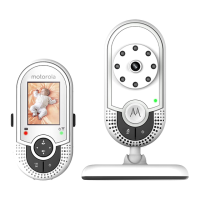
The Baby Units and Parent Unit provided are already paired. You can add or
replace a Baby Unit in your video and audio monitoring system.
You can pair a maximum of four Baby Units to your Parent Unit. Each new Baby
Unit must be paired to the Parent Unit before use.
To pair and replace a Baby Unit:
1. Press M when the Parent Unit is in camera viewing mode.
2. Press
< or to scroll to .
3. Press or to choose a desired Baby Unit number, then press O. The
pairing mode starts.
4. Turn on the new Baby Unit , a n d then immediately press and hold Pair until
the Power/Link indicator turns on.
NOTE
If you choose a Baby Unit number that is already occupied, the new Baby Unit
will replace the existing Baby Unit.
4.9 Multi-Camera Use
You can pair up to 4 cameras with the Parent Unit. If more than one camera is
paired with the Parent Unit, you can select which camera to view or set it in
Patrol mode , where the Parent Unit automatically cycles through the paired
cameras about every 15 seconds.
NOTE
The audio from a camera can only be heard on the Parent Unit when that
camera is selected.
To change the camera being viewed:
Press O when the Parent Unit is in camera viewing mode to scan through the
paired cameras,
1
,
2
,
3
,
4
, , with the selected option shown on the screen.



 To Next Page
 Loading...