Connect with Bluetooth 145
Share files and links with nearby devices 147
Transfer files between phone and computer (USB) 149
Cast screen or media to TV 151
Print from your phone 153
About wireless sharing 154
Apps & notifications 157
Change app settings 157
Choose how apps notify you 159
Battery 162
Charge phone 162
Extend battery life 163
Use Battery Saver mode 165
Show battery percentage in status bar 166
Storage 167
About storage options 167
Manage phone storage 168
Manage SD card 169
Find downloaded files 171
Recover recently deleted files 172
Upload music to cloud 173
Upload photos and videos 174
Scan documents and make copies 176
Sound 177
Adjust volumes 177
Set ringtones 179
Enhance sound 181
Silence calls & notifications 182
Stop phone from speaking 186
Silence “Hello Moto” during power up 187
Turn off charging sounds 188
Turn touch sounds on/off 189
Hear other notification sounds 190
Display 191
Adjust screen brightness 191
Use Dark theme 192
Change font and display size 193
Show apps full screen 194
Stop automatic rotation 195
Adjust colors at night 196
Choose color mode 197
Change display style 198
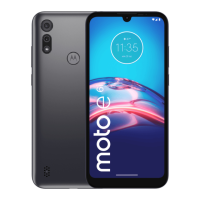
moto e vi






 To Next Page