Need help?
Do you have a question about the Motorola MX1200 and is the answer not in the manual?
Explains the choice between 2.4 GHz and 5.0 GHz bands for router connection.
Guide to finding the best location between the router and desired coverage area.
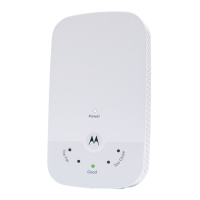
Explains the meaning of LED lights for signal strength and connection status.
How to connect wireless devices to the MX1200's network, including band selection.
Describes the purpose of the WPS button and the device reset procedure.
Explains the function of the Host Switch for band selection and the Ethernet port.
Solutions for inability to access SetupExtender.net and unknown wireless passwords.
Addresses issues where the 'Good' light doesn't appear and internet access fails.
Details FCC regulations, interference, and corrective measures for radio reception.
Covers Canada compliance, caution on modifications, and French language statement.
Information on RF exposure limits and restrictions for 5GHz band usage.
 General
| Model | MX1200 |
|---|---|
| Ports | 1 x Gigabit Ethernet |
| Security | WPA3 |
| Maximum Data Rate | 1200 Mbps |
| Frequency Band | 2.4 GHz and 5 GHz |
| Wireless Standards | 802.11ac |

 To Next Page