Need help?
Do you have a question about the Motorola MH7601 and is the answer not in the manual?
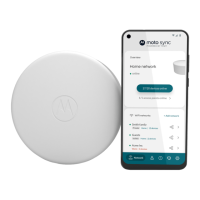
Instructions for setting up your device using the Moto Sync application.
Official website for device synchronization and setup assistance.
Guide to downloading the Moto Sync application for iOS or Android devices.
Steps to create a new account for the Moto Sync service.
Instructions for setting up your Motorola device after app installation.
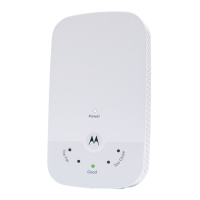
Information about the MH7601 router and extender included in the package.
Details regarding the power adapter supplied with the device.
Details about the Ethernet cable provided for network connection.
Explains the function of the WAN/LAN port for router and extender modes.
Details on connecting the device using the USB-C power adapter.
Information on using the LAN port for wired device connections.
Guidance on positioning extenders for optimal WiFi coverage throughout the home.
Recommendations on avoiding placement near large electronic devices that may cause interference.
Advice on selecting elevated and unobstructed locations for device placement.
Indicates the device is connected to the internet or the router.
Indicates the extender has a poor connection to the router.
Indicates the device is currently powering up.
Indicates the device is attempting to establish a connection.
Indicates firmware update; do not remove from power.
Information on the product's warranty period and coverage for defects.
Link to access the complete terms and conditions of the product warranty.
Key safety precautions and guidelines for device operation.
Specifies the acceptable indoor temperature range for device operation (32-104°F).
Warning to keep the device away from water and avoid spills to prevent damage.
Ensures adequate airflow around the device by not blocking vents.
Information on the power adapter serving as the disconnect device and outlet accessibility.
Explanation of symbols used on product labels and their meanings.
Details the device's compliance with FCC rules and conditions for operation.

 To Next Page
 General