EasyManua.ls Logo

Motorola PMLN7094 - User Manual

Motorola PMLN7094
228 pages
Print Icon
To Next Page IconTo Next Page
Loading...
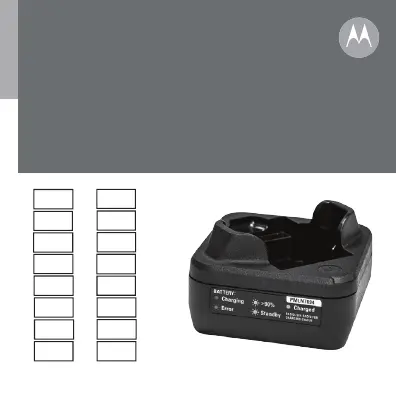
Single-Unit Charger
User Guide
PMLN7094
en
pt-BR
fr-CA
zh-CN
id
ko
ja
de-DE
fr-FR
es-ES
it-IT
pt-PT
nl-NL
pl
ru
es-CO

Table of Contents

Questions and Answers

  • R
    Rebecca McneilJul 29, 2025
    What to do if Motorola PMLN7094 identifies the battery as invalid or damaged?
    • C
      Corey MartinezJul 29, 2025
      If your Motorola Battery Charger identifies the battery as invalid or damaged, it might be due to several reasons. The charger may have detected an open or shorted battery contact, in this case try using a different Motorola Solutions authorized battery. Another reason might be excessive power supply voltage, so inspect the power supply and charger connectors to ensure they are clean and ready for use. Also, if there is a Battery Under-Voltage Recovery timeout, inspect the charger and battery contacts to ensure they are clean and reinsert the battery. If the problem persists, disconnect the power supply and verify that an authentic Motorola Solutions power supply is being used.
  • J
    Julian MorganAug 7, 2025
    What to do if Motorola PMLN7094 is in Battery Under Voltage Recovery?
    • C
      Carl Robertson PhDAug 8, 2025
      If your Motorola Battery Charger indicates a Battery Under Voltage Recovery, it could be due to the battery being too cold (below approximately 5°C) or too hot (above approximately 45°C). Once the battery warms up or cools down, the charger should automatically transition to charging. Alternatively, it may be caused by a thermistor short to Battery (+). In this case, remove the battery, inspect the charger and battery contacts to ensure they are clean, and then reinsert the battery.
  • S
    storresAug 17, 2025
    How to fix Motorola Battery Charger with no LED indication?
    • E
      Evelyn MillerAug 17, 2025
      If your Motorola Battery Charger shows no LED indication, check that the radio with battery is inserted correctly. Also, make sure that the transformer is plugged into an appropriate AC outlet and that the transformer cable is plugged securely into the charger socket. Finally, confirm that the battery being used with the radio is listed in Table 1.

Summary

Important Safety Instructions

Safety Precautions

To reduce risk of injury, charge only authorized batteries. Avoid extension cords unless necessary.

Charger Handling and Usage

Do not disassemble. Unplug before cleaning. Use in dry locations. Ensure proper power supply.

Motorola Authorized Components

Approved Parts List

Lists approved batteries, chargers, and power supplies for the charging kit.

Charging Operation

Charger Overview and Preparation

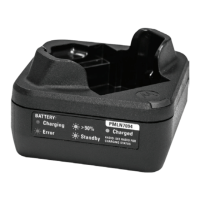
Diagram of charger. Turn radio off before charging. Best at room temp.

Charging Procedure

Connect power. Insert radio/battery, ensure contact, check LED for status.

Troubleshooting

LED Status Interpretation

Explains charger states and comments based on LED indications (Green Flash, Amber, Red, Off).

Service and Support

Repair and Information

Charger is not user-repairable. Order replacements from dealer. Visit website for more info.

Motorola PMLN7094 Specifications

General IconGeneral
BrandMotorola
ModelPMLN7094
CategoryBattery Charger
LanguageEnglish

Related product manuals