Quick Start Guide
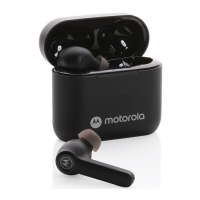
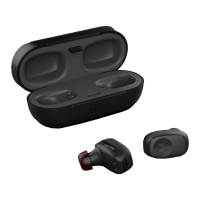
True Wireless Stereo Earbuds with Charging Case
Model: Motorola Stream Sport
Motorola Stream
Frequency: 2.402 – 2.48 GHz
Maximum RF Power: 6 dBm
Working temperature: 0°C to 45°C
Product ID: SH015
FCC ID: VLJ-SH015
IC: 4522A-SH015
Software Version: 1.0
At a glance
1
2
7
7
8
9
10
6
3
4
5
1. Multi-function Button (MFB)
2. Skip Forward / Volume Up (+)
3. Skip Back / Volume Down (-)
4. Earbuds LED
5. Microphone
6. Latch Button
7. Earbud charging contacts
8. Charging LED Indicator
9. Micro USB charging port
10. Charging Case Battery LEDs
EN
Charge
Charging Your Earbuds
To charge the earbuds,
put them into the charging
case. The blue LEDs show
that they are charging.
Charging Your Charging Case
Plug the charging cable into
the micro USB port at the
back of the case. Red LED
lights until the fully charged.
Note: Fully charge before use. The battery should only be
removed by a recycling facility. Any attempt to remove
or replace your battery will damage the product and
void your warranty. CAUTION: RISK OF EXPLOSION
IF BATTERY IS REPLACED BY AN INCORRECT TYPE.
DISPOSE OF USED PRODUCT PROPERLY.
Pairing both earbuds (stereo) with your
device
Pairs both earbuds for stereo music experience
STEP 1 – Turning On the Earbuds
Press the multi-function button for 2 seconds on both
earbuds.
STEP 2 – Wearing
Insert the earbuds in your ear and rotate to find a best fit
position.
STEP 3 – Connecting the Earbuds to Each Other
When both Left and Right earbuds are turned on, they will
automatically connect to each other. If they don’t connect,
simply put it back to the charging case and repeat step 1.
STEP 4 – Connecting to a Device
Enable the Bluetooth on your device. From the Blue
tooth
menu, select “Stream”. You will hear a voice prompt when
the device and Motorola Stream are connected.
Auto Reconnect
After first-time pairing to a device, earbuds will auto
reconnect to the device when powered on and within
Bluetooth range of the device.
Pairing single earbud (mono) for voice
calls
Allows either earbud to be used as a mono voice
headset
Left Earbud (Mono)
STEP 1 – Turning On the Left Earbud
Press the multi-function button for 2
seconds on Left
earbud.
STEP 2 – Wearing
Insert the earbuds in your ear and rotate to find a best fit
position.
STEP 3 – Connecting to a Device
Enable the Bluetooth on your device. From the Bluetooth
menu, select “Stream”. You will hear a voice prompt when
the device and Motorola Stream are connected.
Right Earbud (Mono)
STEP 1 – Turning On the Right Earbud
Press the multi-function button for 2 seconds on Right
earbu
d.
STEP 2 – Wearing
Insert the earbuds in your ear and rotate to find a best fit
position.
STEP 3 – Connecting to a Device
Enable the Bluetooth on your device. From the Bluetooth
menu, select “Stream Mono”. You will hear a voice prompt
when the device and Motorola Stream are connected.
Buttons Operation
Music
Play/Pause Press MFB
Volume Down/Up Press - / +
Previous / Next Track Long press - / +
Calls
Answer / end call Press MFB
Reject a call Long Press MFB
Mute during call Double press -
Re-dial last call Double press MFB
Call waiting
Receiving call and reject on going call Press MFB
Receiving call and hold on going call Long Press MFB
Pair
Clear Pair List Long Press MFB and - together
Voice
To issue a voice command during
idle mode,
then say the command
Double press +
Battery
Battery Level Check Press + AND - together
LED Indicators
Charging Case (LED at the front)
Earbuds are charging Blue LED lights
Earbuds are fully charged
Charging Case (LEDs at the back)
Low battery Red LED flashes
Charging Red LED lights
Fully charged
Guía de inicio rápido
Auriculares estéreo sin cable con estuche de carga
Modelo: Motorola Stream Sport
Motorola Stream
Frecuencia: 2.402 – 2.48 GHz
Potencia RF máxima: 6 dBm
Temperatura de funcionamiento:
De 0°C a 45°C
Referencia del producto: SH015
Referencia FCC: VLJ-SH015
IC: 4522A-SH015
Versión de software: 1.0
A simple vista
1
2
7
7
8
9
10
6
3
4
5
1. Botón multifunción (MFB)
2. Avance rápido / Aumento de volumen (+)
3. Retroceso rápido / Disminución de
volumen (-)
4. LED de los auriculares
5. Micrófono
6. Botón de cierre
7. Contactos de carga de los auriculares
8. Indicador LED de carga
9. Puerto de carga micro USB
10. LED de recarga del estuche de carga
ES
Carga
Carga de los auriculares
Para cargar los auriculares,
introdúzcalos en el
estuche de carga. Los LED
azules muestran que se
están cargando.
Recarga del estuche de
carga
Enchufe el cable de carga
en el puerto micro USB
ubicado en la parte posterior
del estuche. El LED rojo
se ilumina cuando está
completamente cargado.
Nota: Cargar completamente antes de usar. La batería
solo la pueden retirar en un centro de reciclaje. Cualquier
intento de retirar la batería o reemplazarla dañará el
producto e invalidará la garantía. PRECAUCIÓN: RIESGO
DE EXPLOSIÓN SI SE SUSTITUYE LA BATERÍA POR
OTRA DE TIPO INCORRECTO. ELIMINAR EL PRODUCTO
ADECUADAMENTE.
Emparejamiento de ambos auriculares
(estéreo) con su dispositivo
Empareje ambos auriculares para escuchar música
en estéreo
PASO 1 - Activación de los auriculares
Presione el botón multifunción durante 2 segundos en
ambos auriculares.
PASO 2 - Colocación
Inserte los auriculares en las orejas y gírelos hasta hallar la
mejor posición.
PASO 3 - Conexión entre los auriculares
Una vez que los auriculares izquierdo y derecha se han
activado, se conectarán entre ellos automáticamente. Si no
se conectaran, colóquelos de nuevo en el estuche de carga
y r
epita el paso 1.
PASO 4 - Conexión a un dispositivo
Active el Bluetooth en su dispositivo. En el menú del
Bluetooth, seleccione "Stream". Escuchará un aviso
acústico una vez que el dispositivo y el Motorola Stream
se conecten.
Reconexión automática
Después de emparejar el dispositivo por primera vez, los
auriculares se volverán a conectar a dicho dispositivo
cuando lo encienda y se encuentre dentro del alcance del
Blueto
oth.
Emparejamiento de un solo auricular
(mono) para llamadas de voz.
Permite usar cualquiera de los auriculares como
auriculares mono para voz.
Auricular izquierdo (mono)
PASO 1 - Activación del auricular izquierdo
Presione el botón multifunción durante 2 segundos en el
auricular izquierdo.
PASO 2 - Colocación
Inserte los auriculares en las orejas y gírelos hasta hallar la
mejor posición.
PASO 3 - Conexión a un dispositivo
Active el Bluetooth en su dispositivo. En e
l menú del
Bluetooth, seleccione "Stream". Escuchará un aviso
acústico una vez que el dispositivo y el Motorola Stream
se conecten.
Auri
cular derecho (mono)
PASO 1 - Activación del auricular derecho
Presione el botón multifunción durante 2 segundos en el
auricular derecho.
PASO 2 - Colocación
Inserte los auriculares en las orejas y gírelos hasta hallar la
mejor posición.
PASO 3 - Conexión a un dispositivo
Active el Blu
etooth en su dispositivo. En el menú del
Bluetooth, seleccione "Stream Mono". Escuchará un aviso
acústico una vez que el dispositivo y el Motorola Stream
se conecten.
Botones de funcionamiento
Música
Reproducción/Pausa Presione MFB
Aumentar/Disminuir el volumen Presione - / +
Pista anterior/siguiente Realice una presión larga en - / +
Llamadas
Responder/Finalizar llamadas Presione MFB
Rechazar una llamada Realice una presión larga en MFB
Silenciar durante una llamada Realice una doble presión en - / +
Llamada al último número Realice una doble presión en MFB
Llamada en espera
Recibir una llamada y rechazar una llamada
en curso
Presione MFB
Recibir una llamada y poner en espera una
llamada en curso
Realice una presión larga en MFB
Emparejar
Eliminar lista de emparejamientos
Realice una presión larga en MFB
y - a la vez
Voz
Para dar una orden de voz en modo inactivo,
diga l
a orden
Realice una doble presión en +
Batería
Comprobación de nivel de carga
Realice una presión larga en +
Y - a la vez
Indicadores LED
Estuche de carga
(LED en la parte frontal)
Los auriculares se están cargando El LED azul se ilumina
Los auriculares están completamente cargados LED apagado
Estuche de carga (LED en la parte posterior)
Batería agotándose El LED rojo parpadea
Cargando El LED rojo se ilumina
Completamente cargado LED apagado
Guia de Início Rápido
Fontes de Ouvido Estéreo Wireless com Carregador
Modelo: Motorola Stream Sport
Motorola Strea m
Frequência: 2,402 – 2,48 GHz
Peso máximo de RF: 6
dBm
Temperatura de funcionamento:
0°C a 45°C
ID d
o produto: SH015
ID FCC: VLJ-SH015
IC: 4522A-SH015
Versão do Software: 1.0
Visão geral
1
2
7
7
8
9
10
6
3
4
5
1. Botão multifuncional (MFB)
2. Avançar / Aumentar volume (+)
3. Voltar / Baixar volume (-)
4. LED dos fones de ouvido
5. Microfone
6. Botão de travamento
7. Contatos do carregamento do fone
de ouvido
8. Indicador LED de carregamento
9. Porta de carregamento Micro USB
10. LEDs da bateria do carregador
PT
Carga
Carregando os seus fones
de ouvido
Para carregar os seus
fones de ouvido, coloque-
os no carregador. Os LEDs
azuis mostrarão que eles
estão carregando.
Carregando o seu carregador
Conecte o cabo de
carregamento na porta USB
micro na parte de trás do seu
carregador. O LED vermelho
brilhará até que esteja
completamente carregado.
Observação:Carregue totalmente antes de usar. A bateria
só deve ser removida através de uma instalação de
reciclagem. Qualquer tentativa de remover ou substituir
a sua bateria causará danos ao produto e anulará a sua
garantia. ATENÇÃO: RISCO DE EXPLOSÃO SE A BATERIA
FOR SUBSTITUÍDA POR UMA DE TIPO INCORRETO.
DESCARTE O PRODUTO USADO DE FORMA
ADEQUADA.
Emparelhando ambos os fones de ouvido
(estéreo) com seu dispositivo
Emparelha ambos os fones de ouvido para uma
experiência de música estéreo
PASSO 1 – Ligue os fones de ouvido
Pressione o botão multifuncional por 2 segundos em
ambos os fones de ouvido.
PASSO 2 – Coloque-os nas orelhas
Insira os fones de ouvido no seu ouvido e gire até
encontrar a melhor posição.
PASSO 3 – Conecte os fones um ao outro
Quando ambos os fones, esquerdo e direito, estiverem
ligados, eles se conectarão automaticamente um ao outro.
Se eles não se c
onectarem, simplesmente coloque-os de
volta no carregador e repita o passo 1.
PASSO 4 – Conecte a um dispositivo
Ative o Bluetooth no seu dispositivo. A partir do
menu Bluetooth, selecione "Stream". Você ouvirá uma
mensagem de voz quando o seu dispositivo e o Motorola
Stream estiverem conectados.
Reconexão automática
Após o primeiro emparelhamento com um dispositivo,
os fones de ouvido se reconectarão automaticamente
a
o dispositivo quando ligados e dentro do alcance do
Bluetooth do dispositivo.
Emparelhando um fone de ouvido
(mono) somente, para chamadas de voz
Permite que qualquer fone de ouvido seja usado
como um fone de ouvido com voz
Fone de ouvido esquerdo (Mono)
PASSO 1 – Ligue o fone de ouvido esquerdo
Pressione o botão multifuncional por 2 segundos no fone
de ouvido esquerdo.
PASSO 2 – Coloque-os nas orelhas
Insira os fones de ouvido no seu ouvido e gire até
encontrar a melho
r posição.
PASSO 3 – Conecte a um dispositivo
Ative o Bluetooth no seu dispositivo. A partir do
menu Bluetooth, selecione "Stream". Você ouvirá uma
mensagem de voz quando o seu dispositivo e o Motorola
Stream estiverem conectados.
Fone de ouvido direito (Mono)
PASSO 1 – Ligue o fone de ouvido direito
Pressione o botão multifuncional por 2 segundos no fone
de ouvido direito.
PASSO 2 – Coloque-os nas orelhas
Insira os fo
nes de ouvido no seu ouvido e gire até
encontrar a melhor posição.
PASSO 3 – Conecte a um dispositivo
Ative o Bluetooth no seu dispositivo. A partir do menu
Bluetooth, selecione "Stream Mono". Você ouvirá uma
mensagem de voz quando o seu dispositivo e o Motorol
a
Stream estiverem conectados.
Funcionamento dos botões
Áudio
Reprodução/Pausa Pressionar MFB
Aumentar/baixar o volume Pressionar - / +
Faixa anterior / seguinte Pressionar e segurar - / +
Chamadas
Atender / terminar chamada Pressionar MFB
Rejeitar uma chamada Pressionar e segurar MFB
Mudo durante a chamada Pressionar duas vezes -
Repetir a última chamada Pressionar duas vezes MFB
Chamada em espera
Receber chamada e rejeitar uma chamada
em andamento
Pressionar MFB
Receber chamada e su
spender uma
chamada em andamento
Pressionar e segurar MFB
Emparelhar
Apagar lista de emparelhamento Pressionar e segurar MFB e - juntos
Voz
Para emitir um comando de voz durante
o modo de inatividade, em seguida, diga
o comando
Pressionar duas vezes +
Bateria
Verificação do nível da bateria Pressionar - E
+ juntos
Indicadores LED
Carregador (LED na frente)
Fones de ouvido estão carregando LED azul brilha
Fones de ouvido estã
o completamente
carregados.
LED desligado
Carregador (LED atrás)
Bateria fraca LED vermelho pisca
Carregando LED vermelho brilha
Completamente carregado LED desligado
Guide de démarrage rapide
Écouteurs-boutons stéréo True Wireless avec étui de chargement
Puissance RF maximale : 6 dBm
0°C à 45°C
Version du logiciel : 1.0.
Aperçu
2
7
7
8
9
10
6
3
4
5
1. Touche multifonctions (TMF)
2. Piste suivant
Sport
e / monter le volume (« + »)
3. Piste précédente / baisser le volume (« - »)
4. DEL des écouteurs-boutons
5. Microphone
6. Bouton de verrouillage
7. Contacts de chargements des
écouteurs-boutons
8. Témoin DEL de chargement
9. Port de chargement Micro USB
10. DEL de la batterie de l’étui de chargement
FR
Chargement
Chargement de vos
écouteurs-boutons
Pour charger les
écouteurs-boutons, les
placer dans l’étui de
chargement. Les DEL
bleues indiquent qu’ils
sont en train de charger.
Chargement de votre étui de
chargement
Brancher le câble de
chargement dans le port
Micro USB derrière l’étui. La
DEL rouge s’allume jusqu’à
recharge complète.
N.B. Charger complètement avant utilisation. La pile ne
doit être enlevée que par un centre de recyclage. Toute
tentative d'enlever ou de remplacer votre pile pourrait
endommager le produit et annuler votre garantie. MISE
REMPLACÉE PAR UN MODÈLE DU MAUVAIS TYPE.
ÉLIMINEZ TOUT PRODUIT EN FIN DE VIE DE FAÇON
ADÉQUATE.
Appairage des deux écouteurs-boutons
(stéréo) avec votre appareil
Appaire les deux écouteurs-boutons pour une
expérience musicale stéréo
ÉTAPE 1 – Allumage des écouteurs-boutons
Appuyer sur la touche multifonctions pendant 2 secondes
sur les deux écouteurs-boutons.
ÉTAPE 2 – Port des écouteurs-boutons
Insérer les écouteurs-boutons dans les oreilles et les
tourner pour d
éterminer la meilleure position.
ÉTAPE 3 – Connexion des écouteurs-boutons l'un à l'autre
Lorsque les écouteurs-boutons gauche et droit sont tous
les deux allumés, ils se connecteront automatiquement l’un
dans l'étui de chargement et de répéter l’étape 1.
ÉTAPE 4 – Connexion à un appareil
Activer la fonction Bluetooth sur votre appareil. Choisir
Bluetooth. Vous entendrez un guide vocal lorsque
l’appareil et Motorola Stream sont connectés l’un à l’autre.
Reconnexion automatique
À la suite du premier appairage à un appareil, les
écouteurs-boutons se reconnecteront automatiquement à
l'appareil lorsqu'ils sont allumés et à portée Bluetooth de
l'appareil.
Appairage d’un seul écouteur-bouton
(mono) pour la communication vocale
Permet d’utiliser l’un ou l’autre des écouteurs-
boutons comme casque vocal mono
Écouteur-bouton gauche (mono)
ÉTAPE 1 – Allumer l’écouteur-bouton gauche.
Appuyer sur la touche multifonctions pendant 2 secondes
sur l’écouteur-bouton gauche.
ÉTAPE 2 – Port des écouteurs-boutons
Insérer les écouteurs-boutons dans les oreilles et les
tourner pour déterminer la meilleure position.
ÉTAPE 3 – Connexion à un appareil
Activer la fonction Bluetooth sur votre appareil. Choisir
Bluetooth. Vous entendrez un guide vocal lorsque
l’appareil et Motorola Stream sont connectés l’un à l’autre.
Écouteur-bouton droit (mono)
ÉTAPE 1 – Allumer l’écouteur-bouton droit
Appuyer sur la touche multifonctions pendant 2 secondes
sur l’écouteur-bouton droit.
ÉTAPE 2 – Port des écouteurs-boutons
Insérer les écouteurs-boutons dans les oreilles et les
tourner pour déterminer la meilleure position.
ÉTAPE 3 –
Connexion à un appareil
Activer la fonction Bluetooth sur votre appareil. Choisir
le menu Bluetooth. Vous entendrez un guide vocal lorsque
l’appareil et Motorola Stream sont connectés l’un à l’autre.
Fonctionnement des touches
Musique
Lecture/Pause Appuyer sur la TMF
Volume -/+ Appuyer sur « - » / « + »
Piste précédente/suivante Appuyer longuement sur « - » / « + »
Appels
Répondre / mettre fin à l'appel Appuyer sur la TMF
Refuser un appel Appuyer longuement sur la TMF
Désactiver le son pendant un appel Appuyer deux fois sur « - »
Composer le numéro du dernier appel de
nouveau
Appuyer deux fois sur la TMF
Appel en attente
Recevoir un appel et refuser un appel
en cours
Appuyer sur la TMF
Recevoir un appel et mettre un appel en
cours en attente
Appuyer longuement sur la TMF
Appairer
Appuyer longuement sur la TMF et « - »
en même temps
Commandes vocales
Pour donner une commande vocale dans le
mode d'attente, puis dire la commande.
Appuyer deux fois sur « + »
Pile
Vérification du niveau de chargement
de la pile
Appuyer sur « + » ET « - » en même
temps
Témoins DEL
Étui de chargement (DEL sur le devant)
Les écouteurs-boutons se chargent Lumières DEL bleues
Les écouteurs-boutons sont complètement
chargés
DEL éteinte
Étui de chargement (DEL sur le derrière)
Pile faible La DEL rouge clignote
Chargement Lumières DEL rouges
Complètement chargé DEL éteinte

 Need help?







 To Next Page
 General