EasyManua.ls Logo

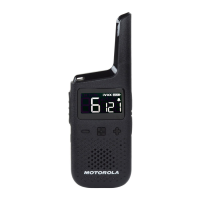
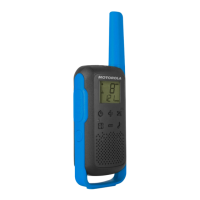
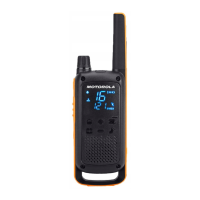
Motorola TALKABOUT T380 - User Manual

Motorola TALKABOUT T380
26 pages
Print Icon
To Next Page IconTo Next Page
Loading...
TALKABOUT
TWO-WAY
RADIO T380/T383 USER
GUIDE
*MN009248A01*
MN009248A01-AA
APRIL 2023
©
2023 Motorola Solutions, Inc. All rights reserved
Question and Answer IconNeed help?

Do you have a question about the Motorola TALKABOUT T380 and is the answer not in the manual?

Summary

Intellectual Property and Regulatory Notices

Copyrights

Motorola Solutions' copyrighted computer programs and document reproduction rights.

Trademarks

Lists Motorola's registered trademarks and those of other owners.

License Rights

Details the license granted for Motorola Solutions products.

Open Source Content

Mentions Open Source software used under license.

EU;UK WEEE Directive

Explains WEEE directive compliance for product disposal.

Disclaimer

Notes that features may vary by system configuration.

Safety and Compliance Information

RF Exposure Standards

Explains compliance with RF energy exposure limits for portable radios.

RF Energy Awareness and Control

Provides websites for information on RF energy exposure.

Acoustic Safety

Warns about loud noise exposure and provides hearing protection precautions.

Medical Devices

Advises consulting device manufacturer regarding RF energy shielding for medical devices.

Holsters with Magnets

Warns about magnets in holsters affecting medical devices and other electronics.

Operational Warnings

Explains operational warnings for various scenarios like air bags and explosive atmospheres.

Battery Cautions

Provides cautions for using Motorola Solutions approved batteries.

Power Supply Instructions

Instructions for using the power supply according to standards.

Accessory Substitution Warning

Warns against using non-approved accessories to maintain certification.

Class B Digital Device Compliance

FCC compliance statement for Class B digital devices regarding interference.

FCC and Industry Canada Notice

Compliance conditions for FCC and Industry Canada.

Mexico and Panama Regulations

Notes that authorization is not required for FRS radio frequencies.

Suppliers Declaration of Conformity

Declares product conformity to FCC CFR 47 Part 2.

Chapter 1: Radio Overview

Radio Controls

Describes the physical buttons and their functions on the radio.

Status Display

Explains the icons displayed on the radio's LCD screen.

Chapter 2: Getting Started

Installing and Charging Battery

Provides instructions for installing and charging the radio's battery.

Attaching Belt Clips

Step-by-step guide to attaching the belt clip to the radio.

Removing Belt Clips

Instructions on how to detach the belt clip from the radio.

Attaching a Carabiner

Explains the procedure for attaching a carabiner to the radio.

Powering Radio On;Off

How to power the radio on and off using the Power/Menu button.

Channel and Codes

Explains the importance of matching channel and code settings for communication.

Transmission Power

Discusses high and low power channels and their usage.

Chapter 3: Navigating the Menu Pages

Menu Screen Operations

Details how to navigate through the radio's menu options.

Chapter 4: Radio Usage

Talking and Listening

Instructions on how to transmit and receive using the radio.

Setting the Volume

How to adjust the radio's volume level using the +/- buttons.

Using Headsets

Guidance on connecting and using headsets with the radio.

Listening to Weather Broadcast

How to access and listen to weather broadcasts on the radio.

Setting Weather Alert

How to enable/disable weather alerts from NOAA/ECCC.

Auto Key Lock

Instructions to activate and deactivate the auto key lock feature.

Chapter 5: Advanced Features

Weatherproof Function

Details the radio's IP-54 weatherproof rating and limitations.

iVOX;VOX

Explains Voice Operated Transmission (VOX) and its sensitivity settings.

Call Tone

Describes the function of the Call Tone feature.

Scan Function

How the radio scans for voice activity on different channels.

Monitor Feature

How to monitor a channel for weak signals and noise.

Weather Receiver

Information on tuning into NOAA/ECCC weather broadcasts.

Weather Channels and Frequencies

Lists frequencies for various NOAA weather channels.

Chapter 6: Additional Information

Channels and Frequencies

Lists all available channels and their maximum power output.

Battery Information

Provides tips for maximizing battery performance and lifespan.

Licensing Information

USA (FCC);CANADA (ISED)

Details licensing requirements for FRS radios in the USA and Canada.

Warranty

Warranty Coverage Details

Outlines what is covered under the Motorola Solutions limited warranty.

Warranty Exclusions

Lists conditions and actions that void the warranty.

Obtaining Warranty Service

Provides contact information for obtaining warranty service.

Overview

This document is a user guide for the Motorola Talkabout T380/T383 Two-Way Radio, published in April 2023. It provides comprehensive information on the radio's operation, features, and safety guidelines.

Function Description:

The Motorola Talkabout T380/T383 is a portable two-way radio designed for communication over short to medium distances. It operates on Family Radio Service (FRS) and General Mobile Radio Service (GMRS) frequencies, allowing users to communicate with other radios set to the same channel and code. A key feature is its ability to receive NOAA Weather Radio and Environment and Climate Change Canada (ECCC) Weather Radio broadcasts, providing immediate weather and emergency information. The radio supports both internal Voice Operated Transmission (iVOX) and external Voice Operated Transmission (VOX) with a headset, enabling hands-free communication. It also includes a scan function to detect active channels and a monitor function for weak signals.

Important Technical Specifications:

  • Model Names: T380 and T383
  • Power Output: Channels 1-7, 15-22 operate at 2.0 W Max Power Output; Channels 8-14 operate at 0.5 W Max Power Output.
  • Frequencies:
    • FRS/GMRS Channels:
      • 1: 462.5625 MHz
      • 2: 462.5875 MHz
      • 3: 462.6125 MHz
      • 4: 462.6375 MHz
      • 5: 462.6625 MHz
      • 6: 462.6875 MHz
      • 7: 462.7125 MHz
      • 8: 467.5625 MHz
      • 9: 467.5875 MHz
      • 10: 467.6125 MHz
      • 11: 467.6375 MHz
      • 12: 467.6625 MHz
      • 13: 467.6875 MHz
      • 14: 467.7125 MHz
      • 15: 462.5500 MHz
      • 16: 462.5750 MHz
      • 17: 462.6000 MHz
      • 18: 462.6250 MHz
      • 19: 462.6500 MHz
      • 20: 462.6750 MHz
      • 21: 462.7000 MHz
      • 22: 462.7250 MHz
    • Weather Channels:
      • WX1: 162.550 MHz
      • WX2: 162.400 MHz
      • WX3: 162.475 MHz
      • WX4: 162.425 MHz
      • WX5: 162.450 MHz
      • WX6: 162.500 MHz
      • WX7: 162.525 MHz
      • WX8: 161.650 MHz
      • WX9: 161.775 MHz
      • WX10: 161.750 MHz
      • WX11: 162.000 MHz
  • Battery Type: Li-Ion rechargeable batteries.
  • Charging Time: An empty battery fully charges in 8 hours.
  • Ingress Protection (IP) Rating: IP-54 weatherproof standard, resistant to occasional water splash when battery and connector covers are sealed.
  • Duty Cycle: Rated battery life measured under industrial standard 5-5-90 duty cycle (5% transmitting, 5% receiving with speaker on, 90% waiting).

Usage Features:

  • Radio Controls: Includes PTT button for talking, Easy Pairing button for quick channel/code synchronization, + and - buttons for volume and menu navigation, and a Menu/Power button for menu access and power control.
  • Status Display: LCD screen displays icons for Transmit/Receive, High/Low Power, Two-Way Mode, Weather Radio (HOME), Monitor, Keypad Lock, Battery status, Scan, Mute, Weather Alert, Easy Pairing, Call Tone, Roger Tone, Code, VOX/iVOX, and Channel.
  • Easy Pairing: Allows copying channel and code settings from one radio to multiple radios simultaneously.
  • Channel and Codes: Users can select channels and codes to avoid interference and ensure private communication. Setting code to zero disables signal blocking.
  • Transmission Power: Supports both High (H) and Low (L) power channels, with recommendations for high power for reliable communication and low power for maximizing battery life over short distances.
  • Volume Adjustment: Adjustable via the + and - buttons.
  • Headset Compatibility: Features a headphone jack; connecting a headset disables the radio speaker. Headsets with PTT buttons can be used for transmission, or the radio's PTT button can be used with the radio's microphone.
  • Weather Radio (HOME): Dedicated mode for listening to weather broadcasts.
  • Weather Alert: Can be set to respond to NOAA/ECCC emergency messages with an alarm tone and automatic weather receiver activation.
  • Auto Key Lock: Automatically locks Power/Menu, +, and - buttons after 10 seconds of inactivity to prevent accidental changes. Unlocked by pressing and holding any of these buttons for 2 seconds.
  • iVOX/VOX: Internal (iVOX) or external (VOX with headset) voice-activated transmission with three sensitivity levels (L1-L3), where L3 is the most sensitive for quiet environments. PTT button cancels VOX/iVOX transmission.
  • Call Tone: Sends a distinct tone to the receiving radio, similar to a phone ringtone.
  • Scan: Cycles through channels to detect voice activity, allowing users to find active channels.
  • Monitor: Allows monitoring a channel for weak signals, including static.

Maintenance Features:

  • Battery Charging: Rechargeable Li-Ion batteries can be charged using a desktop charger or USB. The battery icon blinks during charging and stops when full.
  • Battery Care: To maximize battery performance and lifespan, avoid complete depletion, fully charge before extended storage, and remove from the radio.
  • Safety Precautions:
    • Use only Motorola Solutions approved batteries and chargers.
    • Do not discard batteries into fire, disassemble, crush, puncture, shred, or dry with heat sources.
    • Avoid contact of conductive materials with exposed battery terminals.
    • Turn off the radio before charging.
    • Do not replace batteries in hazardous atmospheres.
  • Cleaning: The radio is weatherproof to IP-54, meaning it is resistant to occasional water splashes, but should not be submerged or exposed to water for extended periods.
  • Accessory Use: Only Motorola Solutions approved accessories should be used to maintain intrinsic safety certifications and avoid voiding hazardous location approvals.
  • Holsters: Holsters incorporate strong neodymium magnets; users with personal medical devices (pacemakers, hearing aids) should consult their manufacturer. Magnets can also damage other electronic devices.
  • Vehicle Use: Do not place the radio in air bag deployment areas.
  • Potentially Explosive Atmospheres: Do not carry non-certified radios into such areas, or remove/install batteries or antennas, as sparks can cause explosions.
  • Blasting Areas: Turn off the radio near electrical blasting caps or in blasting areas.
  • RF Exposure: Designed to comply with national and international RF energy exposure limits. Users are advised to consult official websites for more information on RF energy exposure and corporate responsibility.
  • Acoustic Safety: Advised to use the lowest volume necessary, turn down volume before using headsets, limit high-volume headset use, and avoid placing the radio speaker directly against the ear.
  • Medical Devices: Users with personal medical devices should consult their device manufacturer regarding RF energy shielding.

Motorola TALKABOUT T380 Specifications

General IconGeneral
BrandMotorola
ModelTALKABOUT T380
CategoryTwo-Way Radio
LanguageEnglish

Related product manuals