EasyManua.ls Logo

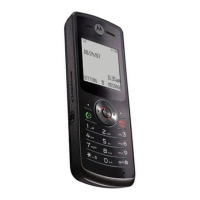
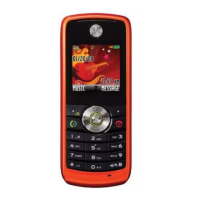
Motorola W180 - User Manual

Motorola W180
67 pages
Print Icon
To Next Page IconTo Next Page
Loading...
INSTRUCTION MANUAL
A preliminary draft of the User’s Manual follows this page.
The text on the following three pages will be added to the user manual.
APPLICANT: MOTOROLA,INC.
FCC ID: IHDP56HF1
EXHIBIT 8

Other manuals for Motorola W180

Questions and Answers

  • J
    Jodi GreerAug 12, 2025
    Why won't my Motorola W180 Cell Phone turn on?
    • S
      Susan SimpsonAug 13, 2025
      Your Motorola Cell Phone might not turn on due to a discharged or defective battery. First, measure the battery voltage across a 50 ohm load. If it's less than 3.25 Vdc, recharge it. If it won't recharge, replace the battery. Also, check the battery terminals for misalignment or damage, and realign or replace the battery if needed. If the keypad is defective, replace it and temporarily connect a +3.6 Vdc supply to the battery terminals, then press and hold the PWR button to see if it turns on.
  • W
    Wendy GonzalezAug 16, 2025
    Why is the transmit audio weak on my Motorola Cell Phone?
    • T
      Troy BennettAug 16, 2025
      If the transmit audio on your Motorola Cell Phone is weak, meaning people have trouble hearing you, the microphone might be defective. Replace the microphone.
  • A
    Ashley Waller MDAug 19, 2025
    What causes distorted incoming call audio on Motorola W180?
    • J
      Jerry BrownAug 20, 2025
      Distorted or low volume incoming call audio on your Motorola Cell Phone could be due to a defective speaker. Replace the speaker.
  • V
    vthorntonAug 25, 2025
    What to do if my Motorola W180 Cell Phone won't recognize the SIM card?
    • C
      christopher58Aug 25, 2025
      If your Motorola Cell Phone doesn't recognize the SIM card, start by checking the SIM card contacts for dirt and clean them if necessary. If the contacts are clean, try inserting a known good SIM card to see if it's accepted. If the phone accepts the known good SIM card, replace your defective SIM card.
  • S
    Steven LawsonAug 27, 2025
    How to fix a Motorola Cell Phone keypad that is not working?
    • R
      Robert GibsonAug 27, 2025
      If the keypad on your Motorola Cell Phone isn't functioning, try wiping the keypad metal dome with alcohol to see if that clears the issue. If the problem persists, you may need to replace the keypad.
  • J
    John WatsonAug 31, 2025
    How to fix erratic display on Motorola W180 Cell Phone?
    • R
      Ruth CookAug 31, 2025
      If the display on your Motorola Cell Phone is erratic, partial, or completely blank, the LCM may be defective. Replace the LCM and then reassemble the unit.
  • M
    Mark ScottSep 4, 2025
    Why is the vibrator not working on my Motorola W180?
    • D
      Daniel RobbinsSep 4, 2025
      If the vibrator feature on your Motorola Cell Phone isn't working, check the general condition of the vibrator. If the vibrator is defective, replace it.
  • T
    Timothy WheelerSep 7, 2025
    Why is there no audio when using a headset with Motorola W180?
    • J
      Jose PerezSep 8, 2025
      If you experience no or weak audio when using a headset with your Motorola Cell Phone, ensure the headset plug is fully seated in the jack.

Summary

Specific Absorption Rate Data

Menu Map

Messages Feature

Accessing and managing text messages and voicemail.

Settings Menu

Security Settings

Managing phone lock codes, SIM PIN, and call barring.

Safety and General Information

Radio Frequency (RF) Exposure

Information on the phone's compliance with RF exposure guidelines.

Driving Safety Precautions

Guidelines for safe mobile phone usage while driving.

Privacy and Data Security

Protecting Personal Information

Recommendations for monitoring access and keeping software updated.

Smart Practices While Driving

Safe Driving Guidelines

Tips for responsible and safe mobile phone use while operating a vehicle.

Motorola W180 Specifications

General IconGeneral
BrandMotorola
ModelW180
CategoryCell Phone
LanguageEnglish

Related product manuals