EasyManua.ls Logo

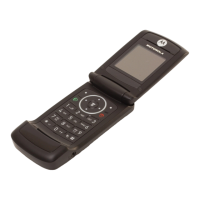
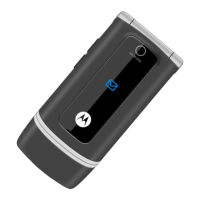
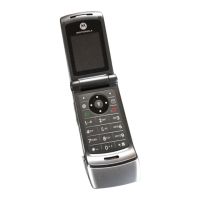
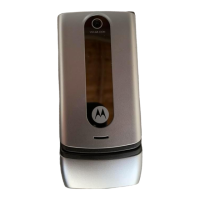
Motorola W230 - User Manual

Motorola W230
82 pages
Print Icon
To Next Page IconTo Next Page
Loading...
User’s Guide
motorola W230a

Table of Contents

Other manuals for Motorola W230

Questions and Answers

  • H
    Henry MoranSep 8, 2025
    What causes distorted incoming call alert audio on Motorola W230?
    • S
      sara94Sep 8, 2025
      If the incoming call alert transducer audio on your Motorola Cell Phone is distorted or the volume is too low, the speaker is likely defective. Replace the speaker, and then verify that the fault has been cleared.
  • M
    Meagan StephensAug 23, 2025
    What to do if my Motorola W230 Cell Phone will not turn on or stay on?
    • G
      gonzalezjermaineAug 23, 2025
      If your Motorola Cell Phone doesn't turn on or stay on, there are a few potential causes. First, the battery might be discharged or defective. Measure the battery voltage across a 50 ohm load. If it's less than 3.25 Vdc, recharge it. If it won't recharge, replace the battery. If the battery isn't the problem, check the battery terminals for misalignment or damage. Realign them, and if needed, replace the battery or get the battery connector replaced at a Level 3 Service Center. If the terminals are fine, the keypad might be defective. In this case, replace the keypad. You can temporarily connect a +3.6 Vdc supply to the battery terminals, press and hold the power button. If the unit turns on and stays on, disconnect the power source and reassemble it with the new keypad.
  • G
    gabrielle42Aug 25, 2025
    What to do if my Motorola W230 Cell Phone will not recognize SIM card?
    • M
      Maria TrujilloAug 25, 2025
      If your Motorola Cell Phone doesn't recognize the SIM card, start by checking the SIM card contacts for dirt and clean them if necessary. If the contacts are clean, try inserting a known good SIM card to see if the phone accepts it. If it does, replace your original SIM card as it is likely defective.
  • D
    donna08Aug 26, 2025
    Why does my Motorola W230 Cell Phone have poor reception?
    • T
      Taylor JensenAug 27, 2025
      If your Motorola Cell Phone has poor reception, calls frequently drop, or the audio is weak or distorted, check the connection between the antenna and the lower PCB, as the connections to or from the lower PCB may be defective.
  • J
    John SuarezAug 27, 2025
    How to fix weak audio from earpiece speaker on Motorola Cell Phone?
    • S
      Sara SimpsonAug 27, 2025
      If the receive audio from the earpiece speaker on your Motorola Cell Phone is weak or distorted, first check the connection between the antenna and the lower PCB. If the connection is okay, the speaker itself might be defective. Try temporarily replacing the speaker with a known good one to see if the audio improves, and ensure a good connection.
  • C
    Cathy HuffSep 22, 2025
    What to do if there is no or weak audio when using headset with Motorola W230?
    • B
      Brian RangelSep 22, 2025
      If you're experiencing no or weak audio when using a headset with your Motorola Cell Phone, make sure the headset plug is fully inserted into the jack.
  • M
    mary51Sep 16, 2025
    What to do if the display is erratic on my Motorola W230 Cell Phone?
    • C
      Cassandra MillerSep 16, 2025
      If your Motorola Cell Phone's display is acting erratically, or only showing a partial or no display, the LCM (LCD Module) might be defective. Replace the LCM and then verify that the problem has been resolved before reassembling the unit.
  • W
    williamskeithSep 18, 2025
    Why is the vibrator feature not functioning on my Motorola Cell Phone?
    • B
      Brittany FieldsSep 18, 2025
      If the vibrator feature on your Motorola Cell Phone is not working, first check the general condition of the vibrator. If it appears to be in good condition, then the vibrator is likely defective and should be replaced.
  • B
    Bobby BarnettSep 7, 2025
    Why is the display erratic on my Motorola W230?
    • R
      Rachel FoxSep 7, 2025
      If the display on your Motorola Cell Phone is erratic, partial, or completely blank, the LCM (Liquid Crystal Module) may be defective and needs to be replaced. After replacing the LCM, verify that the fault has been cleared.
  • L
    Laura GrahamSep 4, 2025
    What to do if my Motorola W230 transmit audio is weak?
    • O
      ochangSep 4, 2025
      If people are having trouble hearing you when you use your Motorola Cell Phone, the microphone may be defective. Replace the microphone and check if the issue is resolved before putting the phone back together.

Summary

Use and Care

Protection from Liquids

Warning to keep the phone away from liquids.

Protection from Dust and Dirt

Warning to keep the phone away from dust and dirt.

Get Started

Entertainment

Music Library

Details about the music library feature.

Other Features

Phonebook

Information about the phonebook.

Settings Menu

Initial Setup

Basic setup options for the phone.

Security

Security features like phone lock.

SIM Card

Memory Card

Install the Battery

Remove the Battery

Answer a Call

Change Ring Alert

Store a Phone Number

Call a Stored Phone Number

Enter Text

Tap Extended Text Entry

Number Mode

Delete Letters & Words

Codes & Passwords

Lock & Unlock Phone

Memory Card Setup

Format Memory Card

Steps to format the memory card.

Set a Style

Set Alerts

Answer Options

Color Setting

Quick Dial

Calls

Redial a Number

How to redial a number.

Call Waiting

Call Forward

Emergency Calls

Messages

Receive a Message

Voicemail

WebAccess

Features

Master Clear

Resetting phone options.

Show Contacts

Displaying contacts.

Show Dialed Calls

Displaying dialed call history.

Call Times

In-Call Menu

Service & Repairs

Specific Absorption Rate Data

Safety and General Information

Exposure to Radio Frequency (RF)

Information on RF exposure.

Product Operation Guidelines

Guidance on operating the phone.

Follow Instructions to Avoid Interference Problems

Driving Precautions

Symbol Key

Important Safety Information Symbol

Indicates safety information.

Battery Disposal Symbol

Warning about battery disposal.

Keep Mobile Device Away From Small Children

Repetitive Motion Safety

Hearing Aid Compatibility

T-Ratings Explained

Explanation of T-Ratings for hearing aid compatibility.

Information from the World Health Organization

WHO on Mobile Phone RF Exposure

WHO statement on mobile phone use and RF exposure.

Smart Practices While Driving

Use Handsfree Devices

Recommends using handsfree devices while driving.

Driving Safety Advice

Dial Sensibly and Assess Traffic

Advice on making calls while driving.

Avoid Distracting Conversations

Warning against distracting conversations while driving.

Motorola W230 Specifications

General IconGeneral
Display typeCSTN
Display diagonal1.6 \
Display resolution128 x 128 pixels
Display number of colors65536 colors
Internal memory0 MB
Flash card supportYes
Rear cameraNo
Multimedia Messaging Service (MMS)Multimedia Messaging Service (MMS) is a standard way to send messages that include multimedia content to and from a mobile phone over a cellular network
Ringer typePolyphonic
Audio formats supportedAMR, MIDI, MP3
Product colorGray
Talk time (2G)9 h
Battery capacity940 mAh
Standby time (2G)450 h
Form factorBar
Phonebook capacity500 entries
Data networkGPRS
Weight and Dimensions IconWeight and Dimensions
Depth45 mm
Width110.97 mm
Height14.7 mm
Weight80 g

Related product manuals