EasyManua.ls Logo

Motorola XTR446 - User Manual

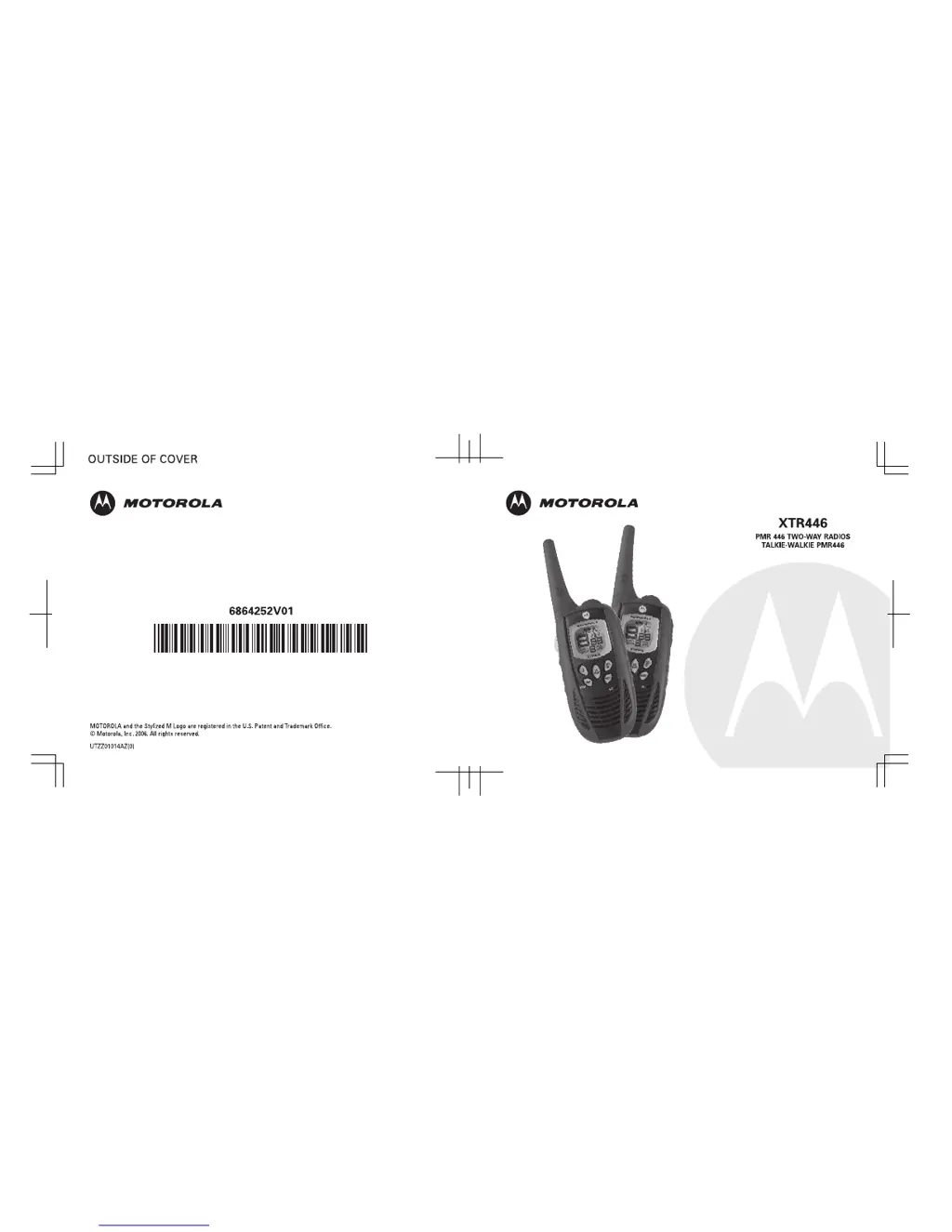
Motorola XTR446
17 pages
Print Icon
To Next Page IconTo Next Page
Loading...

Other manuals for Motorola XTR446

Questions and Answers

  • K
    Karen JonesAug 17, 2025
    What to do if Motorola XTR446 message is not transmitted?
    • J
      Jeanette ThompsonAug 17, 2025
      If your Motorola Two-Way Radio is not transmitting messages, ensure that you completely press the PTT button while transmitting. Also, try repositioning, replacing, or recharging the batteries. If the channel is in use, try another channel.
  • J
    Jose HutchinsonAug 20, 2025
    How to fix heavy static or interference on Motorola XTR446 Two-Way Radio?
    • J
      johnsonautumnAug 20, 2025
      If you are experiencing heavy static or interference on your Motorola Two-Way Radio, it could be due to the radios being too close together; they must be at least 1.5 meters apart. Alternatively, the radios may be too far apart, and obstacles are interfering with the transmission.
  • D
    Dale OrtegaAug 22, 2025
    How to fix Motorola XTR446 with no power?
    • L
      lwashingtonAug 22, 2025
      To resolve a Motorola Two-Way Radio with no power or an erratic display, try repositioning, replacing, or recharging the batteries.
  • T
    Timothy DavisAug 26, 2025
    Why is my Motorola XTR446 Two-Way Radio message not transmitted?
    • N
      nhernandezAug 26, 2025
      If your Motorola Two-Way Radio message is not being transmitted, ensure that you are completely pressing the PTT button while transmitting. Also, reposition, replace, or recharge the batteries. The channel you are using may be in use, so try another channel.
  • R
    Robert HenryAug 27, 2025
    What to do if Motorola XTR446 message is not received?
    • P
      patrickmccallAug 28, 2025
      If you are not receiving messages on your Motorola Two-Way Radio, ensure that all radios have the same channel settings and interference eliminator codes to minimize interference. Also, make sure the PTT button is not inadvertently pressed. Try repositioning, replacing, or recharging the batteries. Change your location, as obstructions or operating indoors or in vehicles may interfere with communication. Finally, check to ensure the volume is turned up.
  • S
    Stephanie MartinezAug 30, 2025
    Why is the talk range limited on my Motorola Two-Way Radio?
    • B
      Bryan StewartAug 31, 2025
      The talk range of your Motorola Two-Way Radio may be limited due to steel or concrete structures, heavy foliage, or use inside buildings and vehicles. Check for a clear line of sight to improve transmission. Also, wearing the radio close to your body, such as in a pocket or on a belt, can decrease the range.
  • R
    Richard FreySep 2, 2025
    Why am I hearing other conversations on my Motorola Two-Way Radio channel?
    • M
      Michael MayerSep 2, 2025
      If you are hearing other conversations or noise on a channel of your Motorola Two-Way Radio, the shared channel may be in use. Try switching to another channel.
  • T
    Trevor WilliamsSep 5, 2025
    What to do if Motorola XTR446 Two-Way Radio message not received?
    • M
      Mrs. Madison Smith MDSep 5, 2025
      If you are not receiving messages on your Motorola Two-Way Radio, make sure the radios have the same channel settings and interference eliminator codes. This helps minimize interference. Also, ensure the PTT button is not inadvertently being pressed. Reposition, replace, or recharge the batteries. Obstructions, operating indoors, or being in vehicles can interfere with communication, so try changing your location. Finally, check to ensure the volume is turned up.
  • D
    Dana EstradaSep 7, 2025
    Why am I hearing noise on Motorola XTR446 Two-Way Radio channel?
    • T
      Timothy CohenSep 7, 2025
      If you are hearing other conversations or noise on a channel of your Motorola Two-Way Radio, it could be because the shared channel is already in use. Try switching to another channel.
  • M
    Marc AdkinsSep 10, 2025
    Why Motorola XTR446 Two-Way Radio has limited talk range?
    • T
      Tammy McdonaldSep 12, 2025
      The talk range of your Motorola Two-Way Radio may be limited due to steel or concrete structures, heavy foliage, or use inside buildings and vehicles. To improve transmission, check for a clear line of sight. Also, wearing the radio close to your body, such as in a pocket or on a belt, can decrease the range.

Summary

Product Safety and RF Exposure

Safety Information and Charger Precautions

General safety guidelines and specific instructions for the battery charger.

Getting Started

Initial Radio Setup and Battery Management

Installing batteries, charging, and understanding basic indicators.

Basic Radio Operations

Powering on/off, adjusting volume, keypad tones, and belt clip usage.

Talking and Listening

Understanding Talk Range and Monitoring

Factors affecting range and how to monitor channel activity.

Channel Selection and Interference Codes

Choosing channels and setting interference eliminator codes.

Advanced Communication Features

Scanning, priority scan, hands-free (VOX), and room monitoring.

Power Management and Security

Automatic power save, keypad lock, and backlight functions.

Alerts

Call and Talk Confirmation Tones

Setting call tones to alert others and confirmation tones for transmission.

Troubleshooting

Resolving Common Radio Issues

Solutions for common operational problems with the radio.

Use and Care

Radio Maintenance and Cleaning Guidelines

Guidelines for cleaning and maintaining the radio for optimal performance.

Specifications

Technical Features and Performance Data

Detailed technical specifications and performance data of the XTR446 radio.

Warranty Information

Warranty Claims and Exclusions

Details on claiming warranty service and understanding what is not covered.

Copyright Information

Legal Notices and Copyright Protection

Legal information regarding Motorola's copyrighted programs and intellectual property.

Approved Accessories List

Accessory Details and Part Numbers

Descriptions and part numbers for official Motorola accessories.

Motorola XTR446 Specifications

General IconGeneral
Maximum range8000 m
Operating frequency446 MHz
Battery typeAAA
Battery life (max)18 h
Battery technologyNickel-Metal Hydride (NiMH)
Number of batteries supported4
On/off switchYes
Product colorBlack
Display typeAnalog
Weight and Dimensions IconWeight and Dimensions
Weight174 g
Dimensions (WxDxH)58 x 34 x 178 mm

Related product manuals