QUICK-START GUIDE - ESSENTIAL STEPS
ACTIVATE CAMERA & SELECT PLAN VIA APP OR WEBSITE
Create/log in to your Moultrie Mobile account through app or
MoultrieMobile.com. Click My Account > Activate Device and
follow the instructions to choose your plan and activate your camera.
STEP 1
ATTACH ANTENNA, INSTALL BATTERIES & SD CARD
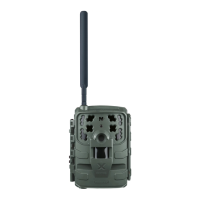
Once the device is activated, attach the antenna and install 12 new
AA batteries and a Class 10 SD card.
STEP 2
POWER ON CAMERA
Press and hold ON/OFF button for about 5 seconds until LEDs illuminate.
There will be a 15 second delay to allow time for the SD card to format.
Then,the camera will connect to Moultrie Mobile and LEDs will indicate
camera status.
NOTE: FORMATTING YOUR SD CARD IS RECOMMENDED BUT CAN BE SKIPPED
BY PRESSING CONNECT/STATUS BUTTON.
STEP 3
FORMAT SD CARD
NOTE: THIS WILL PERMANENTLY ERASE ALL CONTENT ON SD CARD.
During the 15 second delay after powing on the camera, press and hold
FORMAT SD button untile the SD CARD LED blinks yellow. LED will turn
green once process is complete.
STEP 4
CAPTURE A TEST IMAGE
Press and hold the CONNECT/STATUS button for at least 5 seconds.
Status LEDs will remain lit during image transmission. Refresh app/website
to confirm image receipt.
STEP 5
AIM MODE
Use built-in AIM MODE to assist with camera positioning. Simply press and
hold FORMAT SD button and CONNECT/STATUS button simultaneously
to activate. Red LED on front of camera will glow if movement is detected
within field of view. (Camera will return to normal operation with inactivity.)
IMPORTANT
You should see a light sequence start after the 15 second delay
and/or SD Card Format is complete. Lights indicate camera status
and server connection.
Do you see any yellow or red lights? If so, use the chart located
in section D6 to identify status.
D2


 To Next Page