15
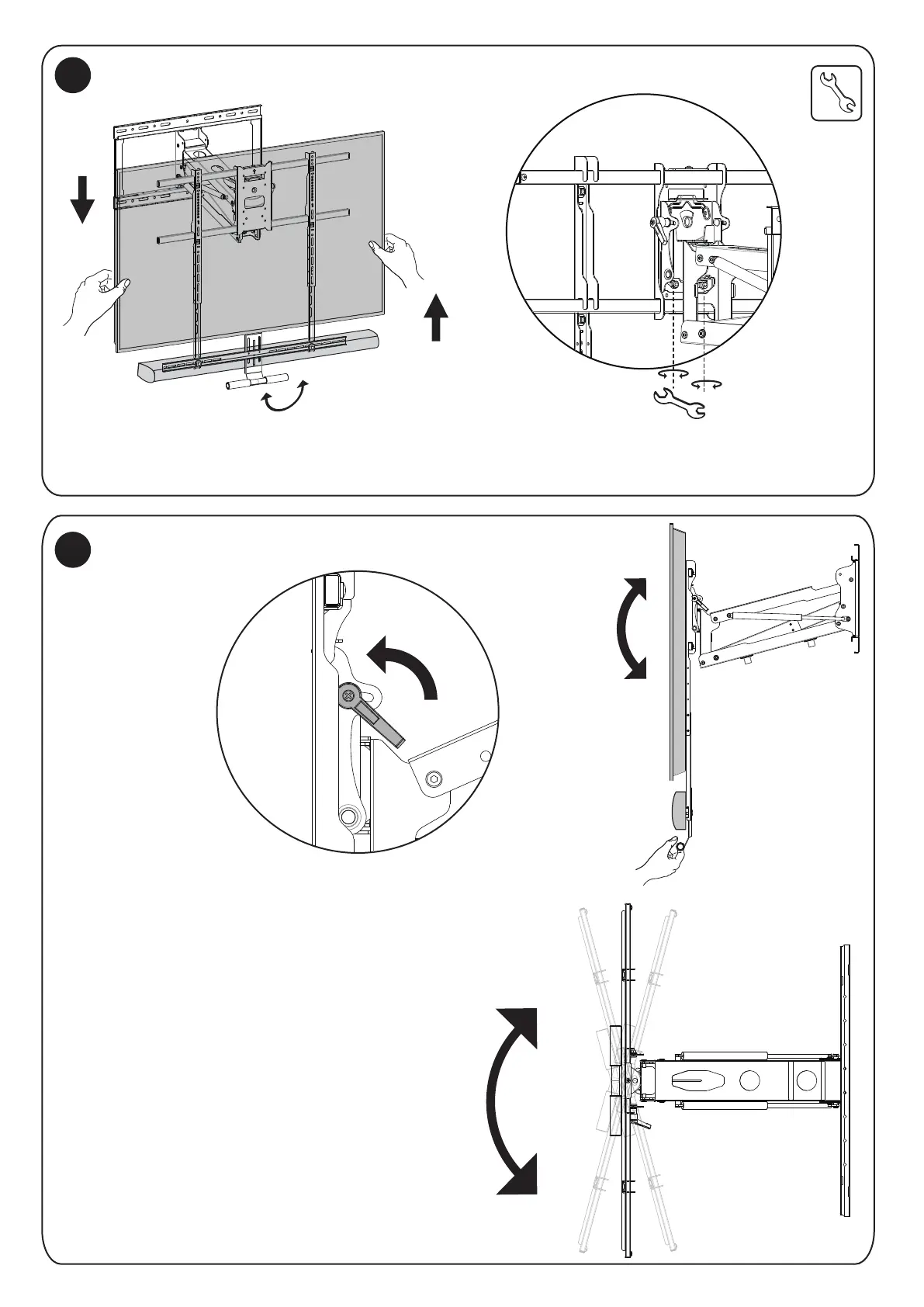
The Level of the screen can be adjusted ±5° by loosening the nuts on the lower back of the VESA plate
shown in the magnification bubble here, then adjust to the desired level and tighten the nuts back down.
The screen can be tilted -5° to +10° by loosening the
adjustment handle on the upper back sides of the VESA
plate shown in the magnification bubble, then adjust to
the desired tilt and tighten the handle back down.
The mount arm can swivel ±30°to adjust
to the desired viewing angle.
18
19
Tilt adjustment
-5 ~ +10°
Swivel ±30°
Level adjustment±5°
Level Adjustment
Tilt and Swivel Adjustments


 To Next Page