Instructions
ADJUSTING THE HANDLE
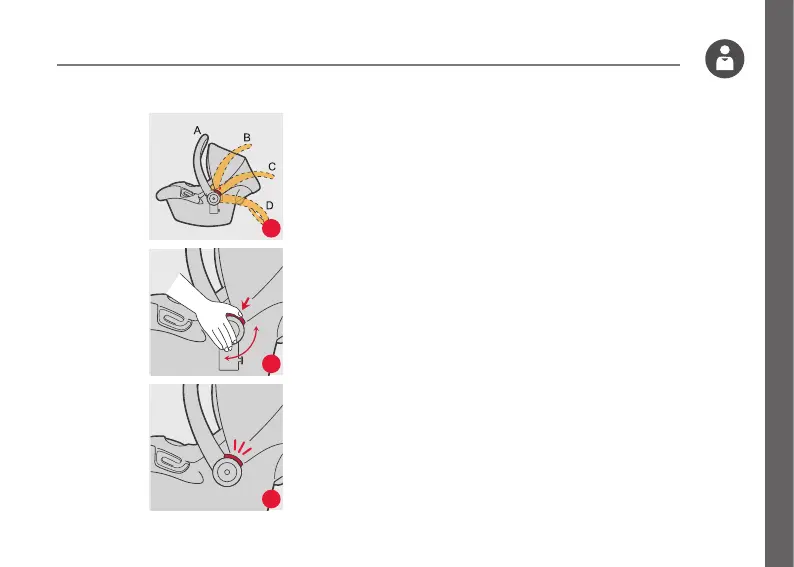
2a There are 4 positions: In vehicle position (A),
Carry position (A), Middle position (B,C), and
Stationary position(D)
2b To adjust, squeeze handle release buttons on both
sides, then rotate the handle, The handle will lock
into position.
2c You should hear a click when the handle button
is engaged and handle is locked into the upright
carrying position.
WARNING:
Always make sure the handle is securely locked in
the upright carrying position before carrying.
2a
2b
2c


 To Next Page