880 909 / Issue 02
3
EVOe OPERATION
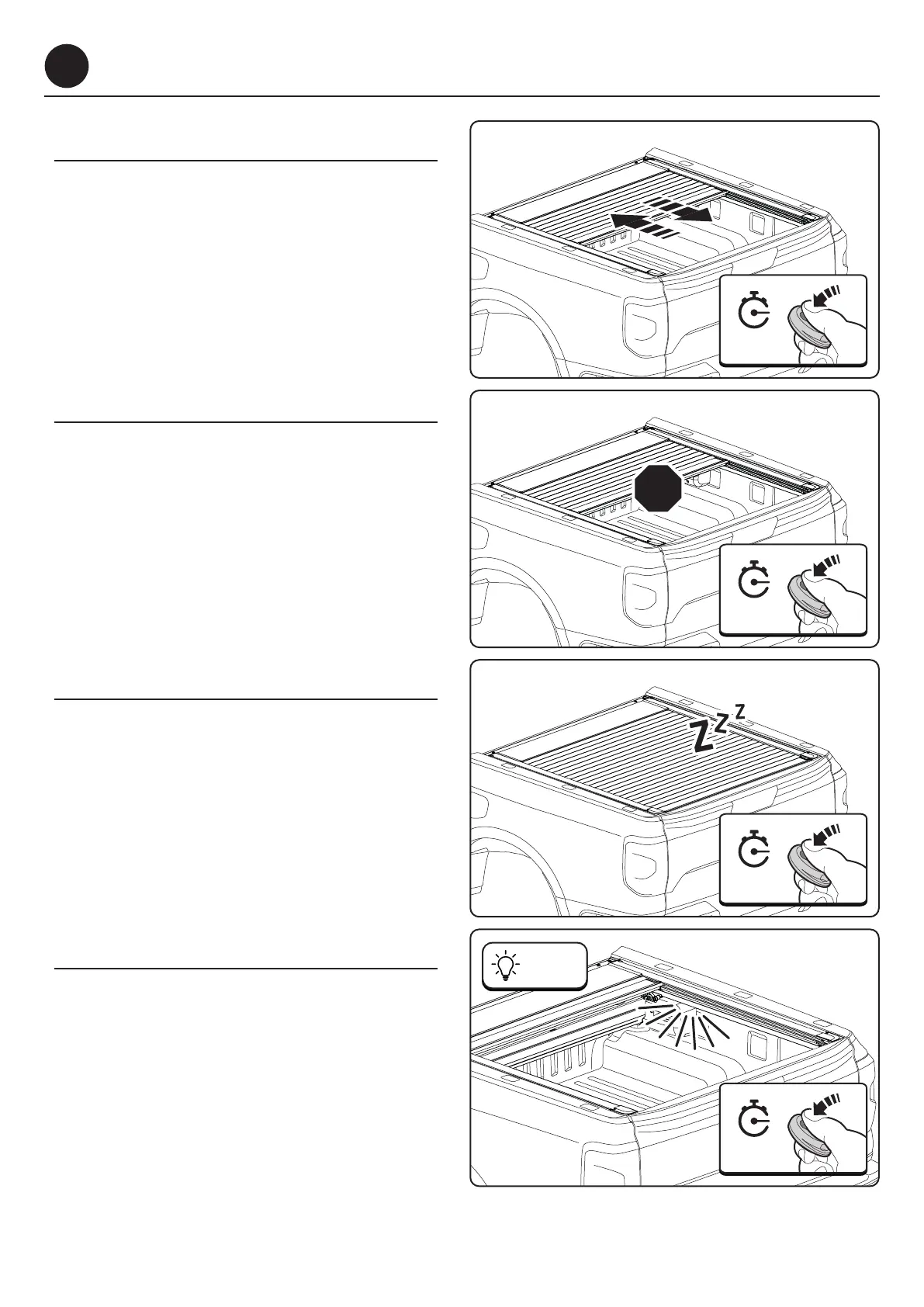
3.1 - Open / Close
To open or close the EVOe roll cover, press the
button on the remote for 1 second.
3.2 - Stop
To stop the EVOe roll cover, press the button on the
remote for 1 second during operation.
Press again for 1 second to resume operation.The
EVOe roll cover will move in the opposite direction.
3.3 - Sleep Mode
The EVOe roll cover will enter Sleep Mode after
48 hours of inactivity.
Press the the button on the remote for 1 second
to wake the roll cover.
3.4 - Turn lights on / off
Press and hold the button on the remote for
3 seconds to turn the lights on or off.
The lights will remain on for 8 minutes.
During normal operation, the lights will turn on
when opening, and turn off when closing.
06/25


 To Next Page