
 Need help?
Do you have a question about the Mounting Dream HM2112-L and is the answer not in the manual?
Lists all parts and hardware required for attaching brackets to the TV, including screws and spacers.
Guide on selecting the correct TV screws (M4, M6, M8) for attaching brackets to different TV models.
Instructions on determining if spacers are needed for TV bracket installation and how to use them.
Detailed steps for physically attaching the TV brackets to the back of the television using screws and washers.
Lists parts and hardware for wall plate installation, including wall plates, bolts, and washers.
Instructions on how to assemble the wall plate unit before attaching it to the wall.
Specific instructions for mounting the wall plate securely into wood studs in the wall.
Specific instructions for mounting the wall plate securely into solid concrete walls.
Procedure to test the integrity and strength of the mounted wall plate before hanging the TV.
Steps for safely hanging the TV onto the wall plate and securing it in place.
Guide on how to adjust the TV's level using leveling bolts on the brackets.
Instructions on safely removing the TV from the wall mount by releasing the straps.
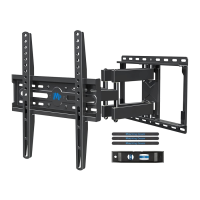
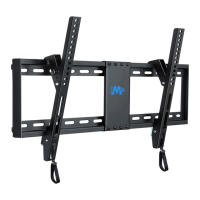
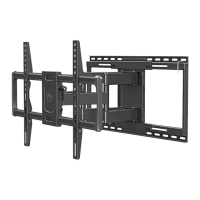
Technical specifications detailing the maximum and minimum dimensions of the mount.
 General
| Model | HM2112-L |
|---|---|
| Product Type | TV Wall Mount |
| VESA Compatibility | 200x100mm to 600x400mm |
| Material | Steel |
| Wall Compatibility | Wood Studs, Concrete Walls |
| Mounting Type | Wall |
| Finish | Black |
| Included Hardware | All necessary mounting hardware included |


 To Next Page