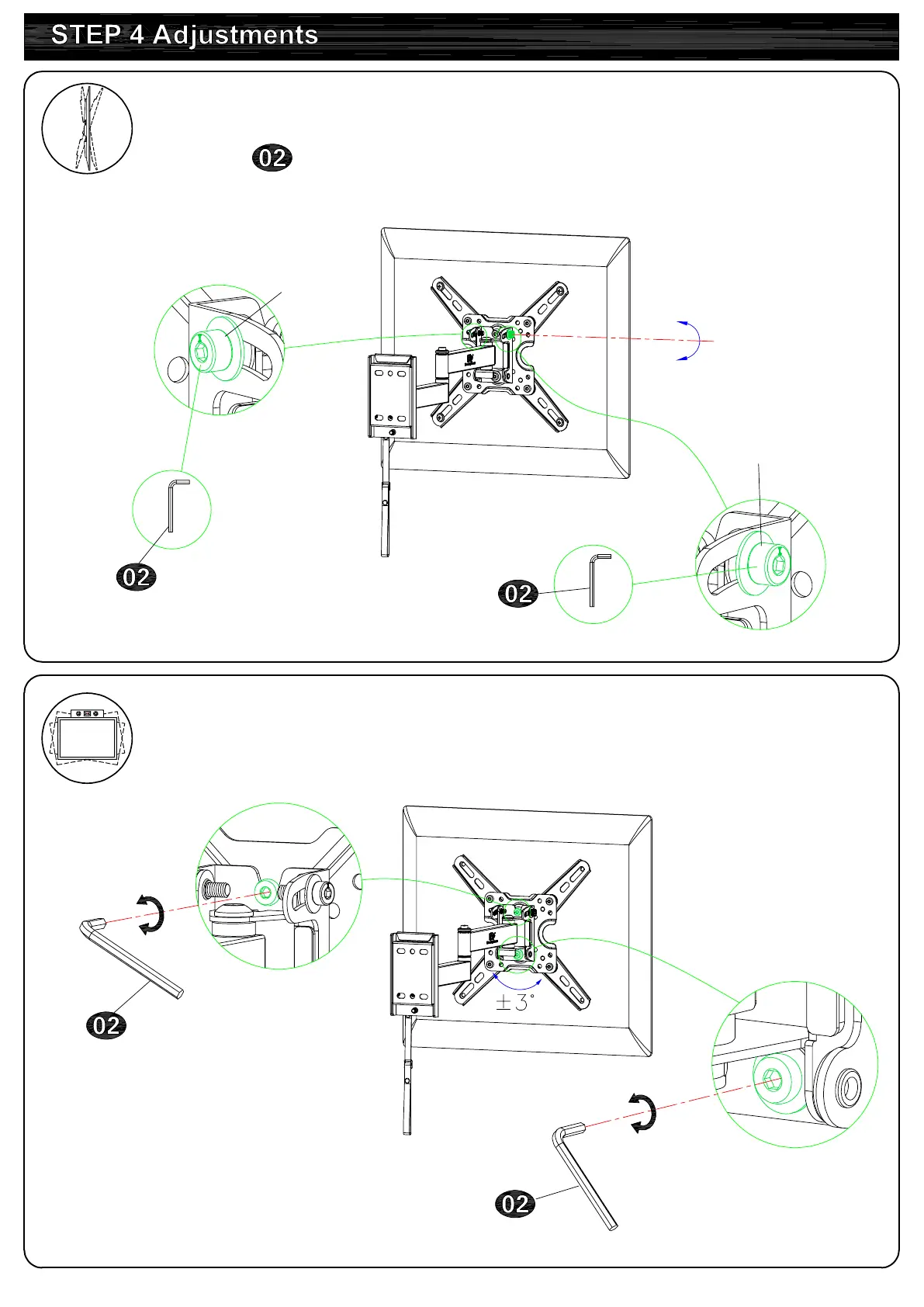
4-2 TV leveling adjustment (±3°):
Loosen 2 leveling bolts on the rear of TV plate by maximum 1
turns, adjust to level, and retighten to secure.
7
4-1 Tilting angle adjustment (+5°/-15°)
:
Pull TV to your desired angle then fasten 2 tilting bolts with
Allen key .
Loosen
Tighten
Loosen
Tighten
-15°
+5°
Tilting bolts
Tilting bolts





 To Next Page