EasyManua.ls Logo

Mounting Dream MD2296-24K - User Manual

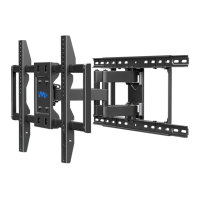
Mounting Dream MD2296-24K
19 pages
Print Icon
To Next Page IconTo Next Page
Loading...
MD2296-24K INSTALLATION INSTRUCTION
If you have any questions, please contact us via customerservice@mountingdream.com
or call us at telephone (626) 604-9048 (USA) Mon - Fri 10am - 6pm (Pacific time).
For more information, please visit our website: www.mountingdreamonline.com
(A0)
42"~70"
Max:600x400mm/24x16"
Min:200x100mm/8x4"
Für die Installationsanweisungen auf deutsch, Siehe Seite 11~12.
Pour l'instruction en français, veuillez vous reporter à la page 13~14.
Para las instrucciones de la instalación en español, favor vea la página 15~16.
Per le Istruzioni in italiano, vedi pagina 17~18.
TV
1 2
x3
x1 x1x1
Question and Answer IconNeed help?

Do you have a question about the Mounting Dream MD2296-24K and is the answer not in the manual?

Overview

This document provides installation instructions and specifications for the Mounting Dream MD2296-24K TV wall mount.

Function Description

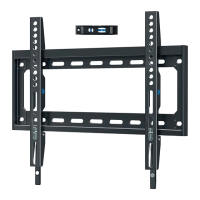
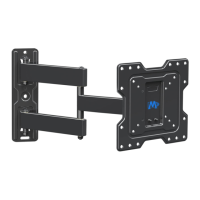
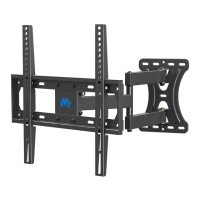
The Mounting Dream MD2296-24K is a full-motion TV wall mount designed to securely hold televisions to either wood stud or solid concrete walls. It allows for various adjustments to optimize viewing angles, including leveling and tilting. The mount is designed for easy installation, with clear steps provided for attaching brackets to the TV, mounting the wall plate, and securing the TV. Safety precautions are emphasized throughout the manual to ensure correct installation and prevent damage or injury.

Important Technical Specifications

  • Model: MD2296-24K
  • TV Size Compatibility: 42"~70"
  • Weight Capacity: Max 100 LBS (45.5 KG)
  • VESA Compatibility:
    • Max: 600x400mm (24x16")
    • Min: 200x100mm (8x4")
  • Wall Type Compatibility: Wood stud walls and solid concrete walls. NOT for drywall alone.
  • Tilt Angle Adjustment: +5°/-15°
  • Leveling Adjustment: ±3°
  • Extension Arm Length:
    • Minimum distance from wall: 65mm
    • Maximum extension from wall: 435mm
  • Wall Plate Dimensions:
    • Width: 681mm (overall), 644mm (mounting area)
    • Height: 288mm
  • Mounting Hole Spacing (Wall Plate):
    • Max: 600mm
    • Min: 200mm
  • TV Bracket Dimensions:
    • Height: 430mm
    • Width: 235mm
  • Hardware Included: Various M4, M6, M8 screws, spacers (10mm, 2.5mm), washers (M4, M6), lag bolts (M8x60mm), M6x10mm bolts, extension arms, supporting bar, M6x15mm bolts, M5x12mm bolts, concrete wall anchors.
  • Tools (Not Included): Band tape, pencil, screwdriver, electrodrill, socket wrench (1/2" / 13mm), stud finder, awl, 7/32" (5.5mm) wood drill bit, 3/8" (10mm) masonry drill bit, hammer.

Usage Features

  • Easy TV Attachment: The process involves selecting appropriate screws and spacers based on the TV's VESA pattern and depth, then attaching the TV brackets.
  • Wall Plate Installation: Detailed instructions are provided for both wood stud and solid concrete wall installations, including specific drill bit sizes and warnings against installing into drywall alone.
  • Extension Arms: The mount includes extension arms to accommodate larger VESA patterns, which are assembled in Step 3.
  • Safety Test: A "wall plate installation integrity test" is recommended before hanging the TV to ensure the wall plate is securely mounted.
  • TV Hanging and Securing: The TV is hung onto the wall plate, and security screws (05) are tightened to prevent accidental dislodgement.
  • Leveling Adjustment: After hanging, the TV can be leveled by loosening four leveling bolts on the rear of the TV plate, adjusting, and retightening.
  • Tilting Angle Adjustment: The TV's tilt can be adjusted from +5° to -15° by loosening a handle and tilting bolt, setting the desired angle, and then retightening.
  • Allen Key Storage: The Allen key (03) used for adjustments can be conveniently stored on the wall plate.

Maintenance Features

The manual does not explicitly detail maintenance features. However, it implies that proper installation and adherence to weight limits are key to the longevity and safe operation of the mount. Regular checks of tightened bolts and screws, especially after initial installation and any adjustments, would be a recommended practice to ensure continued safety and stability. The availability of customer service for parts shortage or damage suggests a support system for potential repair or replacement of components if needed.

Mounting Dream MD2296-24K Specifications

General IconGeneral
BrandMounting Dream
ModelMD2296-24K
CategoryTV Mount
LanguageEnglish

Related product manuals