STEP 2: (Continued)
03
OPTION B: Grommet Base Installation
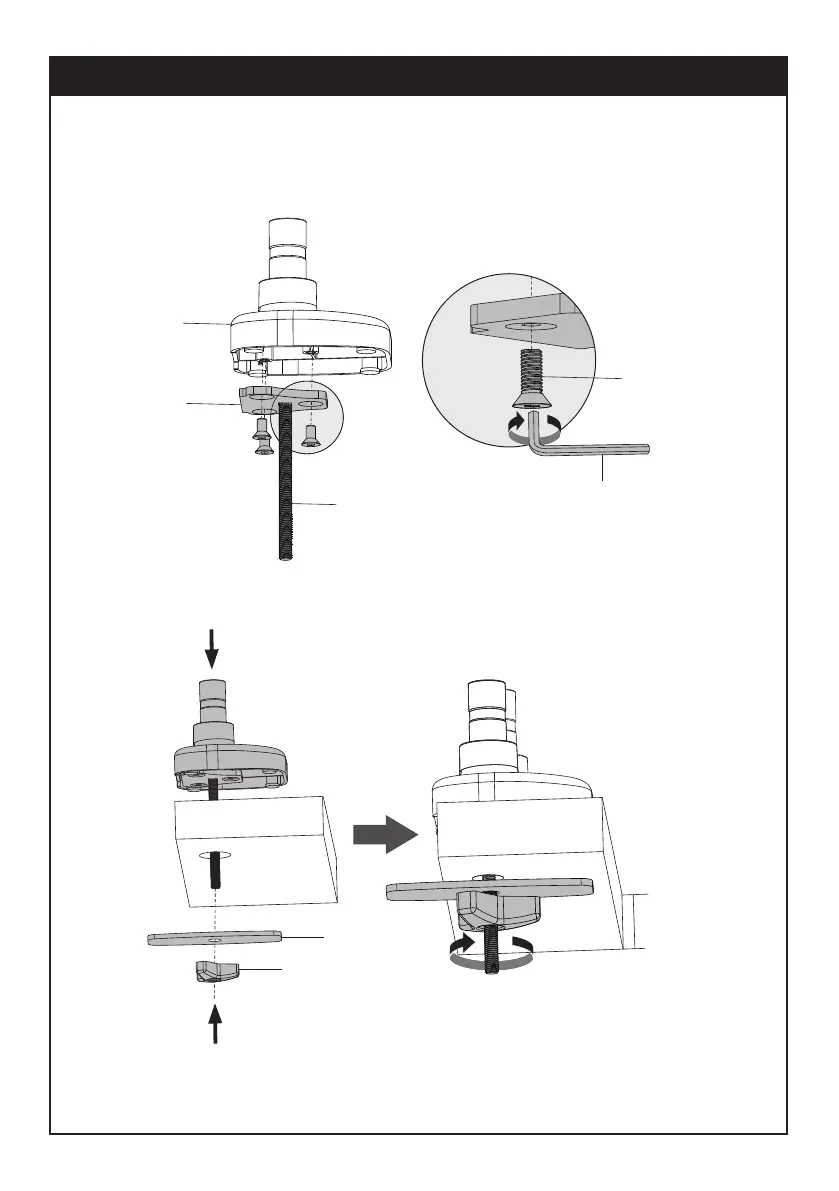
For grommet hole mounting, place Carriage Bolt (K) through the center of Grommet Base (I).
Mount Grommet Base to Base Bottom (C) with Bolts (G) and tighten by 4mm allen key (O).
Run Carriage Bolt (K) through Grommet Hole on desktop. Attach Support Plate (M) and Wingnut (J).
Last step, tighten Wingnut (J).
O
C
I
G
K
M
J
10-90mm


 To Next Page