53
Time Display
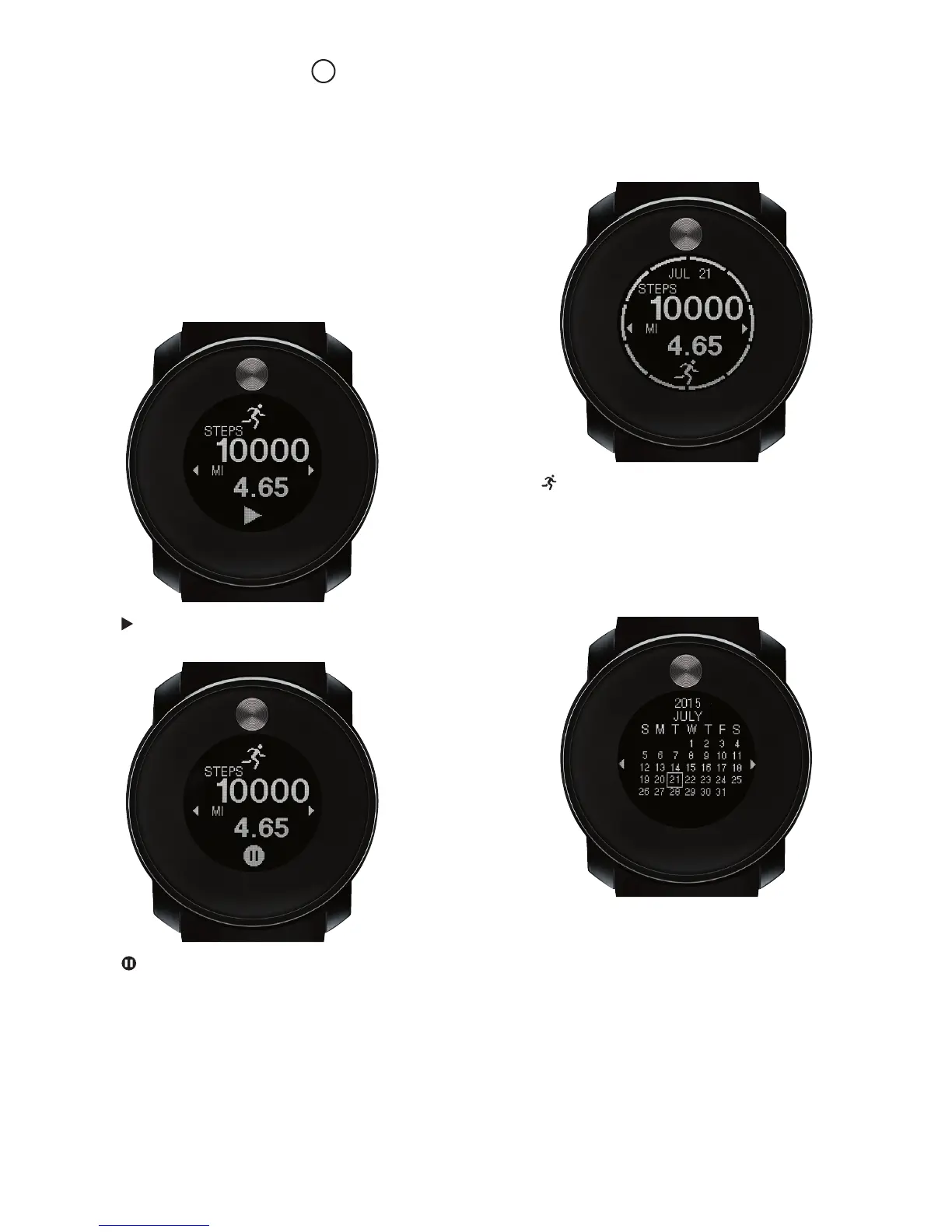
1. Touch and hold Dot for 2 seconds to unlock screen.
2. Swipe left or right to select Display format.
Pedometer
Range 0 to 4 hours; 0 to 99,999 steps.
1. Tap – Start step count.
2. Tap – Stop step count.
3. Tap at bottom of screen to toggle between daily
and weekly activity.
4. Swipe left or right to review activity from other
dates.
Calendar
Displays month-at-a-glance for years 2000 to 2099.
1. Swipe left or right to change month on view.
24
DIGITAL LCD FULL DOT MATRIX
TOUCH-SCREEN MULTI-FUNCTION MODELS
Includes Movado BOLD Touch 2 models



 To Next Page