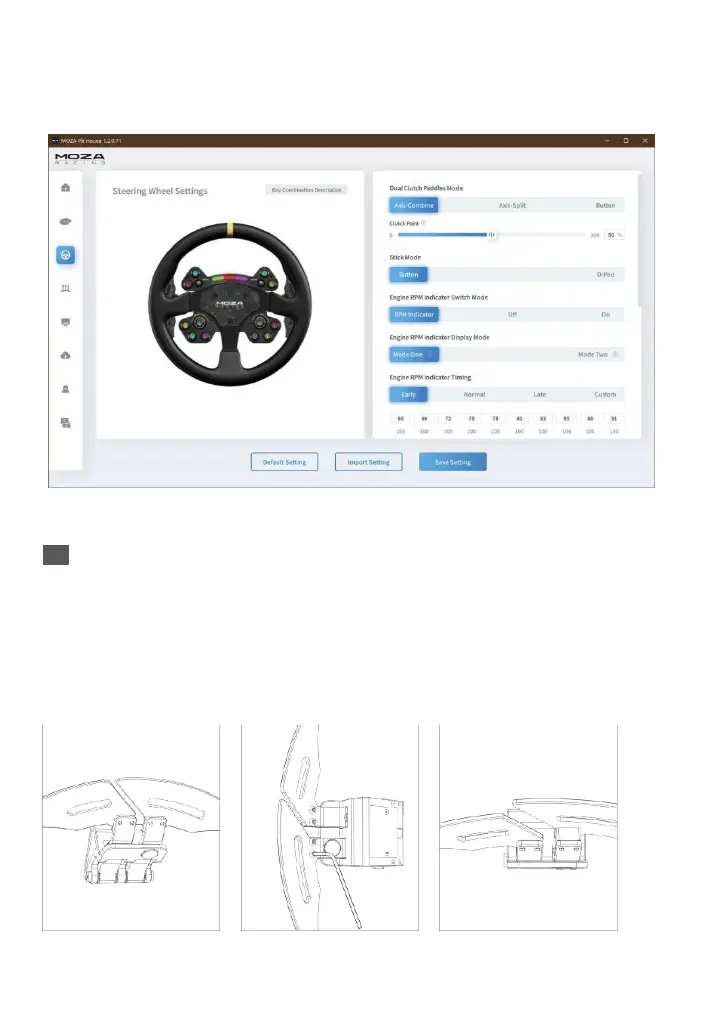
Enter the debugging mode by pressing buttons in a sequence. You can set the color of the illuminated
button as follows: Press and hold the thumb knobs (BRAKE BIASand TC CON ) on the left and right at
the same time until the gear shift indicator flashes,and then enter the button setting mode.
Each time you press the button, you can change a color, and there are 9 colors in total.
(for detailed steering wheel settings and functions, please visit the officialwebsite of
MOZA Racing)
Installation of Paddle Approach Block
Place the steering wheel on a flat surface facing down, use a hexagonal wrench to removethe screw
on the side of the trigger lever of the shift paddle, and then use a wrench to liftthe latch from the
side of the magnetic paddle, and pull the trigger lever of the paddleoutward to obtain the best space
for disassembling and assembling paddles; use a hexagonal wrench to remove the screws on the
shift paddles, put on the heightening block and tighten with the long screws, and finally put the latch
back in place and tightenscrews. The heightening block can help shorten the distance between the
magnetic shifter paddles and hands by 8mm.



 To Next Page