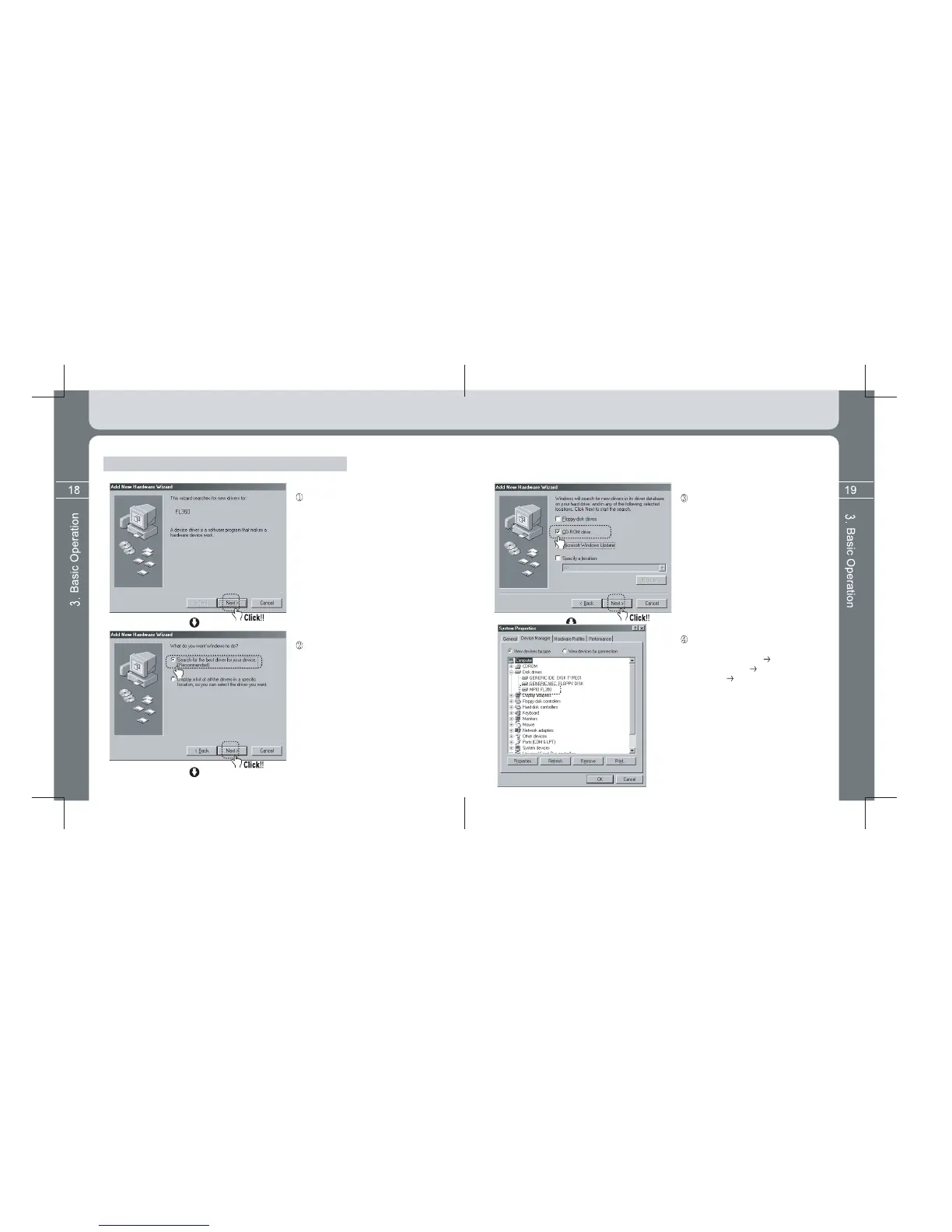
Where Windows 98 Device Driver is not automatically installed.
Connect USB cables of both product and
PC each other. Click the [Next] button if a
‘New Hardware Addition Magician’ window
appears as left figure.
Click the [Next] button after selecting the
‘Most Appropriate Driver for Device’ menu.
You can finally check whether installation
is normally done if entering into the next
path. [Control Device] [System]
[Device Manager] [Hard Disk
Controller] Sub Device.
It is normal only when a device called
‘MPIO FL350’ is displayed (See left figure).
Click the [Next] button after firstly inserting
the supplied Utility CD into the CD-ROM
and then selecting ‘CD-ROM Drive’ menu.
If doing so, a Complete Window appears
after sequence to copy and install
necessary driver file in the Utility CD is
processed. Installation is completed if
clicking the [Finish] button.



 To Next Page