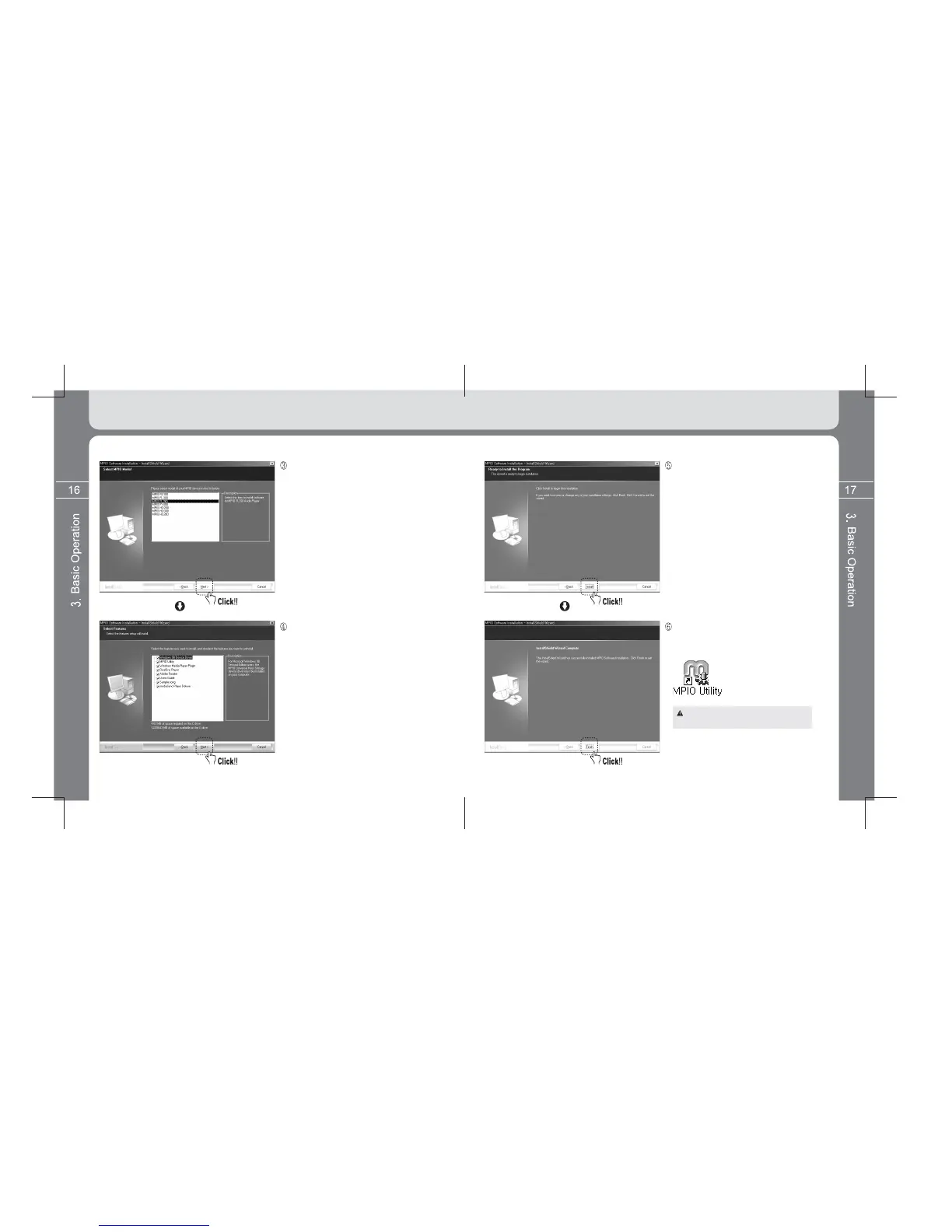
Firstly select model of player and then click
the [Next] button.
If clicking the [Next] button, all utility programs
selected currently are installed.
The user can install necessary programs
optionally. However, 3 utility programs to be
installed are as below:
- Windows 98 Device Driver
- MPIO Utility
- Windows Media Player Plug-in
If clicking the [Install] button, utility programs
the user selected are installed sequentially.
If clicking the [Finish] button, all installation
precess are completed. The MPIO Utility icon is
shown as below on the ground screen.
For detailed information on MPIO Utility,
see the [6. Using MPIO Utility] page 44.



 To Next Page