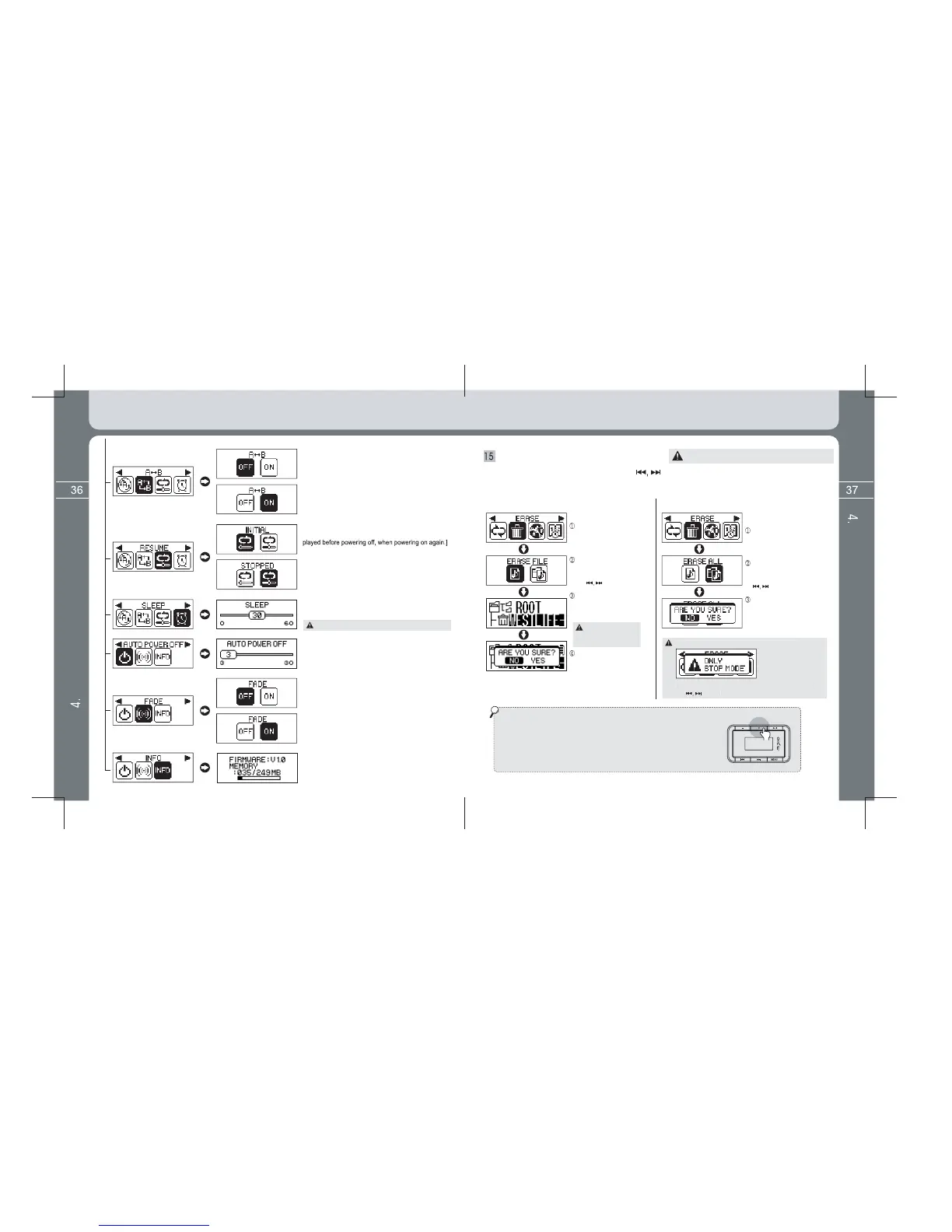
* Select the ERASE icon by using the button after entering into the Menu screen
utton.
Press the Menu button a
n
again shortly after selecting
the ERASE FILE b
Definition of 2 functions of menu button while
pla
ed on the
LCD screen if pressin
ed on the whole LCD screen if pressin
.
* ON: Sector repeat is set if pressin
[Function selection to memorize and pla
TOPPED: Memorizes stopped position of file pla
[Power off time reservation function]
(0 ~ 60 minutes)
[Automatic power off time reservation function]
It is automatically turned off after
standby time has passed when there is no button
operation in the Pause status.
[Function that volume slowl
heard in volume setup while
pla
increases or reduces in volume
setup while pla
[Product information display]
Displays Firmware Version, Used Memory and Total
Memory information.
ERASE a function (Erase a file or all files)
Function to erase files saved in memory.
searching a file to erase
ears in front of
file name.
Popup message appears
As left figure. In this case,
selected file is erased if
selecting the YES key.
Enter into the ERA
Erase function is available onl
in stop status.
Popup message
appears as figure.
The popup messa
e window disappears if pressin
* VOLUME + button function
Consecutively press the Volume (+) button three times in order to exit
the ERASE Mode after erasing all desired files.
(The Volume (+) button increases volume as its original function as its original
function only when music file is playing. The button is used as Upper Menu
or Menu Cancel button in the Menu screen and is also used as button to exit
to the upper folder while Navigating (music search).
Detailed Information on Music Mode
Detailed Information on Music Mode
Sleep setup values are not saved after power off.


 To Next Page
 Loading...






