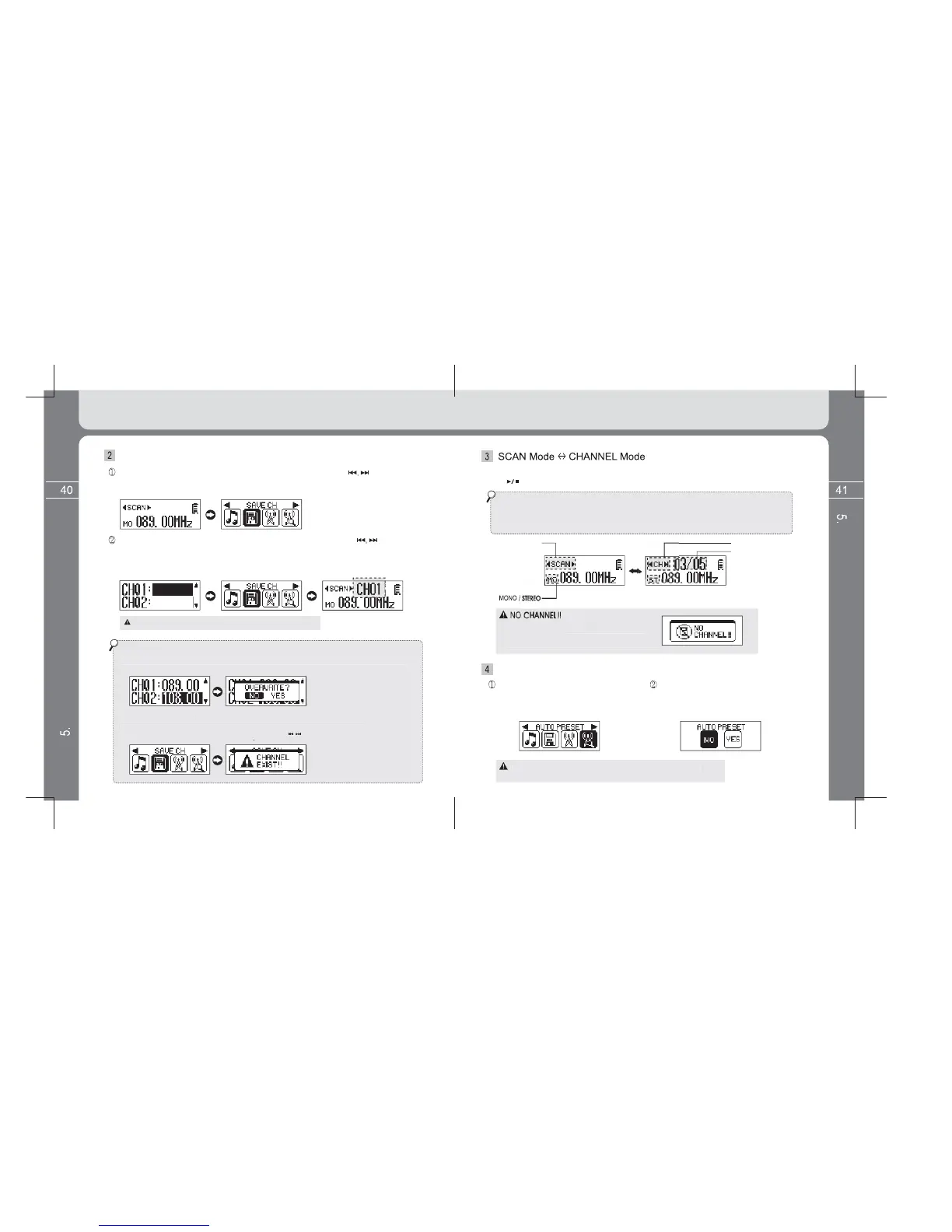
Search desired FM frequency band to save by using the button.
Enter into the Menu screen by pressing and holding the MENU button and then
select the SAVE CH icon.
Setup SAVE CHANNEL (Searched Frequency Band Save)
the button
and then press the Menu button shortly to move to the MENU screen.
If doing so, channel save is properly completed. You can check frequency
is saved if returning to the FM Listening screen by pressing the Volume (+) button.
20 channels are provided to save radio frequency.
* For channel overwrite
EX
to overwrite different frequenc
saved. In this case, OVERWRITE is completed if selectin
e as below appears where frequenc
The popup message window disappears if pressing the button
* You can change Scan mode and Channel mode from time to time if pressing
the button while listening to FM.
* SCAN mode
- This is mode to scan frequency band in the unit of 500Hz or 100KHz.
* CHANNEL mode
- This is mode to scan frequency band in the channel upreviously saved.
Where there is no channel saved,
‘NO CHANNEL!!’
messa
e appears and
it is not allowed to enter into
hannel Mode.
Setup AUTO PRESET (Receivable Frequency Automatic Saving Function)
Select the AUTO PRESET icon
after enterin
n.
If changing to YES from No, all
receivable frequenc
bands at the
location where the user is located
are saved.
Note that there ma
not be receivable frequenc
band
depending on the location where the user is located.
Detailed Information on FM TUNER Mode
Detailed Information on FM TUNER Mode



 To Next Page