30
EN
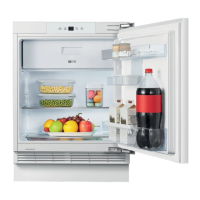
VIEW OF THE APPLIANCE
Due to unceasing modification of our products,
from this instruction manual, but its functions and using methods remain the same.
To get the best energy efficiency of this product, please place all shelves, drawers and
baskets on their original position as t
本配置图为基型说明书
本配置图为基型说明书本配置图为基型说明书
本配置图为基型说明书,
,,
,
●
View of the appliance
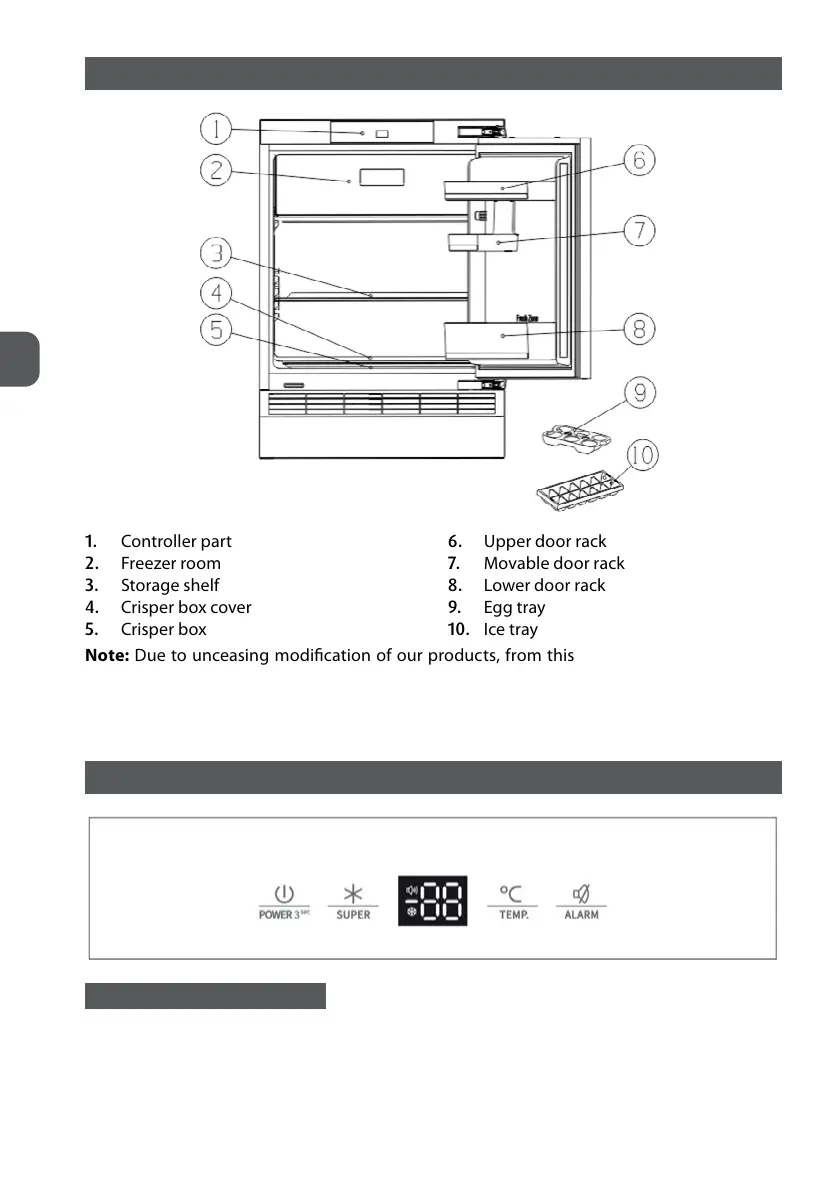
1. Controller part
2. Freezer room
3. Storage shelf
4. Crisper box cover
5. Crisper box
6. Upper door rack
7. Movable door rack
8. Lower door rack
9. Egg tray
10. Ice tray
View of the appliance
1. Controller part
2. Freezer room
3. Upper s
6. Crisper box cover
7. Crisper box
8. Multi box
9. Upper door rack
10. Lower door rack
11. Bottles block
Appliance
Hisense&OEM
Gorenje
Due to unceasing modification of our products,
your refrigerator may be slightly different
from this instruction manual, but its functions and using methods remain the same.
To get the best energy efficiency of this product, please place all shelves, drawers and
baskets on their original position as t
:
::
:以上配置图按海信
以上配置图按海信以上配置图按海信
以上配置图按海信、
、、
、OEM
OEMOEM
OEM牌
牌牌
牌或
或或
或G
GG
G
公司品牌选一个
公司品牌选一个公司品牌选一个
公司品牌选一个
your refrigerator may be slightly different
from this instruction manual, but its functions and using methods remain the same.
To get the best energy efficiency of this product, please place all shelves, drawers and
公司品牌选一个
公司品牌选一个公司品牌选一个
公司品牌选一个
1. Controller part
2. Freezer room
3. Storage shelf
4. Crisper box cover
5. Crisper box
6. Upper door rack
7. Movable door rack
8. Lower door rack
9. Egg tray
10. Ice tray
Note: Due to unceasing modification of our products, from this instruction manual, but its
functions and using methods remain the same.
To get the best energy efficiency of this product, please place all shelves, drawers and baskets
on their original position as the illustration above.
DISPLAY CONTROLS
CONTROLLING THE TEMPERATURE
For optimum food preservation, recommend that when you start your refrigerator for the first
time, the temperature for the refrigerator is set to 4°C. If you want to change the temperature,
follow the instructions below.


 To Next Page