31
EN
CAUTION! When you set a temperature, you set an average temperature for the whole refrigerator cabinet.
Temperatures inside each compartment may vary from the temperatures displayed on the panel, depending
on how much food you and where you place it. High or temperature may also affect temperature inside the
appliance.
Use your appliance according to the following control regulations, your appliance has the
corresponding functions as the
Controlling the temperature
For optimum food preservation,
recommend that when you start your
refrigerator for the first time, the
temperature, follow the instructions below.
cabinet. Temperatures inside
compartment may vary from the
temperatures displayed on the panel,
depending on how much food you
and where you place it. High or
temperature may also affect
1. POWER
Press and hold the
●
“
to turn the power function on or
When the power function is on, the display
off about 1 minute later.
IF you want to turn off
make sure the display board is lighting up.
IF not, you can press any button to
the display board.
Important!
When the power function is
this time. If you will not
Super will quickly lower the temperature
the freezer so food will freeze faster
Use your appliance according to the following control regulations, your appliance has the
corresponding functions as the
control panels showed in the pictures below.
Controlling the temperature
For optimum food preservation,
recommend that when you start your
refrigerator for the first time, the
temperature, follow the instructions below.
cabinet. Temperatures inside
compartment may vary from the
temperatures displayed on the panel,
depending on how much food you
and where you place it. High or
temperature may also affect
to turn the power function on or
When the power function is on, the display
make sure the display board is lighting up.
IF not, you can press any button to
When the power function is
Super will quickly lower the temperature
the freezer so food will freeze faster
of fresh food and keep food fresh longer.
freeze function. The light
illuminated, and panel will
Super freeze automatically switches off
after 52 hours.
When super
freeze function is on, you
off super freeze function by
pressing the middle part of
freezer temperature setting will revert back
to the previous setting.
3. TEMP
Press the middle part of
as needed, and control panel will display
corresponding figures according to the
following sequence.
NOTE:
High temperature setting will
accelerate food waste.
4. ALARM
In case of alarm,
Leaving the door of refrigerator open
minute will activate door
3 times per minute for 10
Closing the door cancels the
door alarm and buzzer.
Press “ALARM
To save energy, please avoid keeping
door open for a long time when using
Use your appliance according to the following control regulations, your appliance has the
control panels showed in the pictures below.
of fresh food and keep food fresh longer.
freeze function. The light
Super freeze automatically switches off
freeze function is on, you
off super freeze function by
pressing the middle part of
freezer temperature setting will revert back
as needed, and control panel will display
corresponding figures according to the
High temperature setting will
Leaving the door of refrigerator open
minute will activate door
3 times per minute for 10
Closing the door cancels the
To save energy, please avoid keeping
door open for a long time when using
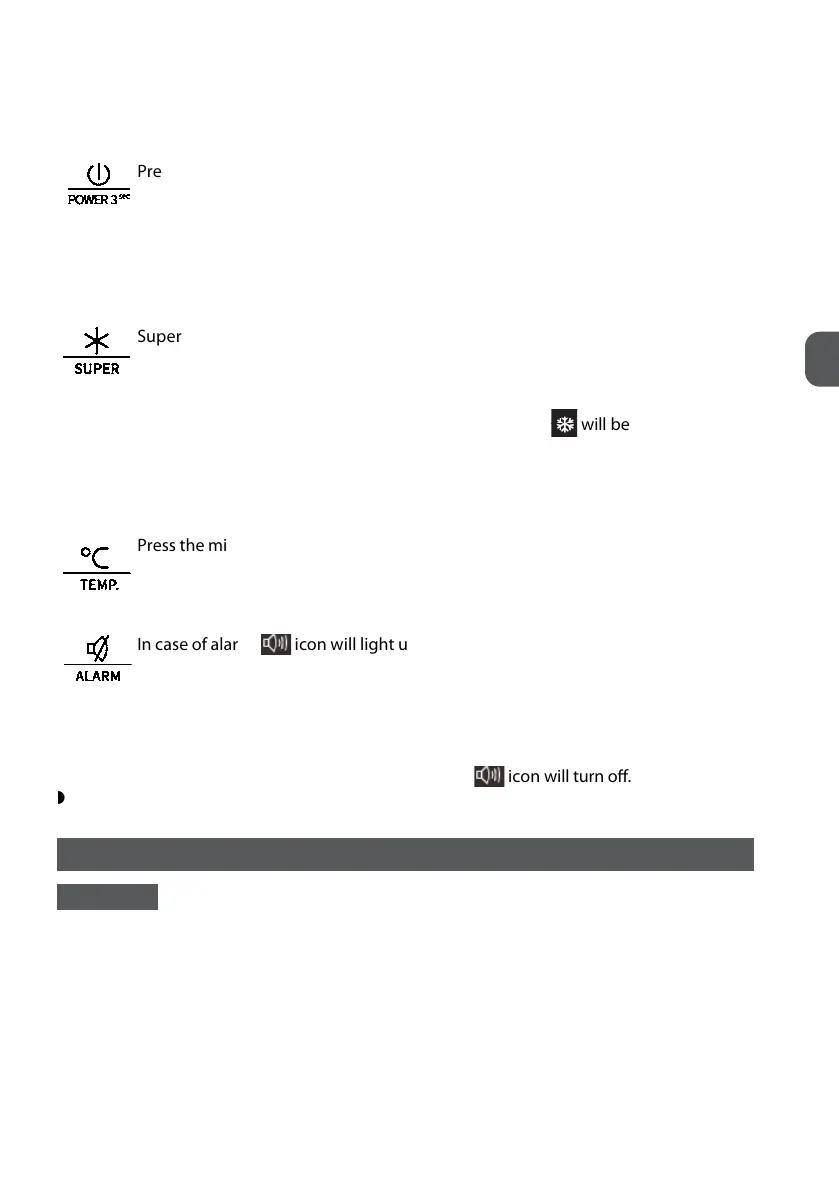
Press and hold the “POWER” button for 3 seconds to turn the power function on or
off. When the power function is on, the display board will show “- -”. If no buttons
have been pressed, the display board will turn off about 1 minute later.
IF you want to turn off the power function, make sure the display board is lighting up. IF not,
you can press any button to light up the display board.
IMPORTANT! When the power function is on, the refrigerator stops cooling. Do not store any food in the fridge
during this time. If you will not use the refrigerator for a long time, please pull the plug.
Use your appliance according to the following control regulations, your appliance has the
corresponding functions as the
Controlling the temperature
For optimum food preservation,
recommend that when you start your
refrigerator for the first time, the
temperature, follow the instructions below.
cabinet. Temperatures inside
compartment may vary from the
temperatures displayed on the panel,
depending on how much food you
and where you place it. High or
temperature may also affect
1. POWER
Press and hold the
●
“
to turn the power function on or
When the power function is on, the display
off about 1 minute later.
IF you want to turn off
make sure the display board is lighting up.
IF not, you can press any button to
the display board.
Important!
When the power function is
this time. If you will not
Super will quickly lower the temperature
the freezer so food will freeze faster
Use your appliance according to the following control regulations, your appliance has the
corresponding functions as the
control panels showed in the pictures below.
Controlling the temperature
For optimum food preservation,
recommend that when you start your
refrigerator for the first time, the
temperature, follow the instructions below.
cabinet. Temperatures inside
compartment may vary from the
temperatures displayed on the panel,
depending on how much food you
and where you place it. High or
temperature may also affect
to turn the power function on or
When the power function is on, the display
make sure the display board is lighting up.
IF not, you can press any button to
When the power function is
Super will quickly lower the temperature
the freezer so food will freeze faster
of fresh food and keep food fresh longer.
freeze function. The light
illuminated, and panel will
Super freeze automatically switches off
after 52 hours.
When super
freeze function is on, you
off super freeze function by
pressing the middle part of
freezer temperature setting will revert back
to the previous setting.
3. TEMP
Press the middle part of
as needed, and control panel will display
corresponding figures according to the
following sequence.
NOTE:
High temperature setting will
accelerate food waste.
4. ALARM
In case of alarm,
Leaving the door of refrigerator open
minute will activate door
3 times per minute for 10
Closing the door cancels the
door alarm and buzzer.
Press “ALARM
To save energy, please avoid keeping
door open for a long time when using
Use your appliance according to the following control regulations, your appliance has the
control panels showed in the pictures below.
of fresh food and keep food fresh longer.
freeze function. The light
Super freeze automatically switches off
freeze function is on, you
off super freeze function by
pressing the middle part of
freezer temperature setting will revert back
as needed, and control panel will display
corresponding figures according to the
High temperature setting will
Leaving the door of refrigerator open
minute will activate door
3 times per minute for 10
Closing the door cancels the
To save energy, please avoid keeping
door open for a long time when using
Super will quickly lower the temperature with in the freezer so food will freeze
faster. This can lock in the vitamins and nutrients of fresh food and keep food fresh
longer.
Press the button to activate the super freeze function. The light
Use your appliance according to the following control regulations, your appliance has the
corresponding functions as the
Controlling the temperature
For optimum food preservation,
recommend that when you start your
refrigerator for the first time, the
temperature, follow the instructions below.
cabinet. Temperatures inside
compartment may vary from the
temperatures displayed on the panel,
depending on how much food you
and where you place it. High or
temperature may also affect
1. POWER
Press and hold the
●
“
to turn the power function on or
When the power function is on, the display
off about 1 minute later.
IF you want to turn off
make sure the display board is lighting up.
IF not, you can press any button to
the display board.
Important!
When the power function is
this time. If you will not
Super will quickly lower the temperature
the freezer so food will freeze faster
Use your appliance according to the following control regulations, your appliance has the
corresponding functions as the
control panels showed in the pictures below.
Controlling the temperature
For optimum food preservation,
recommend that when you start your
refrigerator for the first time, the
temperature, follow the instructions below.
cabinet. Temperatures inside
compartment may vary from the
temperatures displayed on the panel,
depending on how much food you
and where you place it. High or
temperature may also affect
to turn the power function on or
When the power function is on, the display
make sure the display board is lighting up.
IF not, you can press any button to
When the power function is
Super will quickly lower the temperature
the freezer so food will freeze faster
of fresh food and keep food fresh longer.
freeze function. The light
illuminated, and panel will
Super freeze automatically switches off
after 52 hours.
When super
freeze function is on, you
off super freeze function by
pressing the middle part of
freezer temperature setting will revert back
to the previous setting.
3. TEMP
Press the middle part of
as needed, and control panel will display
corresponding figures according to the
following sequence.
NOTE:
High temperature setting will
accelerate food waste.
4. ALARM
In case of alarm,
Leaving the door of refrigerator open
minute will activate door
3 times per minute for 10
Closing the door cancels the
door alarm and buzzer.
Press “ALARM
To save energy, please avoid keeping
door open for a long time when using
Use your appliance according to the following control regulations, your appliance has the
control panels showed in the pictures below.
of fresh food and keep food fresh longer.
freeze function. The light
Super freeze automatically switches off
freeze function is on, you
off super freeze function by
pressing the middle part of
freezer temperature setting will revert back
as needed, and control panel will display
corresponding figures according to the
High temperature setting will
Leaving the door of refrigerator open
minute will activate door
3 times per minute for 10
Closing the door cancels the
To save energy, please avoid keeping
door open for a long time when using
will be illuminated, and
panel will display 2 °C.
Super freeze automatically switches off after 52 hours.
When super freeze function is on, you can switch off super freeze function by pressing the mid-
dle part of button and the freezer temperature setting will revert back to the previous setting.
Use your appliance according to the following control regulations, your appliance has the
corresponding functions as the
Controlling the temperature
For optimum food preservation,
recommend that when you start your
refrigerator for the first time, the
temperature, follow the instructions below.
cabinet. Temperatures inside
compartment may vary from the
temperatures displayed on the panel,
depending on how much food you
and where you place it. High or
temperature may also affect
1. POWER
Press and hold the
●
“
to turn the power function on or
When the power function is on, the display
off about 1 minute later.
IF you want to turn off
make sure the display board is lighting up.
IF not, you can press any button to
the display board.
Important!
When the power function is
this time. If you will not
Super will quickly lower the temperature
the freezer so food will freeze faster
Use your appliance according to the following control regulations, your appliance has the
corresponding functions as the
control panels showed in the pictures below.
Controlling the temperature
For optimum food preservation,
recommend that when you start your
refrigerator for the first time, the
temperature, follow the instructions below.
cabinet. Temperatures inside
compartment may vary from the
temperatures displayed on the panel,
depending on how much food you
and where you place it. High or
temperature may also affect
to turn the power function on or
When the power function is on, the display
make sure the display board is lighting up.
IF not, you can press any button to
When the power function is
Super will quickly lower the temperature
the freezer so food will freeze faster
of fresh food and keep food fresh longer.
freeze function. The light
illuminated, and panel will
Super freeze automatically switches off
after 52 hours.
When super
freeze function is on, you
off super freeze function by
pressing the middle part of
freezer temperature setting will revert back
to the previous setting.
3. TEMP
Press the middle part of
as needed, and control panel will display
corresponding figures according to the
following sequence.
NOTE:
High temperature setting will
accelerate food waste.
4. ALARM
In case of alarm,
Leaving the door of refrigerator open
minute will activate door
3 times per minute for 10
Closing the door cancels the
door alarm and buzzer.
Press “ALARM
To save energy, please avoid keeping
door open for a long time when using
Use your appliance according to the following control regulations, your appliance has the
control panels showed in the pictures below.
of fresh food and keep food fresh longer.
freeze function. The light
Super freeze automatically switches off
freeze function is on, you
off super freeze function by
pressing the middle part of
freezer temperature setting will revert back
as needed, and control panel will display
corresponding figures according to the
High temperature setting will
Leaving the door of refrigerator open
minute will activate door
3 times per minute for 10
Closing the door cancels the
To save energy, please avoid keeping
door open for a long time when using
Press the middle part of the button to set fridge temperature between 2°C and 8°C
as needed, and control panel will display corresponding figures according to the
following sequence.
NOTE! High temperature setting will accelerate food waste.
Use your appliance according to the following control regulations, your appliance has the
corresponding functions as the
Controlling the temperature
For optimum food preservation,
recommend that when you start your
refrigerator for the first time, the
temperature, follow the instructions below.
cabinet. Temperatures inside
compartment may vary from the
temperatures displayed on the panel,
depending on how much food you
and where you place it. High or
temperature may also affect
1. POWER
Press and hold the
●
“
to turn the power function on or
When the power function is on, the display
off about 1 minute later.
IF you want to turn off
make sure the display board is lighting up.
IF not, you can press any button to
the display board.
Important!
When the power function is
this time. If you will not
Super will quickly lower the temperature
the freezer so food will freeze faster
Use your appliance according to the following control regulations, your appliance has the
corresponding functions as the
control panels showed in the pictures below.
Controlling the temperature
For optimum food preservation,
recommend that when you start your
refrigerator for the first time, the
temperature, follow the instructions below.
cabinet. Temperatures inside
compartment may vary from the
temperatures displayed on the panel,
depending on how much food you
and where you place it. High or
temperature may also affect
to turn the power function on or
When the power function is on, the display
make sure the display board is lighting up.
IF not, you can press any button to
When the power function is
Super will quickly lower the temperature
the freezer so food will freeze faster
of fresh food and keep food fresh longer.
freeze function. The light
illuminated, and panel will
Super freeze automatically switches off
after 52 hours.
When super
freeze function is on, you
off super freeze function by
pressing the middle part of
freezer temperature setting will revert back
to the previous setting.
3. TEMP
Press the middle part of
as needed, and control panel will display
corresponding figures according to the
following sequence.
NOTE:
High temperature setting will
accelerate food waste.
4. ALARM
In case of alarm,
Leaving the door of refrigerator open
minute will activate door
3 times per minute for 10
Closing the door cancels the
door alarm and buzzer.
Press “ALARM
To save energy, please avoid keeping
door open for a long time when using
Use your appliance according to the following control regulations, your appliance has the
control panels showed in the pictures below.
of fresh food and keep food fresh longer.
freeze function. The light
Super freeze automatically switches off
freeze function is on, you
off super freeze function by
pressing the middle part of
freezer temperature setting will revert back
as needed, and control panel will display
corresponding figures according to the
High temperature setting will
Leaving the door of refrigerator open
minute will activate door
3 times per minute for 10
Closing the door cancels the
To save energy, please avoid keeping
door open for a long time when using
In case of alarm,
Use your appliance according to the following control regulations, your appliance has the
corresponding functions as the
Controlling the temperature
For optimum food preservation,
recommend that when you start your
refrigerator for the first time, the
temperature, follow the instructions below.
cabinet. Temperatures inside
compartment may vary from the
temperatures displayed on the panel,
depending on how much food you
and where you place it. High or
temperature may also affect
1. POWER
Press and hold the
●
“
to turn the power function on or
When the power function is on, the display
off about 1 minute later.
IF you want to turn off
make sure the display board is lighting up.
IF not, you can press any button to
the display board.
Important!
When the power function is
this time. If you will not
Super will quickly lower the temperature
the freezer so food will freeze faster
Use your appliance according to the following control regulations, your appliance has the
corresponding functions as the
control panels showed in the pictures below.
Controlling the temperature
For optimum food preservation,
recommend that when you start your
refrigerator for the first time, the
temperature, follow the instructions below.
cabinet. Temperatures inside
compartment may vary from the
temperatures displayed on the panel,
depending on how much food you
and where you place it. High or
temperature may also affect
to turn the power function on or
When the power function is on, the display
make sure the display board is lighting up.
IF not, you can press any button to
When the power function is
Super will quickly lower the temperature
the freezer so food will freeze faster
of fresh food and keep food fresh longer.
freeze function. The light
illuminated, and panel will
Super freeze automatically switches off
after 52 hours.
When super
freeze function is on, you
off super freeze function by
pressing the middle part of
freezer temperature setting will revert back
to the previous setting.
3. TEMP
Press the middle part of
as needed, and control panel will display
corresponding figures according to the
following sequence.
NOTE:
High temperature setting will
accelerate food waste.
4. ALARM
In case of alarm,
Leaving the door of refrigerator open
minute will activate door
3 times per minute for 10
Closing the door cancels the
door alarm and buzzer.
Press “ALARM
To save energy, please avoid keeping
door open for a long time when using
Use your appliance according to the following control regulations, your appliance has the
control panels showed in the pictures below.
of fresh food and keep food fresh longer.
freeze function. The light
Super freeze automatically switches off
freeze function is on, you
off super freeze function by
pressing the middle part of
freezer temperature setting will revert back
as needed, and control panel will display
corresponding figures according to the
High temperature setting will
Leaving the door of refrigerator open
minute will activate door
3 times per minute for 10
Closing the door cancels the
To save energy, please avoid keeping
door open for a long time when using
icon will light up and flashes, meanwhile a buzzing sound will
start.
Leaving the door of refrigerator open for over 1 minute will activate door alarm, the icon will
light up and flashes, the buzzer will beep 3 times per minute for 10 minutes. Closing the door
cancels the door alarm and buzzer.
Press “ALARM” button to stop alarm, the buzzing and
Use your appliance according to the following control regulations, your appliance has the
corresponding functions as the
Controlling the temperature
For optimum food preservation,
recommend that when you start your
refrigerator for the first time, the
temperature, follow the instructions below.
cabinet. Temperatures inside
compartment may vary from the
temperatures displayed on the panel,
depending on how much food you
and where you place it. High or
temperature may also affect
1. POWER
Press and hold the
●
“
to turn the power function on or
When the power function is on, the display
off about 1 minute later.
IF you want to turn off
make sure the display board is lighting up.
IF not, you can press any button to
the display board.
Important!
When the power function is
this time. If you will not
Super will quickly lower the temperature
the freezer so food will freeze faster
Use your appliance according to the following control regulations, your appliance has the
corresponding functions as the
control panels showed in the pictures below.
Controlling the temperature
For optimum food preservation,
recommend that when you start your
refrigerator for the first time, the
temperature, follow the instructions below.
cabinet. Temperatures inside
compartment may vary from the
temperatures displayed on the panel,
depending on how much food you
and where you place it. High or
temperature may also affect
to turn the power function on or
When the power function is on, the display
make sure the display board is lighting up.
IF not, you can press any button to
When the power function is
Super will quickly lower the temperature
the freezer so food will freeze faster
of fresh food and keep food fresh longer.
freeze function. The light
illuminated, and panel will
Super freeze automatically switches off
after 52 hours.
When super
freeze function is on, you
off super freeze function by
pressing the middle part of
freezer temperature setting will revert back
to the previous setting.
3. TEMP
Press the middle part of
as needed, and control panel will display
corresponding figures according to the
following sequence.
NOTE:
High temperature setting will
accelerate food waste.
4. ALARM
In case of alarm,
Leaving the door of refrigerator open
minute will activate door
3 times per minute for 10
Closing the door cancels the
door alarm and buzzer.
Press “ALARM
To save energy, please avoid keeping
door open for a long time when using
Use your appliance according to the following control regulations, your appliance has the
control panels showed in the pictures below.
of fresh food and keep food fresh longer.
freeze function. The light
Super freeze automatically switches off
freeze function is on, you
off super freeze function by
pressing the middle part of
freezer temperature setting will revert back
as needed, and control panel will display
corresponding figures according to the
High temperature setting will
Leaving the door of refrigerator open
minute will activate door
3 times per minute for 10
Closing the door cancels the
To save energy, please avoid keeping
door open for a long time when using
icon will turn off.
To save energy, please avoid keeping the door open for a long time when using refrigerator.
USING YOUR APPLIANCE
DOOR RACK
It is suitable for the storage of eggs, canned liquid, bottled drinks and packed food, etc. Do
not place too many heavy things in the racks.
To adjust, gradually pull the rack in the direction of the arrows until it comes free, then repo-
sition as required.


 To Next Page
 Loading...